



Staffbase Campus
Register for Staffbase Campus and review the Staffbase Email courses to familiarize yourself with the new platform.
Connect people, content, and tools
Reach teams wherever they work
Send targeted internal emails
Publish once, reach everyone
The right answer, every time
Onsite updates for your teams
AI-native content management
Personalized audio briefings
Town halls finally reach everyone

Ready to switch?
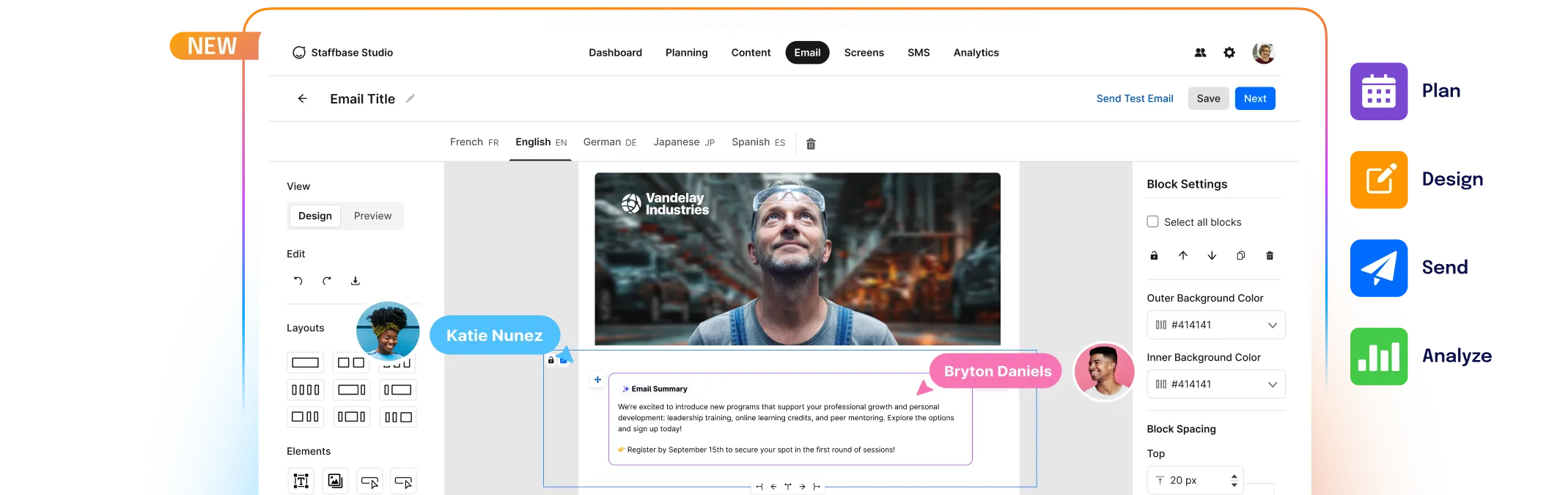
The new platform is faster, smarter, and designed to make every send smoother – to get there, a few setup steps are needed.
Schedule Your Migration Kickoff Call
Connect with our dedicated migration team to build a plan for a successful migration. We will walk you through the process and set timelines together.
Audit Your Classic Environment
Review what is in your Classic setup: active templates, lists, and sent history. Decide what to migrate versus what to leave behind and start fresh.
Review Your Resources and Gather Your Team
Familiarize yourself with the resources on this page. Gather internal team members who can help with this project and ensure you are all aligned and available for the migration.
Email Migration Overview
In case you've missed our previous live sessions: catch up on everything we covered and get fully prepared for the migration ahead.
Staffbase Campus
Register for Staffbase Campus and review the Staffbase Email courses to familiarize yourself with the new platform.
Governance
Learn what has changed around permissions, rights and roles within the new Staffbase Email platform.
Product Demo
Want to learn more about the benefits and how the new Staffbase Email looks? Watch our product demo.
Technical Setup
Watch a demo of our migration features and what needs to be done to wrap up your migration and set up.
Migration Team
Schedule a call with our Migration Team to begin the process and kick off your migration.
Technical Support
Reach out to us if you have any immediate technical questions about the migration.
Feedback Form
Blocked from moving forward? Let us know what we can do to support your migration.
Security Information
Having questions about security? We've gathered a collection of helpful links to provide more information.
Why is a migration necessary?
What data will be migrated?
What is the predicted IT effort to complete the migration? Is it similar to the initial implementation?
Will content sync regularly between Email Classic and Staffbase Email during the migration period?
WebApp is completely new to me. Where can I find training?
Where can I find my aliases?
How can I configure a custom domain?
Where can I find more details around the new governance structure? (Spaces, Folders and User Groups)
What user roles exist in the new Staffbase Email and how do they apply to Spaces and Folders?
Does our Workday integration and field mapping have to be rebuilt, or does that migrate as well?
All key details such as ISO certificates, latest penetration test report and our Data Processing Agreement for your security assessment – if you have any security question that wasn't answered here, please share it with us and we’ll be happy to assist.