

What are the best employee apps for internal communication and employee experience in 2026?
A platform that is developed as a mobile-first employee app, can scale into a full-featured intranet, and achieves high adoption among employees thanks to strong everyday utility is the best choice in 2026.

Philipp Scherber in Employee App
Key takeaways (TL;DR)
The best employee app in 2026 drives high adoption across your entire workforce. It’s built mobile-first and can scale into a full-featured intranet when your communication strategy evolves.
That scalability matters. Many organizations that start with an app-only approach develop intranet and multichannel requirements within one to two years. Communication ecosystems grow. Platforms need to grow with them.
An employee app comparison in 2026 shows that Staffbase meets these requirements comprehensively — and more effectively than any other provider on the market.
Mobile-first apps without enterprise-grade intranet scalability — such as Beekeeper, Connecteam, or Speakap — can work well if your needs remain stable and app-only. Desktop-first intranets like Unily are a strong fit for organizations with a predominantly office-based workforce.
When evaluating an employee app, look beyond “mobile-first” as a label. Focus on what will matter long term:
User-friendliness and clear everyday value for employees
Seamless integration with your digital workplace ecosystem (e.g., HRIS, Microsoft, Google Workspace)
A structured governance and permissions framework
True multichannel capabilities
Enterprise-grade security and compliance standards (e.g., GDPR, ISO 27001)
What feature comparisons miss: Without high adoption, even the “best” employee app fails
A pure feature comparison of employee apps misses the bigger picture. The key question for an employee app comparison in 2026 isn’t, “Which features are available?” It’s: “Is this solution integrated, consistent, and useful enough to be used every day?”
An employee app can be technically excellent and still fail — especially if it was designed from the perspective of departments rather than employees.
A typical pattern looks like this:
HR wants to digitalize self-services.
Internal communications wants greater reach for its content.
Operations wants to map operational processes.
IT focuses on governance and integrations.
The result is often a collection of useful features — or several highly specialized apps. But they reflect the organization’s structure rather than the reality of employees’ daily work.
Employees don’t experience their workday in departmental categories. They don’t think in terms of an “HR module,” a “news section,” or an “operations tool.” They’re looking for orientation, clarity, and the ability to get things done quickly.
When communication, services, and operational tools live in separate systems, fragmentation follows:
The app is opened only when needed.
Other tools are required to complete specific tasks.
Informal channels replace official ones.
Push communication loses impact because the channel isn’t part of the daily routine.
The result: low adoption.
And without adoption, even the most feature-rich solution loses its strategic value. An employee app that is used only occasionally isn’t a central communication channel. It’s just another tool in the stack.
Adoption doesn’t come from launch campaigns or the depth of individual features. It happens when the app genuinely makes everyday work easier. When employees can check shift schedules, submit requests, receive updates, and find answers in the same place, usage becomes second nature.
Utility creates habit. Habit builds trust. And trust turns an app into a channel that truly matters.
The 10 best employee communication apps in 2026
With so many options available on the employee communication apps market, it can be difficult to determine which platform best fits your organization’s needs. Below, we’ve broken down ten leading employee app solutions, highlighting their strengths and limitations.
1. Staffbase
Self-positioning: AI-native employee experience platform
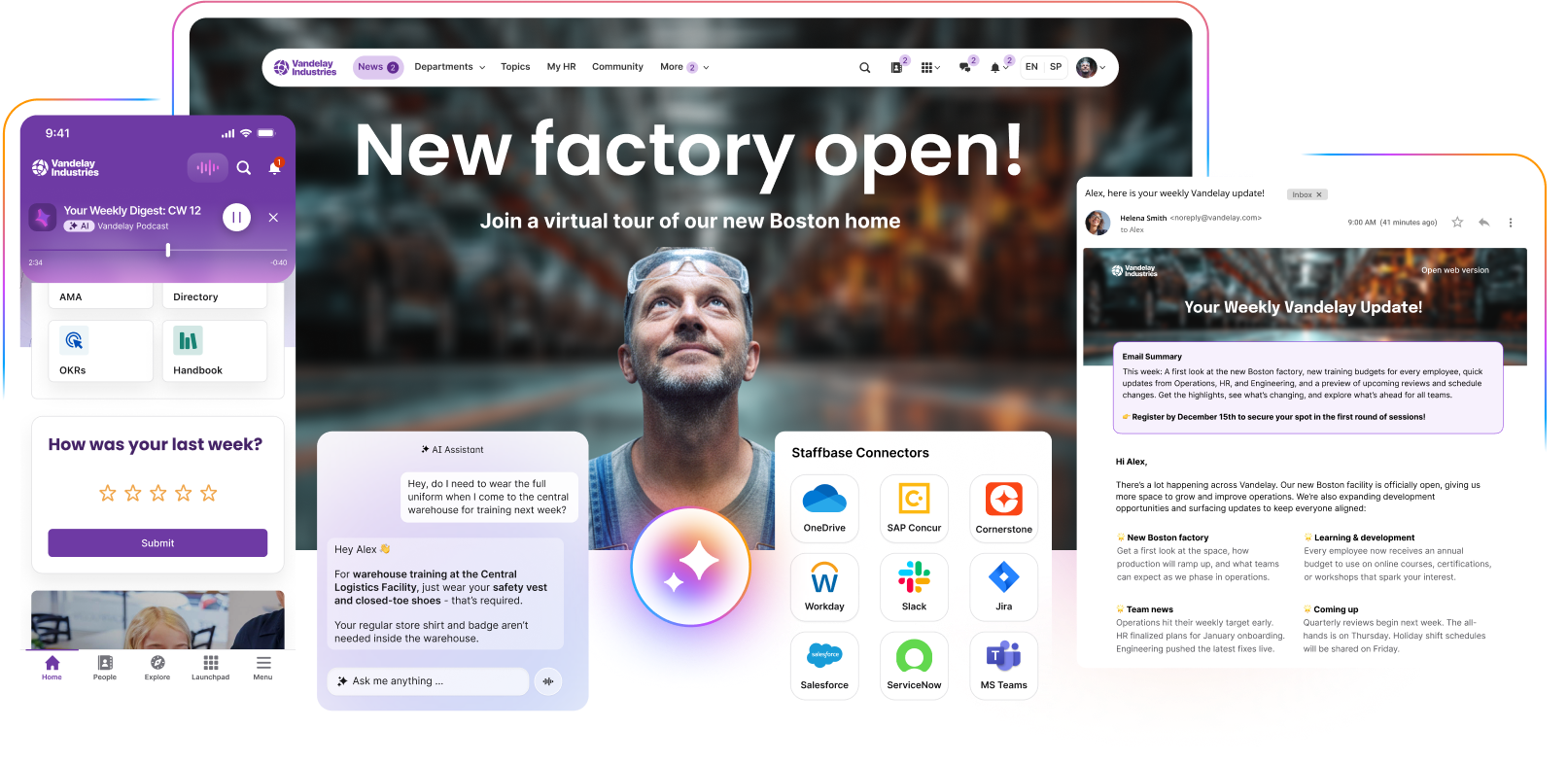
Staffbase is one of the most trusted employee communication and employee experience platforms — and for good reason. It’s a multichannel solution that brings together intranet analytics, email, and mobile communication in one place. That means you can reach every employee, whether they’re at a desk, on the factory floor, or out in the field supporting customers.
Staffbase in a nutshell:
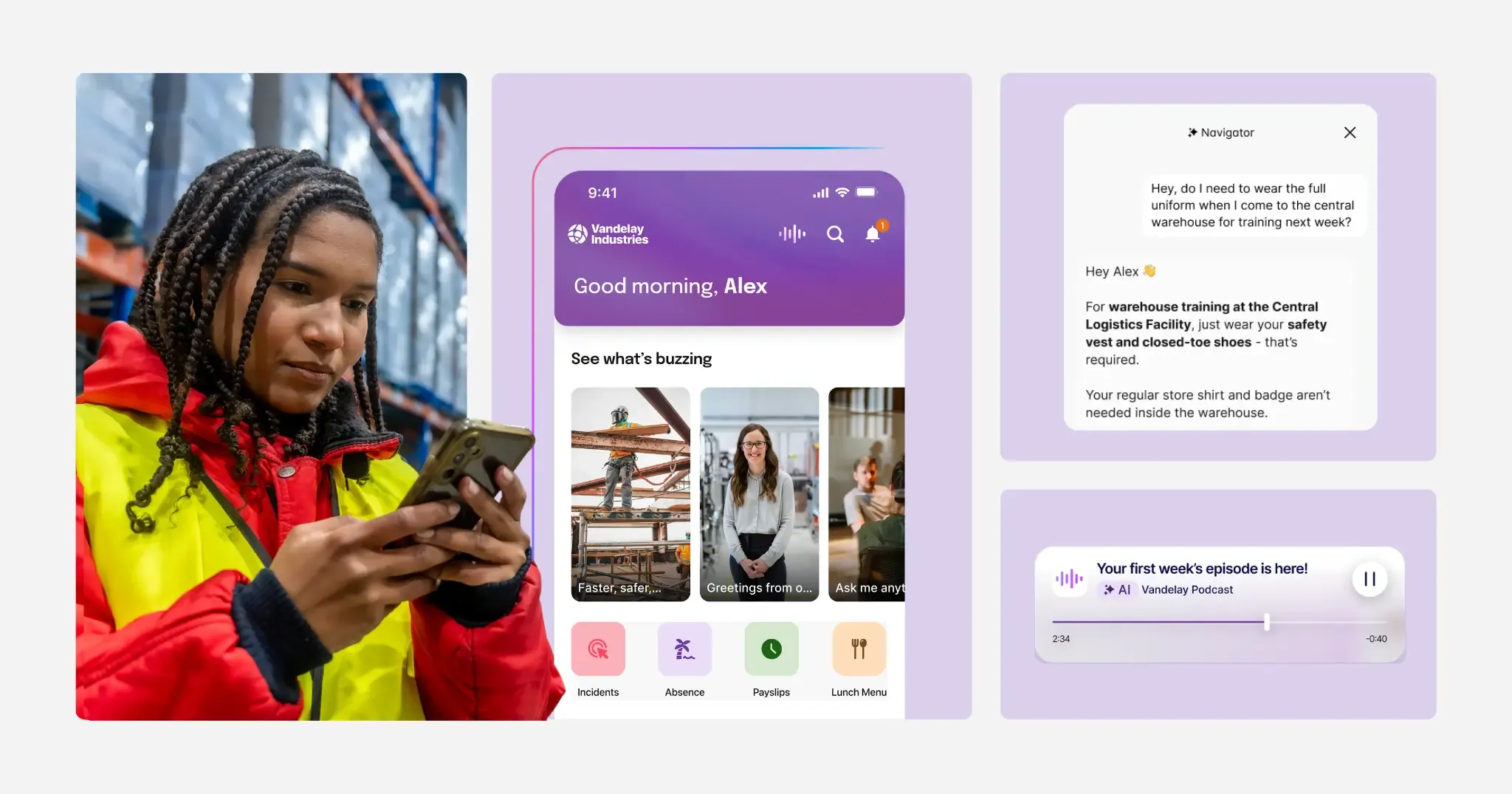
Employee app as the digital front door to communication, knowledge, tools, and services
Core component of an AI-native employee experience platform
Unified platform integrating intranet, email, SMS, digital signage, and digital workplace tools
Frontline-first designed AI capabilities including a conversational assistant that actively helps employees complete tasks
Integrates with all common HRIS systems as well as Microsoft 365, Google Workspace, and more
Push notifications, offline access, and personalized content feeds
Built-in Smart Impact analytics to measure communication impact, not just clicks
Pros: Staffbase helps organizations reach every employee, including those in hard-to-reach frontline and deskless roles. It’s quicker to implement than traditional, IT-heavy intranet platforms and offers strong governance and analytics.
Cons: Administrative features are primarily available on desktop. The mobile app experience is designed for employees.
Best for: Mid-to-large enterprises that need a scalable, multichannel employee communication app that reduces IT dependence and delivers measurable impact.
Price: Custom pricing based on company size, channels, and scope — from app-only deployments to full platform rollouts.
2. Simpplr
Self-positioning: Employee experience platform
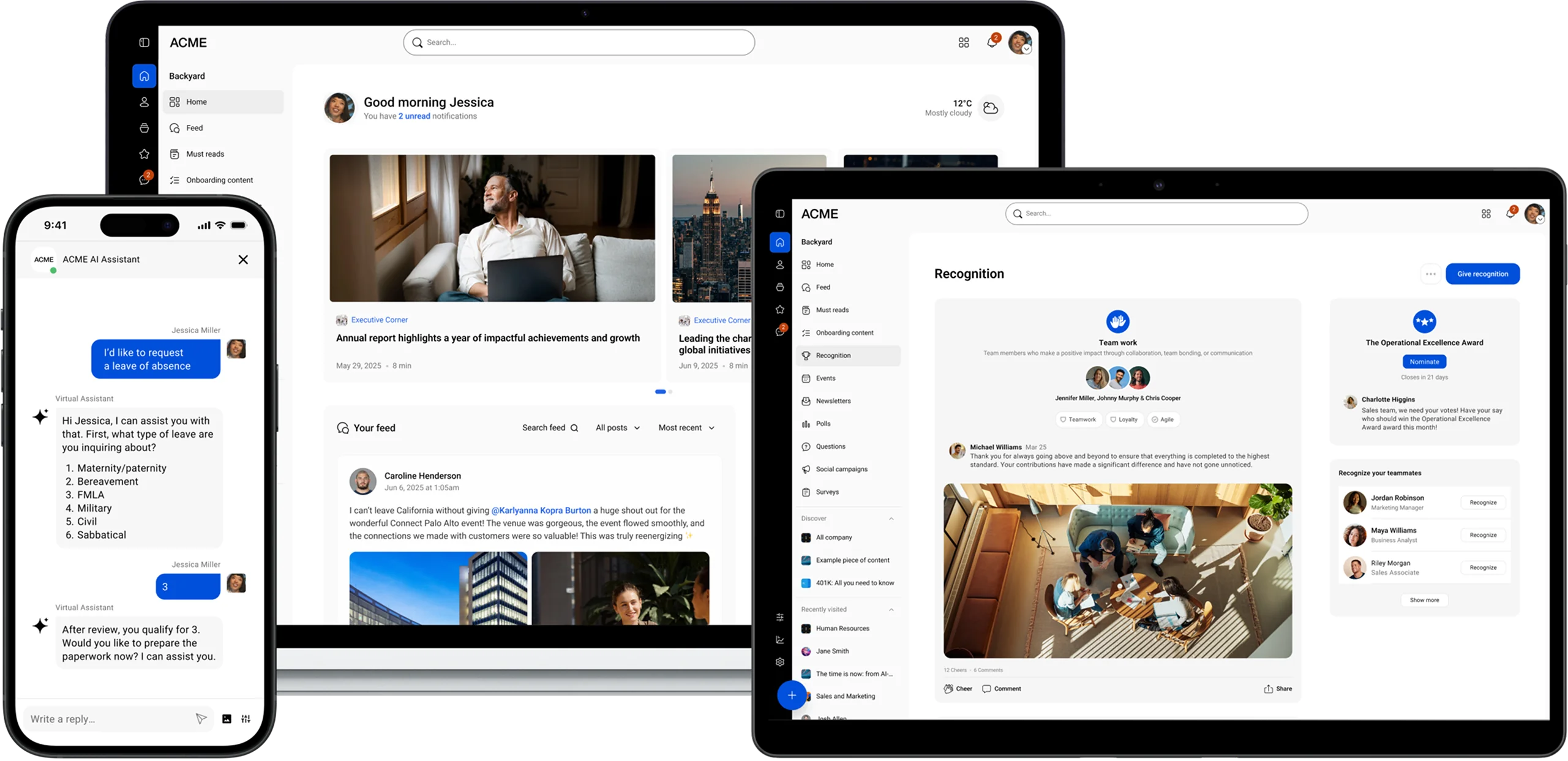
Simpplr is a sleek, modern intranet vendor with a strong focus on desktop. The platform utilizes AI across various features to deliver personalized content to employees. Simpplr is primarily built for office-based environments, with limited support for deskless or on-the-go workers. It’s a good choice for organizations that want a straightforward solution.
Simpplr in a nutshell:
Personalized content feeds for updates and news
Access to integrated workplace apps
Search across people, policies, and company content
Pros: Easy to roll out with rapid intranet deployment.
Cons: Limited customization compared to platforms like Staffbase.
Best for: Mid-sized companies that need a simple intranet-style app.
Price: Available on request.
3. Firstup
Self-positioning: Communication platform
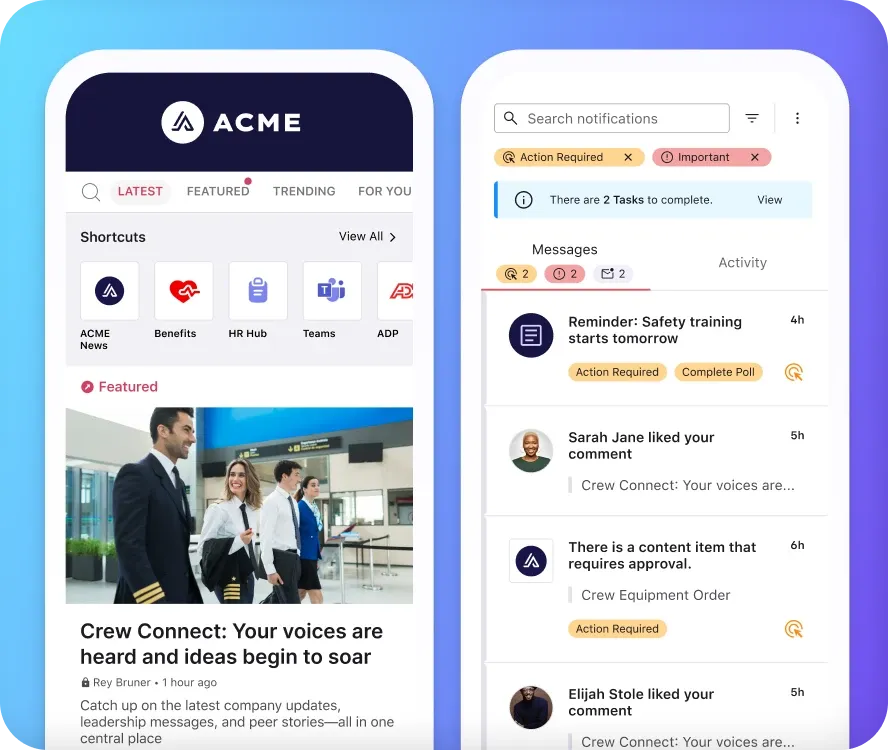
Firstup is a workforce communication platform that uses AI to personalize and automate content delivery across channels. It excels at targeted messaging but lacks the flexibility and strategic communication tools that enterprises often require to connect with their entire workforce.
Firstup in a nutshell:
AI-powered, multi-channel content delivery
Two-way engagement features, such as commenting, liking, and sharing
Real-time engagement insights
Pros: Multi-channel delivery and data-driven insights.
Cons: Often used in conjunction with another intranet platform.
Best for: Organizations that prioritize real-time updates.
Price: Available on request.
4. Beekeeper
Self-positioning: Frontline success platform, employee app for operational and frontline teams
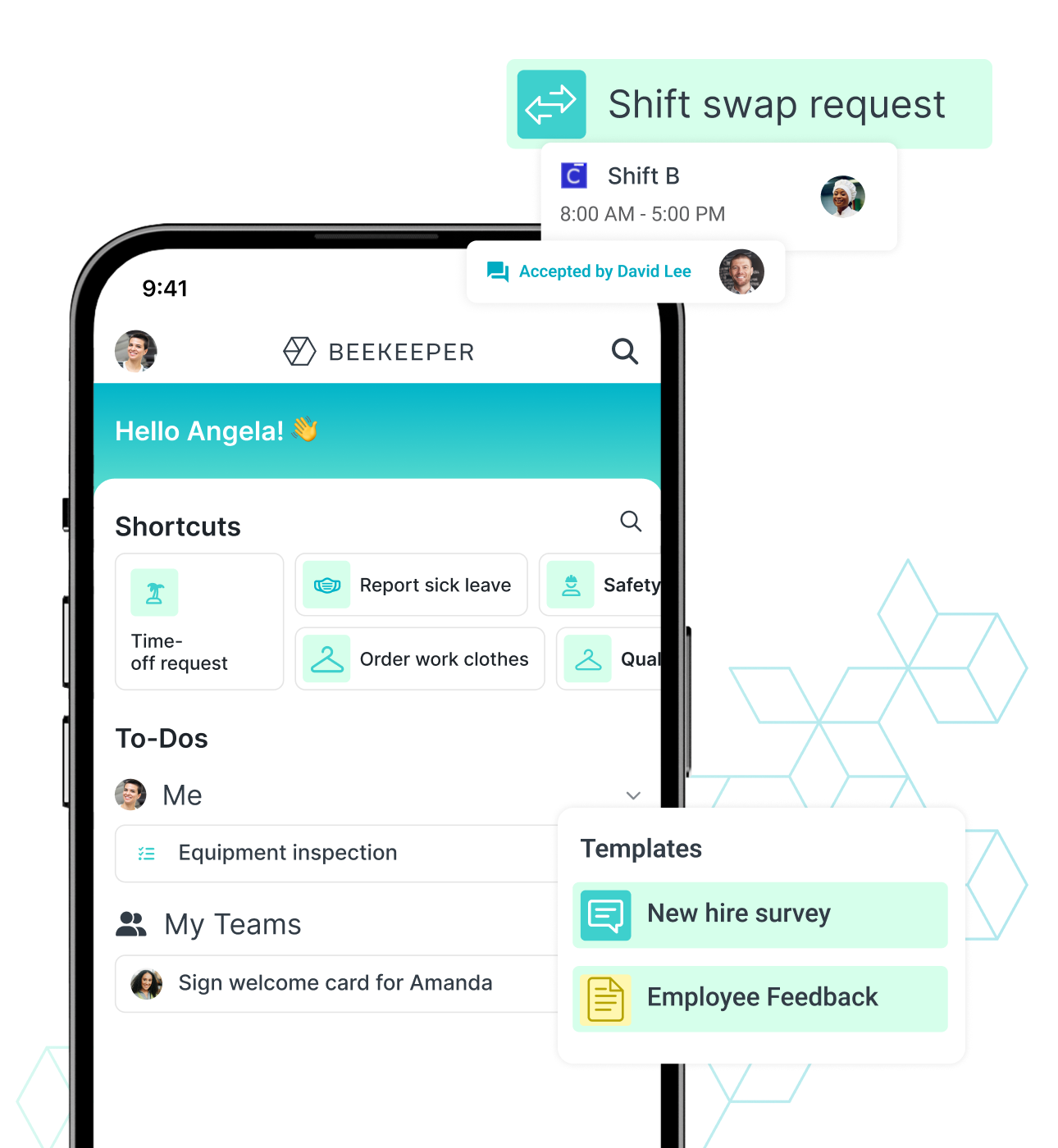
Beekeeper is a mobile-first employee communication app specifically designed for frontline workers. It aims to be a one-stop shop. This app is a busy bee as it connects employees who often don’t have regular access to corporate intranets. While ideal for frontline teams, its impact is more limited for office-based or remote employees.
Beekeeper in a nutshell:
Shift scheduling and task management
Chatbot with a knowledge base
Analytics to track communication reach and engagement
Pros: Excellent at reaching non-desk workers.
Cons: Less suited for a desk-based office employee. The app has no time tracker. Creating a new workflow is difficult.
Best For: Organizations with a high proportion of frontline or deskless employees who need mobile-first communication and task coordination.
Pricing: Custom pricing; 14-day Premium trial.
5. Workvivo
Self-positioning: Employee experience platform
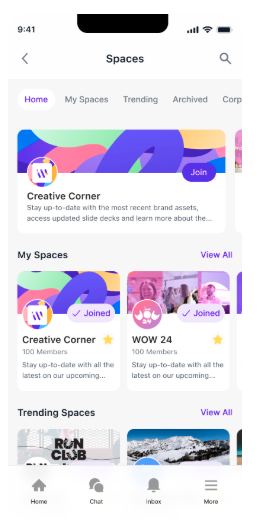
Workvivo — acquired by Zoom in 2023 — is an enterprise social network. The platform is great for culture and community engagement, but not for structured, top-down communications at scale.
Workvivo in a nutshell:
Social-style news feed with posts, comments, and likes
Employee recognition and shout-outs
Surveys and pulse checks
Pros: Strong focus on employee engagement and culture.
Cons: Chat function and advanced analytics must be purchased as add-ons, which can increase the pricing.
Best For: Organizations that want to strengthen culture and have more flexibility.
Pricing: Available on request.
6. Appspace
Self-positioning: Workplace experience platform
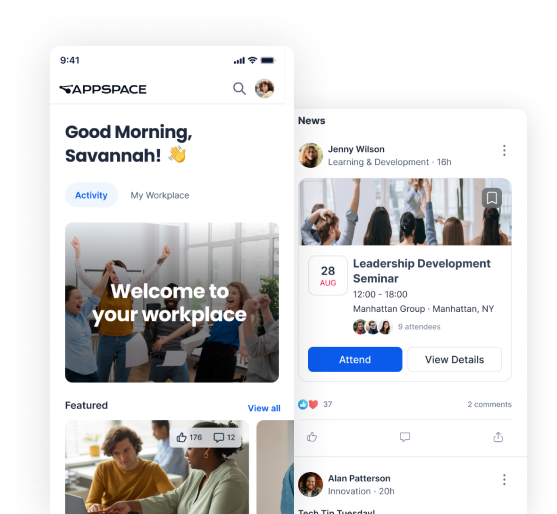
Appspace is a workplace experience platform that combines intranet, digital signage, and space management into a single solution. It’s particularly strong in connecting physical and digital workplaces, making it a good fit for organizations with offices, screens, and shared spaces. However, its communication capabilities are less specialized compared to dedicated employee communication platforms.
Appspace in a nutshell:
Digital signage for company-wide messaging
Intranet with news, resources, and app integrations
Workplace tools like room booking and space management
Pros: Strong integration of physical workplace and digital communication.
Cons: Communication features are less advanced than specialized platforms; can feel fragmented across use cases.
Best for: Organizations that want to combine workplace management with basic communication features.
Price: Available on request.
7. Haiilo
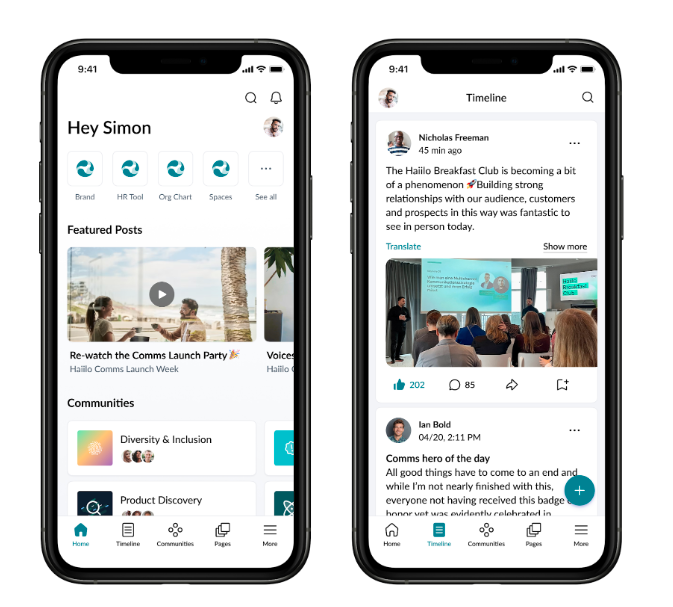
Self-positioning: Employee experience platform with social intranet, employee communication, and employee advocacy
Haiilo — a merger of COYO, Smarp, and Jubiwee — is a social intranet and employee app designed to strengthen sharing, insights, and culture. The mobile app closely mirrors the browser experience, but the platform’s design primarily caters to desk-based employees.
Haiilo in a nutshell:
Social-style intranet with feeds and communities
Employee advocacy tools for external content sharing
Customizable branding and layouts
Pros: Strong focus on employee advocacy and engagement.
Cons: Weaker personalization and targeting capabilities than other vendors in the market.
Best For: Mid-market companies that prioritize employee engagement and advocacy.
Pricing: Available on request.
8. Connecteam
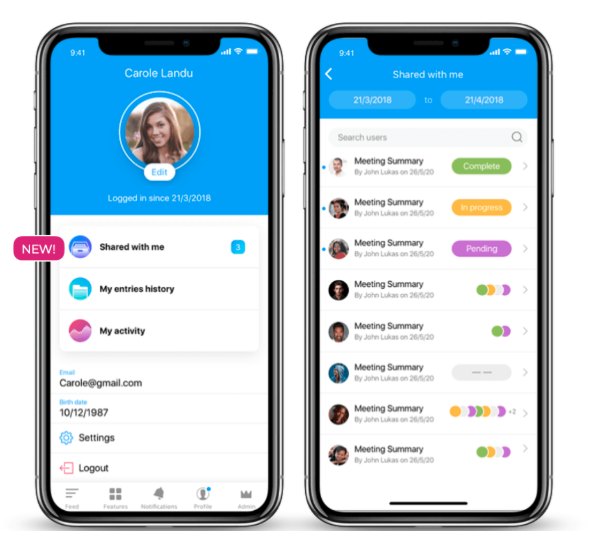
Self-positioning: Employee management app
Connecteam is a mobile-first employee app explicitly designed for frontline workers. It combines communication with workforce management tools, such as scheduling, time tracking, and task management.
Connecteam in a nutshell:
Private company-wide chats
Training and onboarding features
Automated group management
Pros: Strong capabilities to run team operations smoothly.
Cons: No offline mode. Critical mobile features fail without connectivity.
Best For: Companies with a predominantly frontline workforce that need communication and management in one mobile app.
Pricing: Free for up to 10 users; paid plans start at $29/month for the first 30 users.
9. Speakap
Self-positioning: Employee experience platform
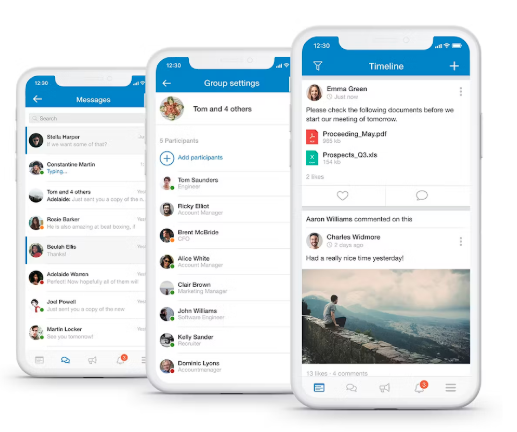
Speakap is an employee communication app designed for organizations with large, distributed teams — particularly in retail, hospitality, and logistics. It provides a social, mobile-first platform that connects headquarters with frontline employees.
Speakap in a nutshell:
Built-in chat for secure instant messaging
Document sharing and resource libraries
Integrations with HR and workforce management systems
Pros: Strong mobile-first design for distributed workforces.
Cons: Basic analytic tools that are not as advanced as Staffbase — limited surfacing and integration. The search functionality is inadequate, making it challenging to locate messages.
Best For: Large organizations that want to address diverse organizational needs.
Pricing: Available on request.
10. Blink
Self-positioning: Employee experience platform
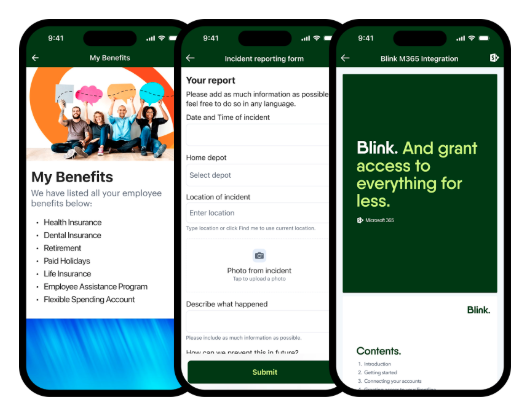
Blink is a mobile-first employee app designed primarily for frontline and deskless workers. It combines communication, tools, and integrations into a single hub, with a strong focus on usability and adoption. While it performs well in operational environments, it’s less suited for complex internal communication strategies across diverse workforces.
Blink in a nutshell:
Personalized news feed and targeted communications
Integration hub for workplace tools and systems
Secure chat and messaging features
Pros: Intuitive mobile experience with high adoption among frontline teams.
Cons: Limited depth in strategic communication planning and governance features.
Best for: Organizations with a large deskless workforce that need a simple, mobile-first solution.
Price: Available on request.
The employee app market in 2026: Software architecture determines future readiness
At first glance, the employee app market appears broad and diverse, with different approaches, priorities, and target audiences. But structurally, providers fall into three clear groups.
If you’re selecting an employee app in 2026, comparing feature lists won’t get you far. Instead, start with two architectural questions:
Was the platform originally built mobile-first?
Can it scale into a full-featured intranet without needing to be replaced?
These questions act as filters. They help you understand the market and make more informed decisions when evaluating vendors.
Let’s take a closer look at both.
Question one: Was the platform originally built mobile-first?
Today, almost every platform offers mobile access. But “mobile access” is not the same as mobile-first architecture.
A mobile-first platform is designed specifically for:
Small screens (smartphones)
Interrupted attention
Push-based visibility
Frontline work environments
Minimal login friction
Platforms that originated as desktop intranets or digital workplace solutions were designed for different usage patterns: longer attention spans, complex navigation, and desktop workstations. The mobile interface was added later.
A platform’s origin still shapes its architecture today — and strongly influences how well it performs in frontline environments.
Question two: Can the platform scale into a full intranet?
Many organizations that start with an employee app later develop a need for a full-featured intranet. As organizations grow, so do requirements around internal communication, HR services, governance, and knowledge management.
If a platform must be replaced at that point, the organization effectively launches a second project:
New budget approvals
A new implementation
Content migration
A renewed activation campaign
Adoption often has to be rebuilt from scratch.
Apps that perform well in frontline operations but lack structured knowledge architecture, enterprise-grade email integration, comprehensive governance, or company-wide scalability eventually reach their limits.
Three structural segments in the employee app market
Once you answer the two key questions — mobile-first origin and intranet scalability — the market falls into three distinct groups.
1. Desktop-first intranets with a mobile extension
These platforms are strong in desktop environments but structurally weaker when it comes to frontline adoption. Their mobile apps were added later rather than designed from the start.
Typical limitations include:
Static structures focused on pages, articles, and knowledge content
Designed primarily as information repositories
Mobile UX not optimized for navigation, menus, or gestures such as swiping
Layouts built for larger screens
App performance that can depend on page structure, content volume, or platform complexity
Limited personalization capabilities
Desktop-first intranets can work well when mobile usage is minimal, the workforce operates primarily in office environments, and content is heavily document-based.
Examples include Unily, LumApps, Simpplr, and Haiilo.
2. Mobile-first apps without intranet scalability
These solutions are strong in frontline environments. They often perform well in operational workflows but lack the architecture needed for a full enterprise intranet or employee experience platform.
Typical limitations include:
Limited depth in knowledge management and information architecture
Weaker document management capabilities, often positioned as complements to systems like SharePoint rather than full intranet replacements
A strong focus on feeds rather than complex page structures such as widgets, dashboards, or dynamic content
Examples include Connecteam, Beekeeper, Flip, and Blink.
3. Mobile-first platforms that scale into a full intranet
This approach is rare because it requires a deliberate architectural decision from the beginning. Instead of building an intranet and adding an app later, the platform is designed for the hardest-to-reach employees first and scaled from there.
The result isn’t a mobile extension of an intranet or a feed-based app with desktop access. It’s a platform that integrates both from the start.
Key structural characteristics include:
Mobile UX as the foundation, not an add-on. Navigation, personalization, and interaction are optimized for real-world usage scenarios — including touch behavior, speed, and simple orientation.
Performance that is architecturally decoupled from complex page structures. Speed doesn’t depend on the depth of page hierarchies or content volume.
Deep information architecture, not just feed-based communication. Structured knowledge spaces, advanced page compositions (widgets, dashboards, dynamic elements), and scalable governance models are supported.
Full knowledge and document management capabilities. The platform can function as a central employee experience intranet with clear structures, permissions, and long-term scalability.
Comprehensive personalization across the platform. Content, navigation, services, and processes are delivered based on role, location, and context — not only within the feed.
This approach combines the operational strengths of a mobile-first app with the structural depth of an enterprise intranet.
In this category, Staffbase stands out in particular, which is, e.g., reflected in its recognition as a Leader in the Gartner® Magic Quadrant™ for Intranet Packaged Solutions.
Must-have features of an employee app
This question can only be fully answered through a detailed needs analysis. That said, a modern employee app should cover at least the following core requirements:
Secure authentication, even without a corporate email address
Personalization by role, location, or function
Branding aligned with corporate design
Intuitive usability
Push notifications
HR and digital workplace integrations
Forms and workflows
Employee directory
Multilingual support
Governance and role model
AI-powered search via chatbot (including voice)
When building your requirements catalog, the MoSCoW method can help you prioritize:
Must-have
Should-have
Could-have
Won’t-have
How can you drive high employee app adoption? And what benchmarks should you aim for?
Adoption isn’t just one KPI among many. It’s the foundation for everything else.
An employee app can be strategically well designed. But if employees don’t use it regularly, it remains just another tool in the system instead of becoming a central channel.
But adoption doesn’t come from feature lists or campaigns. It comes from everyday relevance. Employees don’t open an app simply because it exists. They open it because it helps them get things done.
Adoption is the result of structural decisions. The most important levers include:
Utility
If the app is used only for news, it remains situational. But when employees can...
check shift schedules,
submit requests,
access documents, and
start processes
...the app becomes part of their daily workflow.
Utility creates habit.
Optimize for the hardest-to-reach employees
If the app reliably reaches the employees who are hardest to reach, it will work for everyone else as well.
You can achieve strong adoption among both desk and frontline employees when:
Login barriers are minimal.
A corporate email address isn’t required.
The experience is mobile-first and intuitive.
Content is genuinely relevant.
Solutions that prove themselves under the most challenging conditions tend to succeed everywhere.
A good example is Alaska Air Group, a major U.S. airline with more than 30,000 employees across a highly distributed workforce — from flight attendants and pilots to maintenance crews, airport staff, and corporate teams.
“We had this existing one-size-fits-all intranet, but one-size-fits-all does not work in our industry. Employees need the right information at the right time and to connect in the way that’s right for them.”
David Henrich, Senior Manager of Communication Operations, Alaska Airlines
With the launch of a new intranet and the mobile app Team AAG, Alaska Airlines created a single digital front door for communication and employee services. Today, employees can access everything they need — from company news to essential tools — regardless of their role, location, or device. Content is personalized based on role and location, ensuring that employees receive relevant information at the right time.
The results speak for themselves: Within just two months, adoption reached 85%, and within the first year, it climbed to 99.5%. Today, 96% of employees actively use the app.
With this approach, Alaska Air Group has built a communication ecosystem that truly connects its entire workforce — no matter where they are or how they work.
“The biggest value of Staffbase for complex, distributed workforces like ours is that it allows you to communicate agnostically. Regardless of what you do for work, how you get your information, and where you are, you can be reached in the way that you want to be reached with information that you need to do your job.”
Combine push and pull
Employees rarely search for strategic topics on their own. That’s why effective communication requires push mechanisms — prioritizing important updates, targeting them to the right audiences, and delivering them at the right cadence.
At the same time, strong pull capabilities are essential. Employees need to be able to find answers quickly when they have questions. An effective search experience — supported by an AI-powered assistant in the form of a chatbot — can provide fast, reliable responses when employees need them.
Governance builds trust
An app will only be used regularly if employees trust the information it provides. Outdated documents, conflicting versions, or AI-generated answers without sources quickly undermine that trust — and with it, adoption.
That’s why governance isn’t just an IT topic. It’s a critical factor in building and maintaining adoption.
The good news: Employee apps are already widely perceived as a trustworthy channel. The International Employee Communication Impact Study 2025 shows that 60% of employees who use an employee app say they trust it “very strongly.” That places employee apps in first place among trusted communication channels, followed by the direct manager at 54%.
What does “high adoption” actually mean?
Adoption is most clearly reflected in registration rates and active usage.
In practice, benchmarks vary from industry to industry. Even within the same sector, additional factors can influence adoption positively or negatively, leading to different average values.
In some industries, a registration rate above 80% and weekly active usage above 70% already represent strong results. In other organizations, the numbers are significantly higher. In financial services or construction, registration rates above 90% are not uncommon.
For example, SAK Construction achieved a 97% registration rate and 91% monthly active usage.
The impact becomes even clearer when looking at daily usage. The Swiss company Tertianum reports an impressive 88% daily active usage.
Why a platform approach is more sustainable than a standalone app
If adoption is the goal, a logical question follows: How do you reduce fragmentation?
Many organizations operate with a mix of tools:
A communication tool
An HR portal
An intranet
A messenger or chat tool
Specialized solutions for operations
Each tool serves a purpose. But from the employee perspective, this rarely creates a consistent experience. Instead, fragmentation leads to:
Multiple logins
Breaks between systems
Unclear responsibilities
Inconsistent communication
Parallel data sources
A platform approach brings communication, services, operational processes, and AI together in a unified environment. This enables:
A consistent user experience
A shared data foundation for AI
Clear prioritization of push communication
Fewer system switches during the workday
Instead of orchestrating multiple tools, organizations create a single access point — a Digital Front Door.
“Many companies introduced a separate employee app alongside their existing intranet to reach non-desk workers. For us, that didn’t make sense. Our goal was — and still is — to eliminate communication inequality for all employees at Geberit. If we had an app for one group and an intranet for another, that inequality would remain. The Staffbase platform is simply the better solution for our organization.”
Geberit
Especially in enterprise environments with global structures, local relevance, and complex governance requirements, this integrated approach is often more sustainable than a “Frankenstein architecture” made up of disconnected point solutions.
When is a platform approach not the right fit?
A platform approach isn’t always the best option. It may be unnecessarily complex if:
Only a clearly defined single use case needs to be solved
The solution targets a small, homogeneous user group
The organization itself is very small
In these scenarios, a specialized solution may be sufficient.
However, once multiple stakeholder groups are involved, operational processes need to be accessible on mobile devices, and AI should operate on a reliable data foundation, an integrated platform approach is usually more stable, secure, and effective in the long term.
Next steps: What should you do next?
An employee app comparison provides orientation. The real decision, however, begins with an honest analysis of your own organization.
Before creating a shortlist of vendors, make sure you’ve completed the following steps:
Conduct a needs assessment
Speak with key internal stakeholder groups
Build a basic overview of the market (e.g., with this blogpost 🙂)
Define success criteria and exclusion criteria
Especially in enterprise environments, it’s helpful not only to compare features but also to work through real scenarios:
How will you reach every employee with critical security updates?
How will HR services be integrated without creating system breaks?
How will you ensure that AI is based on reliable, well-governed content?
How will you prevent tool sprawl over the next five years?
If your goal is high adoption, consistent communication, and a scalable platform, prioritize solutions that reduce fragmentation instead of creating new silos.
Check comparison platforms and reports
Beyond strategic positioning and feature comparisons, it’s worth reviewing independent evaluation platforms. They provide insight into how solutions perform in everyday use, especially when it comes to usability, support, stability, and adoption.
Some of the most relevant platforms for employee apps, intranets, and employee experience platforms include:
Gartner Peer Insights
G2
Below is a selection of Staffbase ratings and user feedback from these platforms.
Staffbase on Gartner Peer Insights
On Gartner Peer Insights, Staffbase is listed in the categories Intranet Packaged Solutions and Employee Communications Applications. The following ratings refer to the latter category:
4.7 out of 5 points
110 reviews
95% willingness to recommend
Selected user reviews:
“We use Staffbase to simplify our business workflows thanks to the amazing communication and engagement features it offers. It makes internal communications more efficient, measurable, and targeted, thus ensuring all teams are well informed.”
“We have always relied on Staffbase for team communication and it has been awesome. It ensures fast employee communication, is mobile and secure.”
“This is the best platform to share clear and objective company information. Important updates, team news, and shoutouts are all happening in one place.”
Staffbase on G2
On G2, Staffbase is listed in the categories Employee Communications, Employee Intranet, Frontline Worker Communication Platforms, and Internal Newsletter Software:
4.6 out of 5 points
245 reviews
Selected user reviews:
“It has a user-friendly interface and offers the possibility of having a mobile app, which is very convenient.”
“The platform is user-friendly, both from the admin side and from the user side.”
“An app for everyone’s needs.”
Clearbox Report 2026
In January, the intranet and employee experience consultancy Clearbox published its report Intranet and Employee Experience Platforms. The report analyzes 37 vendors and their solutions across more than 900 pages.
The authors confirm the view presented in this article: In an AI-driven future, the Digital Front Door approach will become increasingly important.
“Staffbase started life as a frontline and mobile-first solution and this experience is still evident in the excellent mobile environment.”
Clearbox 2026
“Staffbase is a sophisticated and flexible platform that works well across both desktop and mobile. Internal communicators will be impressed by the clear focus the vendor has placed on their needs, while frontline workers will appreciate the app experience that is tailored to them.”
Clearbox 2026
Reviews and analyst reports such as the Clearbox Report or the Gartner Magic Quadrant cannot replace a structured vendor evaluation. However, they provide valuable insight into how well a solution performs in practice and whether it achieves strong adoption.
If a platform not only looks convincing strategically but is also consistently recommended by its users, that’s a strong signal of stability and real-world effectiveness.
Get a demo
A structured demo built around clearly defined use cases helps you evaluate more than just features. It allows you to see how well the platform performs in everyday scenarios.
In the end, the decisive factor isn’t a feature table. It’s whether your employees choose to use the app regularly.
At Staffbase, demos are never one-size-fits-all. We tailor each presentation to your organization’s specific needs, so you can discover the discover both the whole platform and specific features like On Air, or Live.

Transparency notice
This employee app comparison is based on a structural analysis of the market in 2026. The goal is not to conduct a complete technical product review, but to make strategic differences in approach, positioning, and platform depth visible.
The classification of providers is based on:
Publicly available product information
Self-positioning of the companies
Typical use cases
Market observations
Analyst reports (including Gartner, Clearbox)
Ratings on independent platforms such as Gartner Peer Insights and G2
We, Staffbase, are ourselves a provider of an employee app as part of a comprehensive AI-native employee experience platform. We are convinced that the most important success criterion of an employee app is adoption. This is reflected both in our products and in the arguments in this blog article.