


What are the best frontline communication tools in 2026?
Daily utility builds the habit that makes internal communications land. Scalable architecture means you won’t replace the platform when your program grows.

Philipp Scherber in Employee App
The short answer
The best frontline communication tool is the one employees open every day, not just when there’s a company announcement. That daily habit only forms when the app is genuinely useful: shift schedules, payslips, HR self-service, AI-powered answers to everyday questions. When employees have a reason to open the app anyway, your corporate comms actually land. That’s the foundation.
Build on it with architecture that scales: 68% of organizations that launch with a frontline app expand to additional channels within one to two years, and switching platforms mid-program costs far more than choosing the right foundation from the start.
If your workforce is mixed — some frontline, some desk — choose a platform that was built mobile-first and can grow into a full intranet without a migration. If your needs are genuinely stable and frontline-only, a purpose-built app does the job well.
What makes most frontline communication rollouts fail before they start? Three traps
Most frontline communication projects don’t fail because of the wrong tool. They fail because of the wrong assumptions going in. These three patterns account for the majority of failed rollouts.
The news-only trap
The most common mistake is launching a tool with the wrong scope. A lot of organizations start with a communication-only rollout: news, announcements, leadership updates. Utility features get planned for a later phase.
That later phase rarely arrives, because adoption collapses before it gets there.
Frontline employees don’t open an app to read company news. They open an app because it helps them do their job. If the only reason to open it is a CEO message every two weeks, the habit never forms. Without the habit, company news go unseen. Without reach, the channel is worthless — regardless of how well-designed the news feed is.
The organizations with sustained adoption rates above 70, 80, 90% gave employees a reason to open the app on day one that had nothing to do with internal communications: shift schedules, payslips, leave requests, a question answered in seconds by an AI assistant instead of a phone call to HR.
Utility builds the habit. The habit is what makes communication possible.
The lite desktop trap
Another mistake: A company deploys a stripped-down mobile version of a desktop-first intranet. The UX reflects its origin: layouts designed for larger screens, static page structures, limited personalization, slow load times on mobile data.
Adoption stalls. Employees open it once, find nothing that works for them, and stop returning. The channel never earns trust because it was never designed for the person using it.
A mobile-adapted experience is not the same as a mobile-native one. The difference shows up in adoption data within the first 90 days.
The “we’ll use what IT already has” trap
Teams or SharePoint gets declared the frontline solution because the license is already paid. That’s a budget decision dressed up as an architecture decision.
The result is predictable: a tool built for knowledge workers, deployed to warehouse workers, with authentication that requires a corporate email address and a UX that assumes a desktop. Adoption numbers stay low, the project gets quietly abandoned, and the next round of budget conversations starts from scratch.
The license cost looks cheap until you factor in the failed rollout.
What types of frontline communication tools exist?
The market divides into three architectural segments and one niche approach. Understanding which segment a tool belongs to determines whether it fits your situation.
Segment | Architecture | Scales to full intranet? | Representative tools |
|---|---|---|---|
Segment 1 Desktop-first + mobile extension | Built for desk workers; mobile added afterward | Yes | Unily, Simpplr, Haiilo, Workvivo |
Segment 2 Mobile-first, frontline-focused | Built for frontline; limited intranet capability | No | Blink, Connecteam, Flip, Beekeeper |
Segment 3 Mobile-first + full intranet | Built frontline-first; scales to full platform | Yes | Staffbase |
Niche: SMS-first | No app required; text message as primary channel | No | Yourco |
Segment 3 is rare by design. It requires building the mobile experience first — not adding it to an existing desktop system — and then layering full knowledge management, multichannel publishing, and enterprise governance on top of that foundation. Most vendors chose one or the other. Only a few have done both from a single architecture.
What are the must-have features of a frontline communication tool?
Not every app that markets itself as a frontline communication tool is built to the same standard. Before evaluating vendors, align internally on what the platform must do and what it should do. The difference between a tool that gets adopted and one that gets abandoned usually comes down to decisions made before the demo.
Administration and security
These are the conditions under which any feature can work at all. If a platform fails here, the feature list doesn’t matter.
Access without a corporate email address: QR code login, username plus one-time password, passkeys, or biometric sign-in. Authentication must work for every employee.
BYOD-ready: Most frontline workers use personal devices. The app needs to work without IT support to install.
White-label branding: The app should look like your company (custom name, icon, and logo in the app store) and not a vendor product.
Mobile-native UX: There is a meaningful difference between a mobile-adapted experience and a mobile-native one. The former is a desktop layout on a small screen. That difference shows up in adoption data.
AI content creation and governance: writing support for drafting, translating, and summarizing content. More importantly: continuous AI-powered content governance that identifies outdated, duplicated, and contradictory pages across the knowledge base and prompts editors to act.
Data privacy and security: GDPR compliance, ISO 27001 certification, and clarity on hosting location.
Support and customer success: Ask specifically about implementation support and what happens when adoption stalls. A frontline platform is not a SaaS tool you configure and forget.
Communication, engagement, and utility features
When you’re looking for a frontline communication tool, the following features should be on your requirements list:
Branded push notifications: Notifications from “Your Company Name” get opened. Generic vendor notifications don’t. Staffbase data shows branded push delivers 2.6x the reach of unbranded equivalents.
Multichannel publishing: App, intranet, email, SMS, digital signage, and other channels must work from one editorial workflow. If each channel requires a separate tool, consistency breaks down and editorial overhead compounds quickly.
Targeting and personalization: Content should reach the right person by role, location, department, and language. Without targeting, push communication becomes noise and employees tune out.
Multilingual publishing with unified analytics: Look for native multilingual publishing where all language versions of an article are treated as one content item with one analytics view — not separate articles per language that fragment reporting and multiply editorial effort.
AI audio briefings: Targeted, hyper-personalized podcasts instead of one-size-fits-all broadcasts — role-based tailored by function, location, and priority.
Feedback: surveys, comments, reactions. Communication is not one-way. Employees need to be able to respond, and the platform needs to surface that signal to communicators in a usable form.
Digital workplace integrations: HRIS (Workday, SAP, Personio, ADP), service management (ServiceNow), scheduling tools, and Microsoft 365. Without these, utility features require manual data management and that doesn’t scale.
AI assistant: A conversational assistant that gives frontline workers direct answers by voice or text scoped to their role and location, with a source link so the answer can be verified.
Analytics: Segmented reach data, read confirmation, and campaign-level reporting across channels. Knowing that 400 people opened the app tells you little without knowing who they were and what they did.
The foundation for all AI features: governance
The most important AI feature is not one employees interact with directly. It’s the governance layer underneath everything else. An AI assistant that gives wrong answers actively damages trust in the channel. Once employees learn they can’t rely on the AI, adoption loss compounds quickly and is hard to reverse.
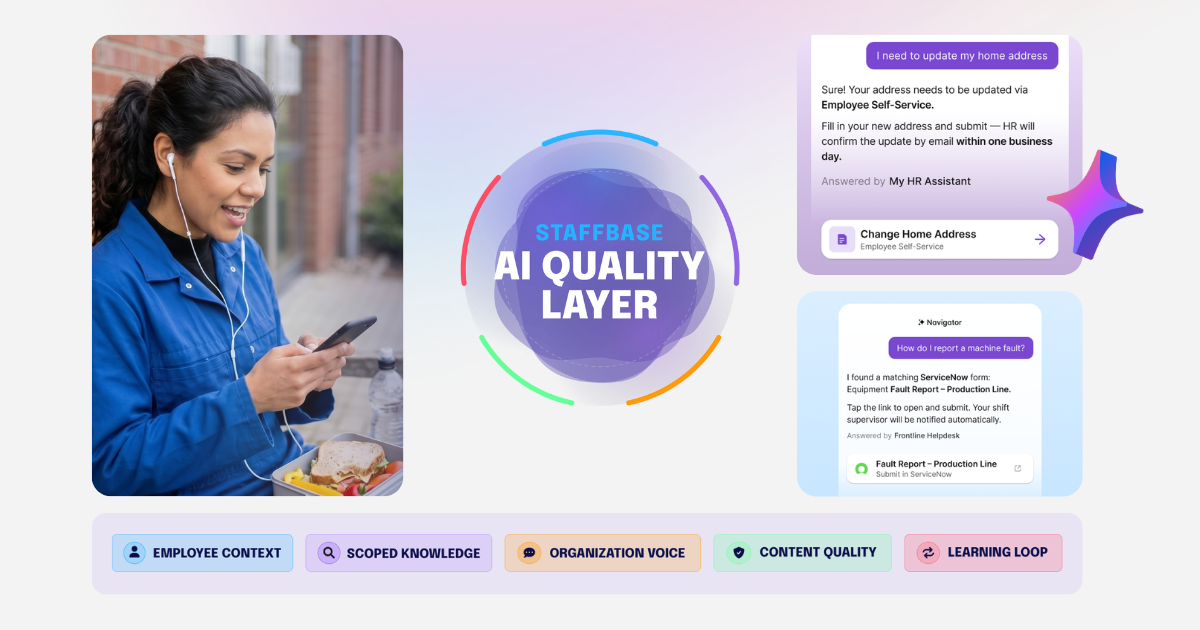
Staffbase anchors AI governance in a framework called the AI Quality Layer — five dimensions that determine whether AI outputs are trustworthy before they reach anyone: Employee Context, Scoped Knowledge, Organization Voice, Content Quality, and Learning Loop. Without this kind of governance architecture, every other AI feature is a liability rather than an asset.
The 7 best frontline communication tools in 2026
1. Staffbase
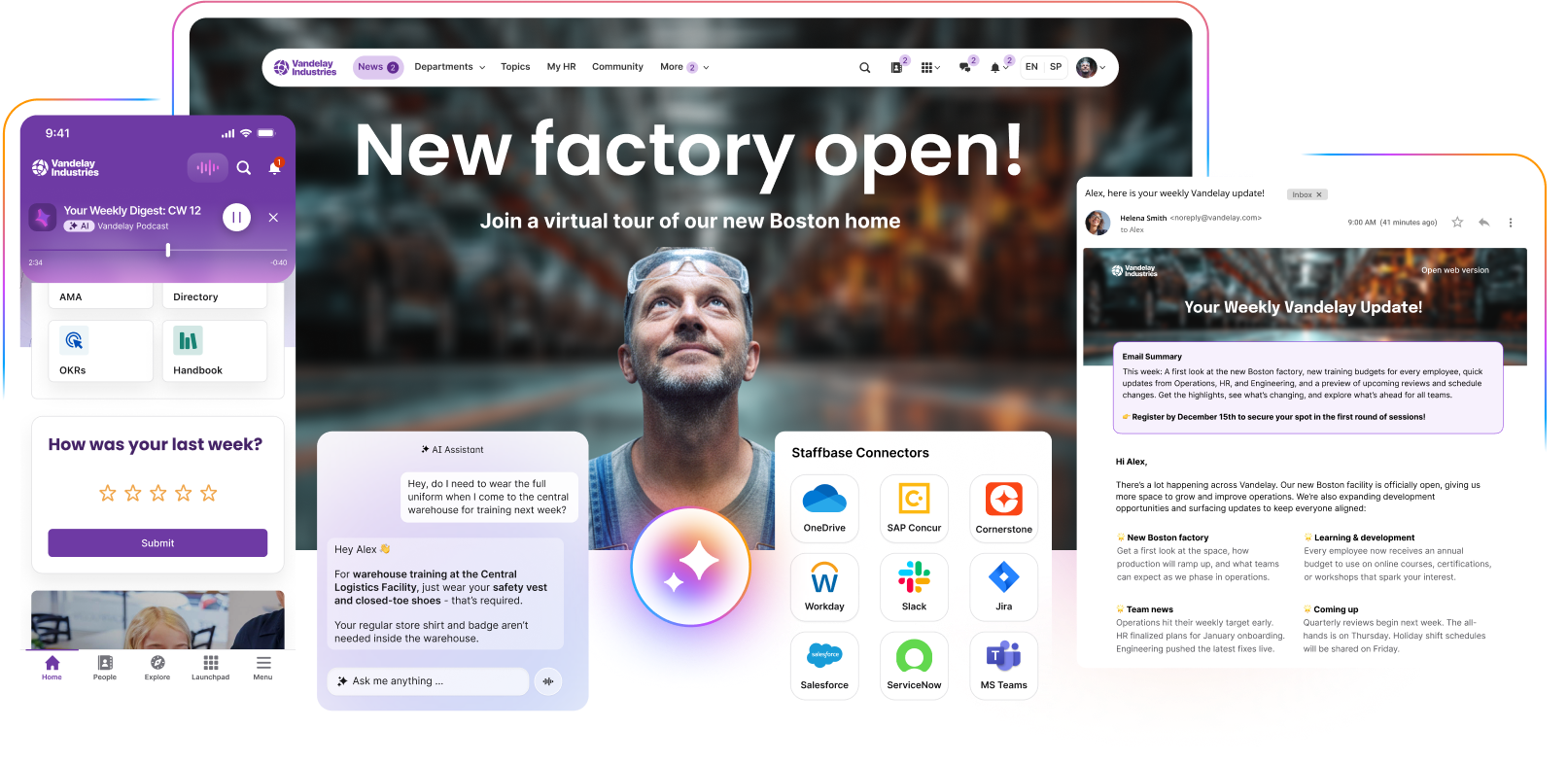
Best for: Mid-to-large enterprises with mixed frontline and desk workforces that want one platform for the entire organization. Now and as their communication program grows.
Staffbase was founded in 2014 as a frontline employee app before most competitors entered the category. That origin is structurally significant: the mobile experience is the foundation, not a layer added later. The intranet, email, digital signage, and AI capabilities were built on top of that mobile-first base, not the other way around. For the third year in a row, Staffbase has been named a Leader in the 2025 Gartner® Magic Quadrant™ for Intranet Packaged Solutions.
In the ClearBox 2026 Intranet and Employee Experience Platforms report, an independent hands-on evaluation of 21 platforms across 946 pages, Staffbase received three CHOICE badges:
Top 5 Score
Comms Excellence
Frontline & Mobile Focus
It is the only top-5 scoring platform in the entire report to hold the Frontline & Mobile Focus badge. That combination of comms excellence and frontline reach from one platform is what no single competitor holds simultaneously at the same score level.
ClearBox scores Staffbase 4.5 out of 5 for Employee Experience, Communications Management, and Mobile & Frontline Support. ClearBox writes:
“Staffbase started life as a frontline and mobile-first solution and this experience is still evident in the excellent mobile environment.”
ClearBox 2026
Alaska Airlines rolled out Staffbase to more than 30,000 employees across a highly distributed workforce: gate agents, ground crews, cabin staff, and operations teams, most of whom had never been reached reliably by a single internal channel. Adoption hit 85% within the first two months and 99.5% by the end of year one.
David Henrich put it plainly:
“We had this existing one-size-fits-all intranet, but one-size-fits-all does not work in our industry. Employees need the right information at the right time and to connect in the way that’s right for them.”
David Henrich, Senior Manager Communication Operations at Alaska Airlines
Staffbase covers every item on the must-have list for frontline communication tools:
Barrier-free authentication
BYOD-ready
Fully white-labeled app
Branded push notifications
Native multilingual publishing with unified analytics
Targeting by role, location, department, etc.
Multichannel publishing across app, intranet, email, SMS, and digital signage from one editorial workflow
Surveys, comments, and reactions built in
Integrations with Workday, SAP, ServiceNow, ADP, Personio, Kronos/UKG, and Microsoft 365
Segmented campaign analytics via Smart Impact
Two AI features are worth calling out specifically for frontline contexts:
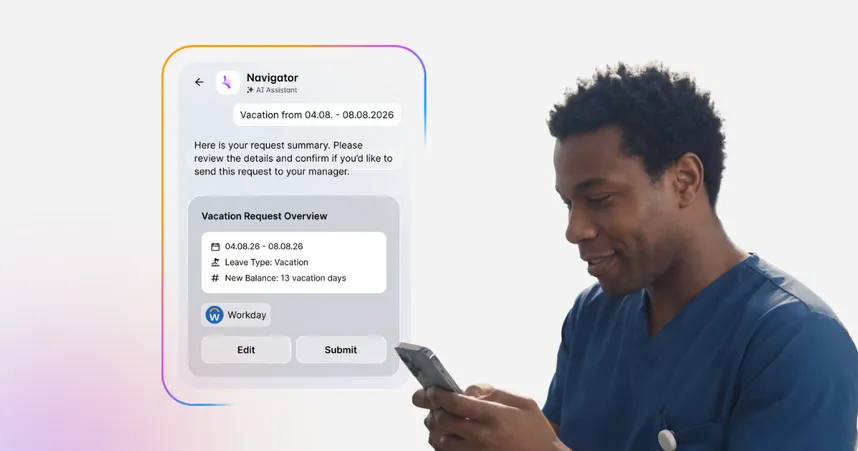
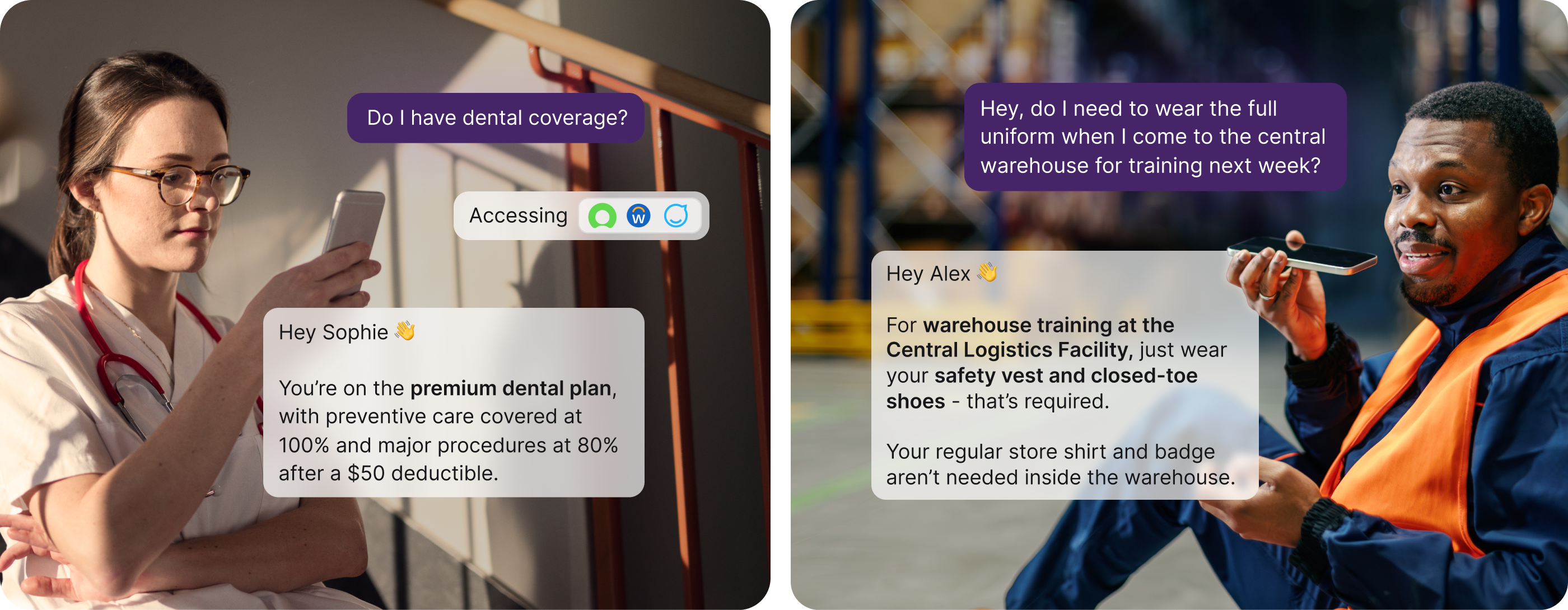
Navigator is an AI-powered assistant built into the Employee App that gives frontline workers instant answers by voice or text. It works hands-free on the factory floor, on a delivery route, or in a hospital ward. A technician in Plant 3 can ask “How do I report a safety incident?” and get a direct answer pulled from the right source, scoped to their role and location, without navigating the intranet. Those answers are filtered through the Staffbase AI Quality Layer — a system of five dimensions (Employee Context, Scoped Knowledge, Organization Voice, Content Quality, Learning Loop) that ensures what the AI produces is accurate, contextual, and consistent with how the organization communicates, before it reaches anyone.
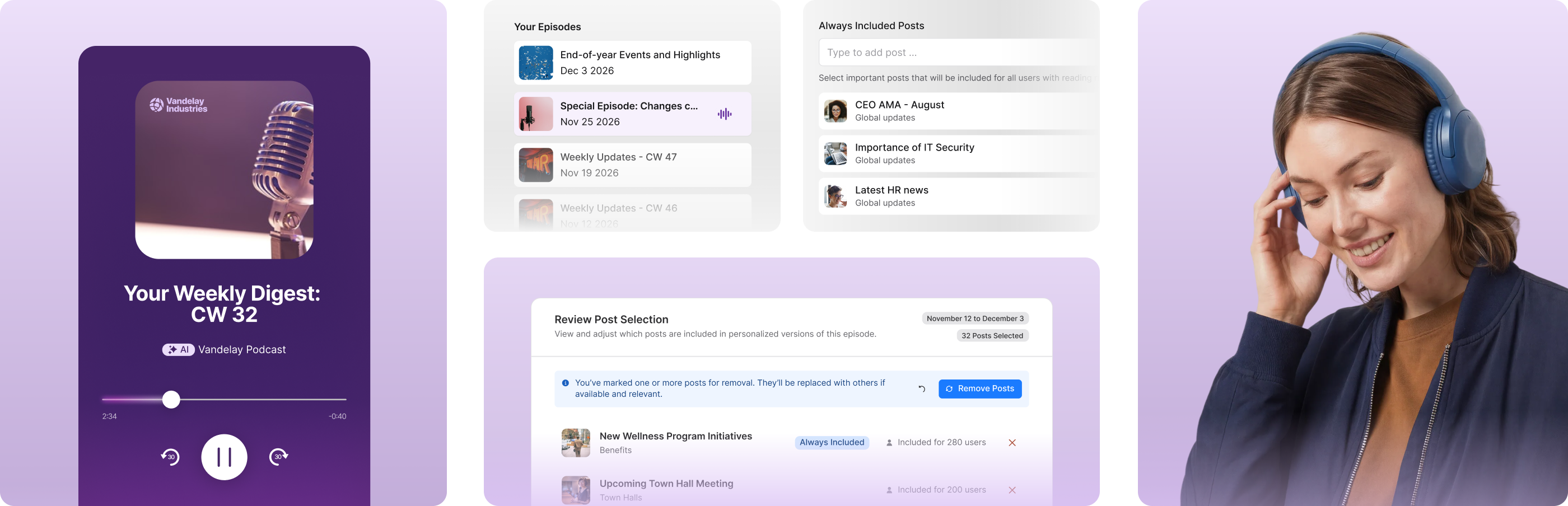
On Air turns company updates into personalized audio briefings — automatically generated, in the employee’s preferred language, available during the commute or a break. For frontline workers who can’t look at a screen during their shift, On Air creates awareness about safety updates, strategy news, and culture stories they would otherwise never see. Communicators configure tone, length, and sources. Employees choose what they follow. It’s one of the highest-rated new features in Staffbase’s recent releases among customers, precisely because it solves a problem that no previous channel addressed: reaching people who are doing something else with their eyes and hands.
Key constraints: Requires more configuration time than point solutions. Not the right choice if you need a simple messaging tool live in two weeks. The platform rewards organizations that approach it as a long-term communication infrastructure investment.
2. Blink
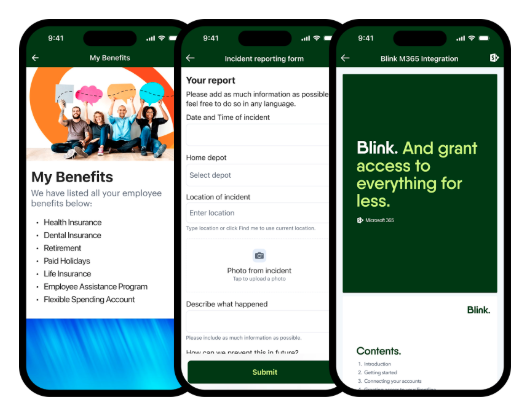
Best for: Organizations that want fast deployment and a polished, social-media-style experience for frontline employees and don’t need a full intranet from the same platform.
Blink is a purpose-built frontline communication platform with a social-style news feed, secure chat, digital forms, surveys, and a document hub. Its UX is deliberately consumer-grade: fast onboarding, short learning curve, and a feed format familiar to employees who use social media daily.
In ClearBox 2026, Blink scores 5.0 out of 5 for Mobile & Frontline Support — the highest mobile score in the entire report. That is a meaningful data point: no platform renders a better mobile experience than Blink in this evaluation.
Where it trails Staffbase is in Communications Management (3+ vs. 4.5) and Knowledge & Content Management (3.0 vs. 3.5), the scenarios that matter when the comms team needs editorial workflows, campaign management, and governed knowledge alongside the frontline app.
Blink is a strong choice if your primary requirement is frontline reach and you already have a separate intranet handling knowledge management and desk-worker communication.
Key constraints: Organizations that expect to grow into multichannel publishing, governed content, or a desk-worker intranet from the same platform will face a migration decision later.
3. Beekeeper by LumApps
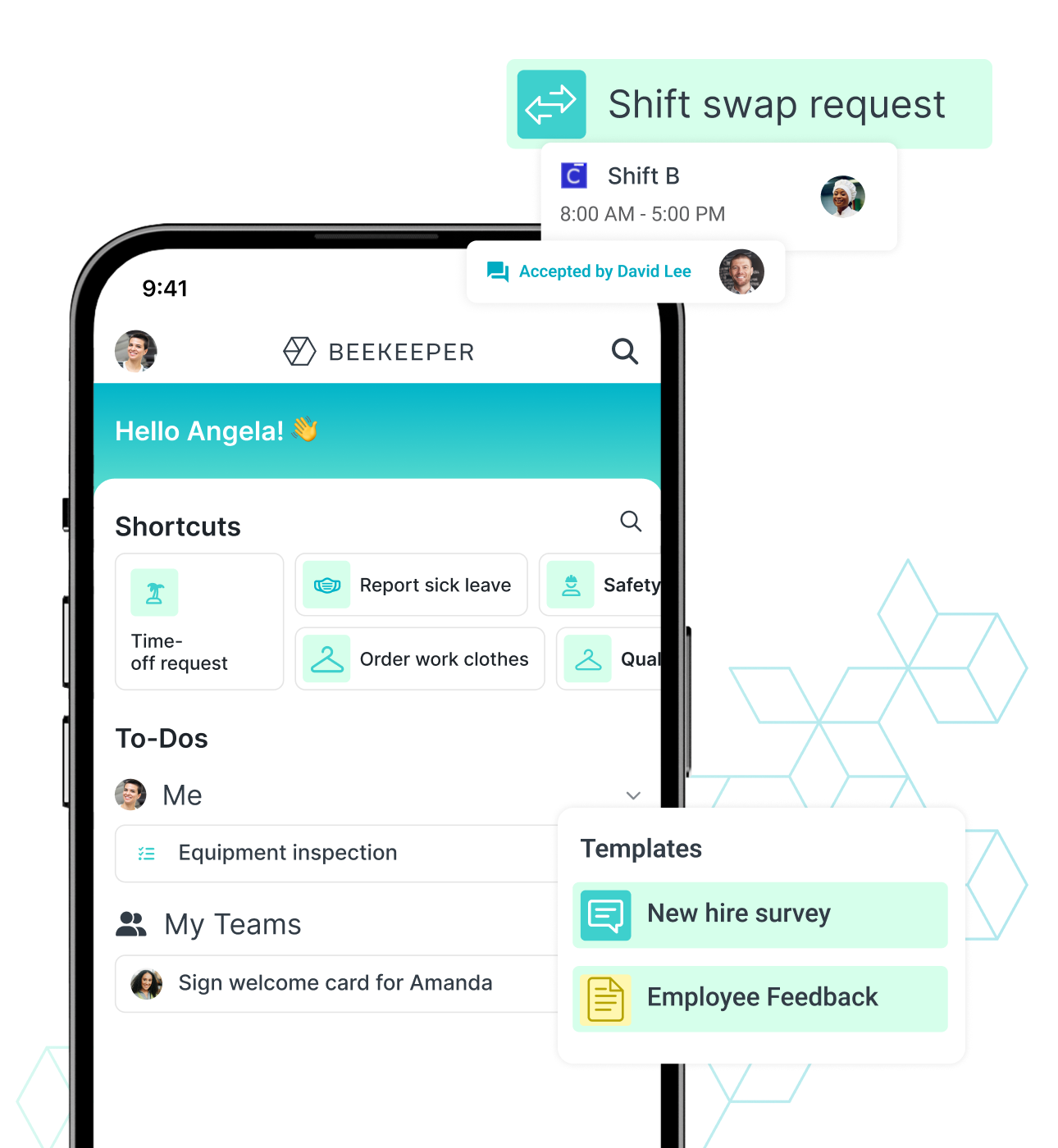
Best for: Organizations with a significant frontline workforce that want to improve both communication and operational process efficiency, and are prepared to monitor how the LumApps integration develops over time.
Beekeeper is a mature frontline platform with genuine depth in operational workflows. The workflow engine connects forms, tasks, chat, and third-party integrations to automate complex processes. For organizations where frontline processes are as important as frontline communication, that capability is meaningful.
Communication features cover a personalized feed, targeted campaigns with mandatory read tracking, 200+ language machine translation, and an effective in-app chat.
In July 2025, desktop-first intranet provider LumApps acquired Beekeeper. The longer-term plan is a single unified product. As of mid-2026, however, they remain two separate tools. ClearBox notes the merger has so far caused little disruption, but explicitly flags the risks that come with any integration of this kind: service disruptions and feature deprecation. LumApps itself has known gaps: campaigns and news management are less robust than competitors, and knowledge management capabilities could be stronger.
Key constraints: Knowledge management and search are “relatively basic” by ClearBox’s assessment, and communications management lacks some of the formatting depth that larger editorial teams expect. The combined LumApps + Beekeeper vision is credible but undelivered. Organizations evaluating this combination should assess both products separately on their current capabilities, not on the roadmap, and factor merger risk into a long-term platform decision.
4. Connecteam
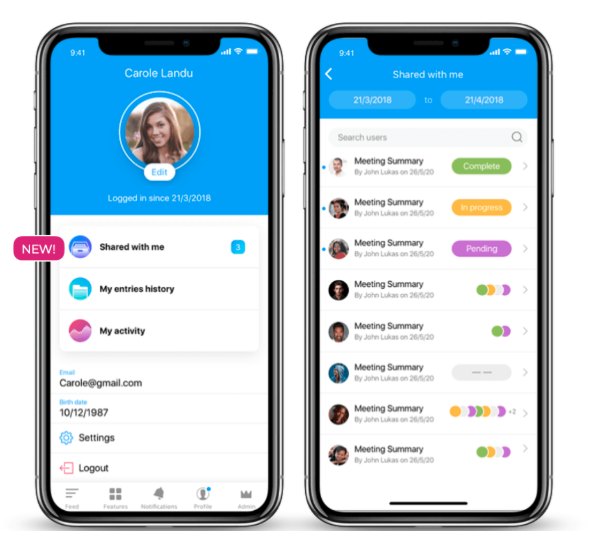
Best for: Small to mid-sized businesses that want to consolidate communication, scheduling, time tracking, and task management in a single affordable tool.
Connecteam bundles a wide set of operational features — messaging, shift scheduling, GPS time tracking, digital checklists, task assignments, and basic training modules — into one mobile app. The breadth is the appeal: smaller organizations with limited vendor management capacity get one tool instead of five.
The trade-off is depth. Each feature is less specialized than a dedicated tool. Advanced reporting and integrations require higher-tier plans. There is no offline mode, which is a meaningful gap for low-connectivity environments like construction sites or warehouse interiors.
Connecteam is not included in the ClearBox 2026 report, which focuses on enterprise-grade intranet and EX platforms — a reflection of its SMB positioning, not a gap in the product.
Key constraints: Designed for SMB. Enterprise-scale governance, multilingual content models, and intranet functionality are out of scope. Organizations over roughly 1,000 employees or those that need to govern content across regions and languages will hit the ceiling quickly.
5. Workvivo
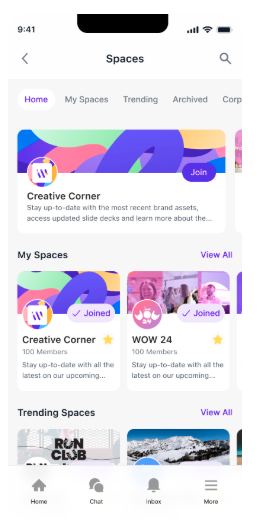
Best for: Zoom-centric organizations where culture, recognition, and leadership communication are the primary use case and frontline reach is a secondary requirement.
Workvivo, acquired by Zoom in 2023, blends internal communication with a social-style engagement platform. The feed, recognition features, and leadership broadcast tools are its core strengths. Integration with Zoom meetings and video is tight. For organizations already standardized on Zoom, Workvivo extends the collaboration ecosystem into a communication and culture layer.
In ClearBox 2026, Workvivo scores 4.5 out of 5 for Mobile & Frontline Support, Community & Engagement, and Communications Management — strong results in the scenarios it was built for. It scores 2.5 for Information Finding & Search and 3.0 for Knowledge & Content Management, reflecting the platform’s focus on communication and culture rather than governed knowledge.
Key constraints: The Zoom integration is the primary differentiator. For organizations not on Zoom, that advantage largely disappears. Workvivo is also not designed as a standalone operational frontline tool. It lacks the HR self-service and task management features that drive daily habit formation on the frontline.
6. Flip
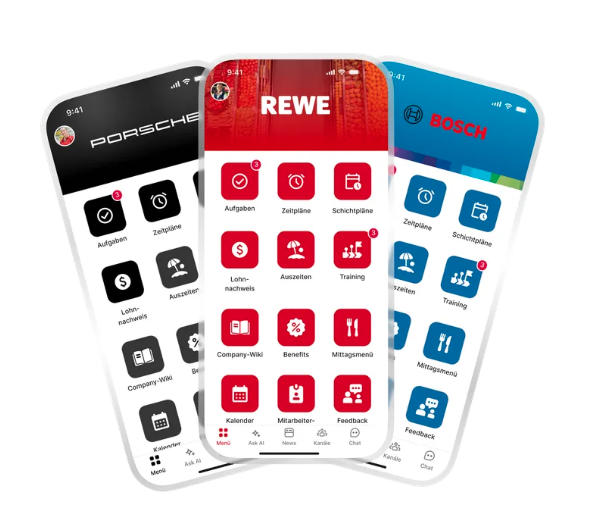
Best for: Organizations, particularly in European markets, looking for a purpose-built frontline app with strong operational communication features and a clear focus on the non-desk workforce.
Flip is a mobile-first frontline communication platform with a news feed, chat, shift management integration, and HR self-service features. It has built significant market presence in Germany and broader European markets, with particular strength in manufacturing, retail, and logistics.
In ClearBox 2026, Flip scores 4.5+ out of 5 for Mobile & Frontline Support — marginally ahead of Staffbase (4.5) on that single dimension, and a meaningful endorsement from an independent evaluator. It’s the one scenario where Flip leads. Where the gap opens is in every other scenario, e.g., Communications Management (3+ vs. 4.5 for Staffbase), Knowledge & Content Management (2+ vs. 3.5), and Employee Experience overall (4.0 vs. 4.5). Flip’s multilingual approach creates separate articles per language, which fragments analytics and multiplies editorial effort. Staffbase treats all language versions as one unified article with a single analytics view.
Key constraints: Strong as a frontline-only app; not designed to scale into a full intranet. Organizations that expect to grow into multichannel publishing, desk-worker intranet, or enterprise email from the same platform will need a second system. Also primarily known in the DACH region, with growing European presence, organizations in North America or APAC may find less local market presence and support infrastructure.
7. Yourco
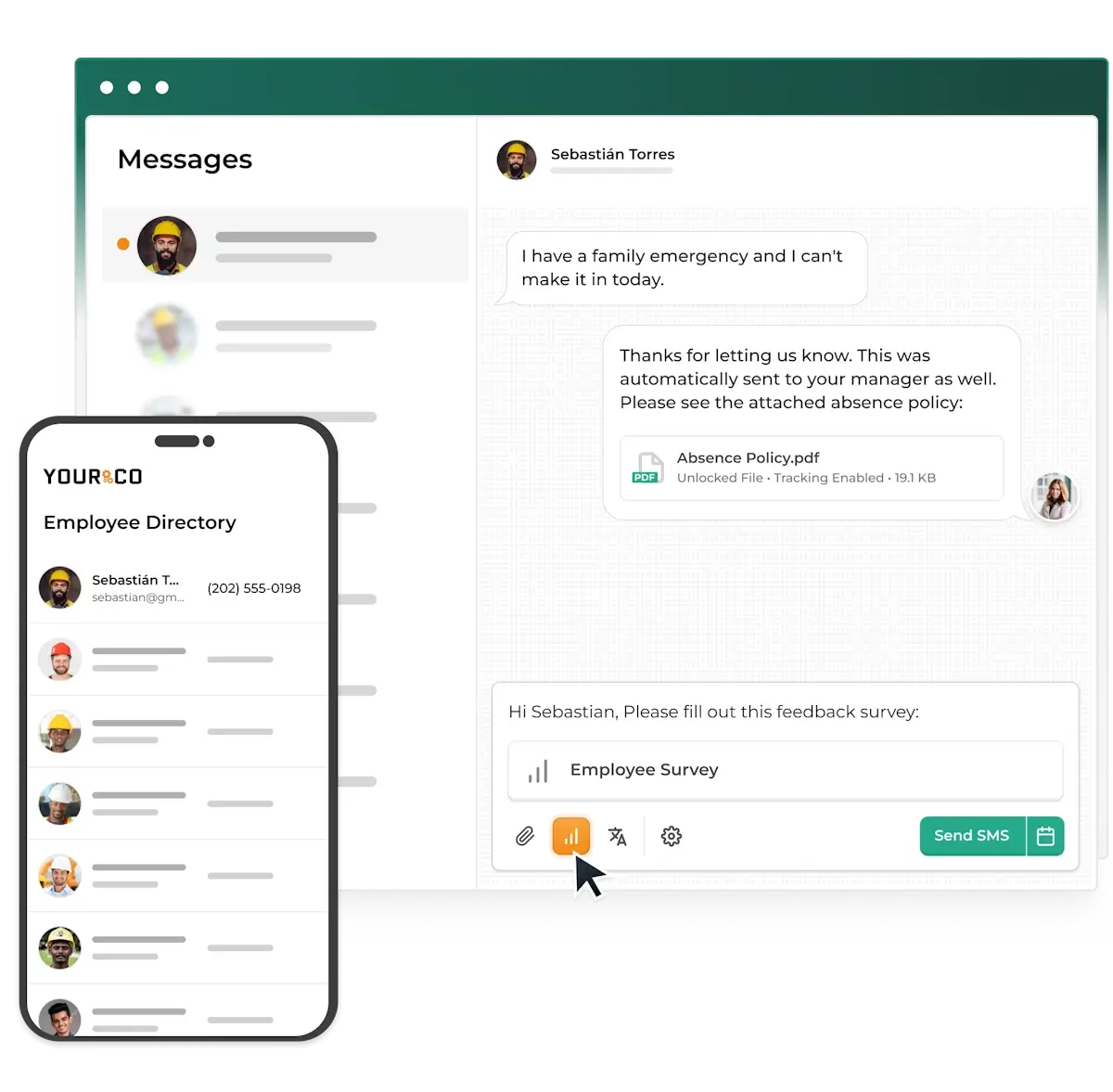
Best for: Organizations whose frontline workforce genuinely cannot adopt a mobile app — basic phones, low digital literacy, unreliable data connectivity, or very low smartphone penetration.
Yourco takes a fundamentally different architectural approach: SMS as the primary channel, with no app download, no login, and no internet connection required. A text message reaches any mobile phone. For workforces with high proportions of basic-phone users or in environments where app adoption has failed repeatedly, this removes the single largest barrier to reach.
The capability ceiling is real. SMS does not support rich content, knowledge management, HR self-service, or the operational workflows that most organizations need as their communication program grows. Yourco is a reach tool, not a platform.
For organizations that need SMS reach as one channel among several — for emergency alerts, safety notifications, or workers without data plans — Staffbase SMS provides that capability as an integrated part of the full platform. The same editorial workflow that sends a push notification to the app can also send an SMS. Organizations that want SMS reach without building a second system, and without sacrificing the broader platform capabilities, don’t need a dedicated SMS-only tool.
Key constraints: Yourco is appropriate as a standalone tool only when app adoption is genuinely not feasible. Most enterprise organizations will outgrow the architecture within 12–18 months as communication requirements expand beyond basic reach.
Which tool is right for your situation?
If your situation is… | Consider | Think twice about |
|---|---|---|
Mixed frontline + desk workforce, enterprise scale, expect to expand channels | Staffbase | Segment 2 frontline-only tools — you’ll outgrow them |
Frontline-only today, open to intranet later, willing to wait for integration | Beekeeper by LumApps (monitor integration progress) | Committing before the combined platform is fully live |
Fast deployment, polished mobile UX, separate intranet already in place | Blink | Blink as your only platform if knowledge management is also a need |
SMB, need communication + scheduling + tasks in one affordable tool | Connecteam | Segment 3 platforms — over-engineered for this scale |
Zoom-centric organization, culture and recognition are the primary driver | Workvivo | Workvivo as a standalone operational frontline tool |
European market, frontline-only, no intranet expansion planned | Flip | Flip if multilingual content at scale is a core requirement |
Basic phones common, very low digital literacy, app adoption has failed | Yourco or Staffbase SMS | App-only platforms without an SMS fallback |
When does this comparison not apply to your situation?
Skip this comparison if you’re under 200 employees. Enterprise-grade frontline communication platforms are over-engineered for early-stage organizations. A low-cost messaging tool is the right starting point until you have a communications professional, a content strategy, and a workforce large enough to justify the investment.
Skip this comparison if your entire workforce has corporate devices and email. If every employee has a company phone with corporate credentials and reliable connectivity, the access-model differentiation that defines frontline-first platforms matters far less. A standard intranet with a mobile app will serve you well.
What should you do before building your shortlist?
Three questions to answer internally before you schedule any demos:
What does our workforce look like in 18 months? If you’re likely to expand from a frontline-only app to a mixed-workforce platform, choose a tool that can scale — not one you’ll replace. The cost of a second migration is higher than the cost of choosing a more capable platform from the start.
What is the authentication reality for our hardest-to-reach employee? Does that person have a corporate email address? A company phone? A reliable data connection? The tool you choose needs to work for that person on day one, not just for the office team managing the rollout.
What utility can we put in the app from day one? If the answer is only news and announcements, plan how you will add self-service features — HR services, shift schedules, task management — within the first 90 days. Without operational utility, you are solving for reach alone. Reach without habit does not build a channel.
If AI-powered answers are part of your evaluation criteria — and they should be — read our article on what it actually takes to make AI work responsibly in frontline communication: What is the Staffbase AI Quality Layer, and why does it matter for internal communications?

This article reflects the state of the frontline communication tools market as of May 2026. Platform capabilities, pricing, and analyst ratings are subject to change. ClearBox scores referenced are from the ClearBox Intranet and Employee Experience Platforms report, V5.1, May 2026 (ClearBox Consulting, clearbox.co.uk) — an independent hands-on evaluation; no vendor paid to be included or to receive a badge.