

Which intranet actually works with Microsoft 365?
Almost every intranet can show Microsoft 365 content in a widget. Far fewer extend your investment to everyone, including the frontline workers who never sign in to Microsoft 365. That gap is the real decision.


Most intranets can display Microsoft 365 content in a widget. Far fewer make your Microsoft 365 investment reach everyone and actually get used — including the frontline workers who never sign in to Microsoft 365. That gap is the real decision.
The short answer
If you run Microsoft 365, the intranet that “integrates” best is the one that extends Microsoft rather than duplicates it — and that reaches the people Microsoft 365 doesn’t. A true intranet–Microsoft 365 integration should be bi-directional (it pulls M365 content in and pushes your news out into SharePoint, Teams, and Outlook), it should authenticate through Entra ID, and it should still reach employees who have no Microsoft license or corporate email.
This matters because Microsoft 365 was built for document management and collaboration, not employee communications. SharePoint-based intranets rarely exceed 30–40% employee reach even in well-run, communications-focused deployments (source: Hirschtec, 70+ intranets, 150,000+ users); a Staffbase intranet that always includes a mobile employee app reaches 80%+ on a typical project. So the right question isn’t “which intranet plugs into Microsoft 365?” — almost all of them show some M365 data. It’s “which platform turns Microsoft 365 into something your entire workforce actually uses?”
Choose a bi-directional, Entra ID–authenticated platform with a non-Microsoft-licensed app layer when frontline reach and adoption are the goal. Stay SharePoint-only when your workforce is fully licensed, entirely desk-based, and communications reach isn’t a problem you have.
Why “it displays our Microsoft 365 content” isn’t the same as integration
The most common way vendors describe Microsoft 365 integration is a feature checklist: a SharePoint widget here, a Teams tab there, a list of app logos. It reads well on a landing page, but it misleads buyers, because almost every one of those integrations is one-way and display-only — the intranet reads from Microsoft and shows it in a panel. (If the question underneath is whether you even need an intranet on top of Teams, we answer whether you still need an intranet if you already use Teams or Slack separately.)
That’s not the integration IT actually has to evaluate. Two things separate a genuine integration from a display trick. First, direction: can the platform push your published news back into SharePoint pages, Teams, and Outlook from one editing step? Or does it only pull content in, leaving editors to double-post? Second, reach: does the integration still deliver to employees who don’t have a Microsoft 365 license? Or does it inherit Microsoft’s licensing boundary and stop at the desk?
Judge a Microsoft 365-intranet integration on those two axes — bi-directional publishing and license-independent reach — not on how many Microsoft logos appear on the page.
Which Microsoft 365 apps does Staffbase integrate with, and is it one-way or bi-directional?
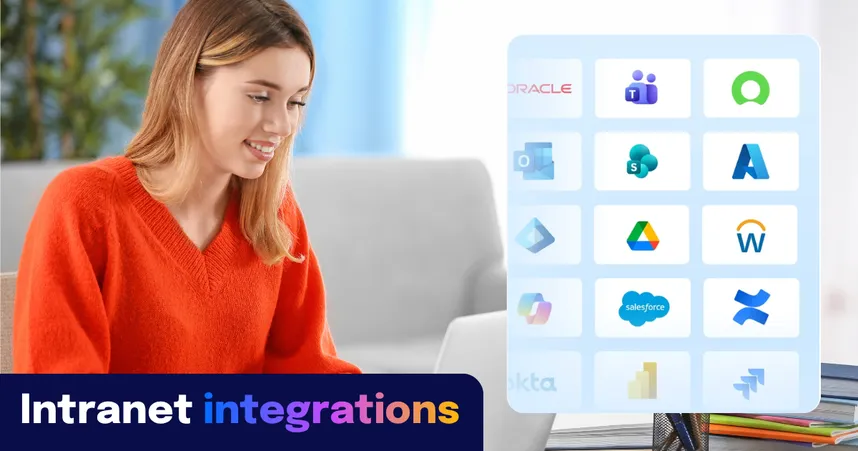
Staffbase connects to SharePoint, Teams, Outlook, Viva Connections, Entra ID, and Copilot, and the connection runs both ways. From one publishing process, an editor reaches SharePoint, Teams, Outlook, and the Staffbase employee app at the same time — no double-posting.
Concretely, that means you can:
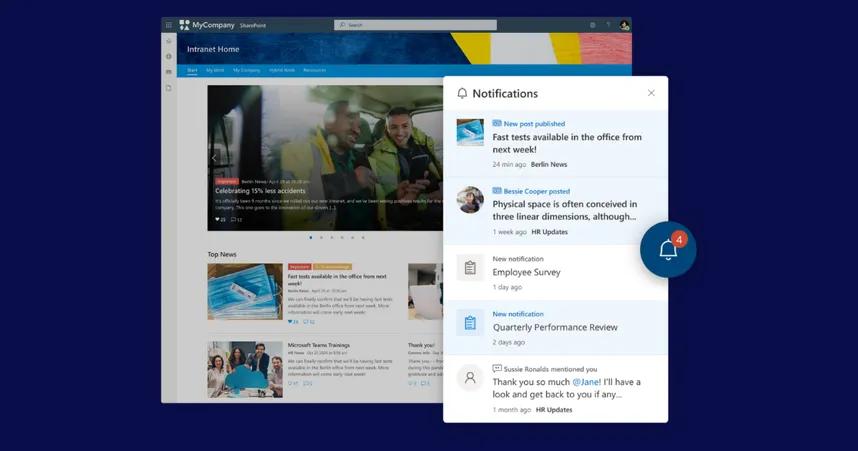
Embed Staffbase News in SharePoint, and use federated search to surface SharePoint documents inside Staffbase, with synced alerts so employees don’t miss updates.
Host Staffbase inside Microsoft Teams, so employees view feeds and get push notifications in either app.
Send newsletters through Outlook and embed Microsoft Calendars directly into news posts or pages.
Show Staffbase news directly in Viva Connections.
Sync users and groups automatically and provide secure single sign-on through Microsoft Entra ID.
Staffbase is a certified Microsoft Build Partner, and the integrations are built and maintained by Microsoft-certified engineers rather than assembled from third-party connectors or Zapier steps. The implication for IT: Content flows in both directions from one governed source, so you’re not maintaining a shadow directory or asking editors to publish the same story three times.
Microsoft app | What Staffbase does with it | Direction |
|---|---|---|
SharePoint | Embed Staffbase News on SharePoint pages. Federated search surfaces SharePoint documents inside Staffbase. Synced alerts keep employees from missing updates. | Both ways |
Teams | Host Staffbase inside Microsoft Teams so employees view feeds and receive push notifications in either app — no switching required. | Both ways |
Outlook | Send newsletters through Outlook directly from the Staffbase publishing workflow. Embed Microsoft Calendars in news posts and pages. | Both ways |
Viva Connections | Show Staffbase news directly in the Viva Connections dashboard so desk workers see company communications without leaving the Microsoft surface. | Out |
Entra ID | Secure single sign-on (SAML 2.0 and OIDC). Automatic user and group sync. SCIM provisioning keeps your directory current — no shadow directory, no ghost employees. Identity and directory data syncs in from Entra ID; Staffbase never replaces Microsoft as the identity source. | In |
Copilot | Staffbase content surfaces inside Copilot for E3/E5 users. Staffbase Navigator extends AI-powered answers to the full workforce, including unlicensed frontline workers. | Out |
Microsoft 365 alone or Microsoft 365 plus Staffbase: how should you decide?
Keep Microsoft 365. Add Staffbase on top when reach, mobile, and frontline adoption are the problems you’re actually trying to solve. Microsoft 365 — SharePoint and Viva included — is a strong productivity and collaboration suite; it wasn’t built to be an employee communications channel, which is why intranets built on it alone rarely clear 40% reach. (If you’re weighing this trade-off in depth, our take on SharePoint alternatives for employee communications goes deeper.)
Use this decision lens:
Question | Microsoft 365 (SharePoint + Viva) alone | Microsoft 365 + Staffbase |
Reaches non-desk / unlicensed frontline workers | Limited — needs a Microsoft license; F1/F3 are excluded from Copilot entirely and see very low Viva adoption | Yes — branded app with no corporate email required |
Typical employee reach | 30–40% (source: Hirschtec) | 80%+ on a typical project |
Publishing to app, intranet, email, Teams | Separate steps and tools | One publishing process |
Document management / file system | Native strength — keep it | Not its job; SharePoint stays the document layer |
Cost basis to evaluate on | Full per-seat cost, but only ~35% reached — plus Viva ECC (~$2/user/mo) and Copilot (~$30/user/mo, E3/E5 only) | Added cost, but spread across 80%+ reached — far lower cost per employee actually reached |
The trap is evaluating on license cost per seat, since you already pay for Microsoft 365. But a seat you've paid for isn't a person you've reached: the lens that reflects the goal is cost per employee reached. A stack that reaches 35% of your people isn't cheaper than one that reaches 85%, whatever the per-seat math says — and Staffbase is an added line item spent precisely against the 65% Microsoft can't touch. Microsoft, SharePoint, and Viva also do not appear in the Gartner Magic Quadrant for Intranet Packaged Solutions — Gartner determined they don't meet the criteria for a packaged intranet solution.
How does Staffbase reach frontline workers who don’t have a Microsoft 365 license?
Through a separate, secure app layer that doesn’t depend on a Microsoft license or a corporate email address. This is the single biggest gap in a Microsoft-only comms stack: F1 and F3 frontline workers are excluded from most Viva features and from Copilot entirely, so the factory floor, the retail shift, and the logistics hub never see the content that lives in SharePoint.
Staffbase gives those employees a branded employee app with flexible login options — no corporate email required — and zero onboarding. For your IT this means “reach without risk”: Publish once and deliver to both M365 desk users and non-M365 frontline users, reaching 100% of the workforce without giving 100% of them access to your internal Microsoft file structures.
The implication: You extend the value of Microsoft 365 to the people it was never licensed to reach, without expanding your Microsoft security surface to do it.
The IT view: how is access controlled and secured?
Identity stays in Microsoft; Staffbase authenticates against it rather than creating a parallel directory. Single sign-on runs through Microsoft Entra ID (SAML 2.0 and OIDC), with automatic user and group sync and SCIM provisioning, so your communication reach matches your actual active workforce and “ghost employees” don’t skew your metrics.
The surrounding controls are the ones an IT reviewer checks for: ISO 27001, SOC 2 Type II, and TISAX; MFA and passkeys; Microsoft Intune MDM and MAM for BYOD and company devices; role-based plus attribute-based access control; and audit trails, user changelogs, and page versioning. Hosting runs on an encrypted Microsoft Azure foundation with data residency in Germany, the US, and Australia.
For the frontline app layer, access is deliberately decoupled from the Microsoft file structure — non-email login (for example, a QR code or employee ID) lets you reach unlicensed workers without granting them access to internal SharePoint content. Because the app serves Staffbase-native content rather than proxying licensed Microsoft data, it also helps you steer clear of Microsoft multiplexing-licensing exposure. The implication: IT keeps one source of identity truth and a governed security boundary, whether the employee is licensed or not.
Does Staffbase work with Microsoft Copilot and the Power Platform?
Yes, and this is where a Microsoft 365 integration stops being about display and starts being about workflow and AI. The Staffbase Agent for Microsoft 365 Copilot makes verified Staffbase news and content discoverable directly inside the Copilot interface so a licensed desk worker asking Copilot a question can surface company communications, not just files.
For automation, Staffbase extends into the Microsoft Power Platform through a dedicated Power Automate connector and workflow templates, so you can wire communications events into the flows IT already builds.
One distinction worth drawing for the buying committee: Microsoft Copilot is an exploratory tool for personal productivity inside the Microsoft ecosystem, and it requires an E3/E5 license, which excludes frontline workers. Staffbase Navigator is different in purpose — it’s an AI-powered assistant built for organizational communication that gives every employee, including unlicensed frontline workers, one verified answer with a source and a next step. They’re complementary: Copilot for personal productivity at the desk, Navigator for trusted answers across the whole workforce. For a fuller breakdown, see how to choose between Copilot and a built-in intranet AI search tool.
When Staffbase is not the right call
If your workforce is small, fully Microsoft-licensed, and entirely desk-based and communications reach simply isn’t a problem you have the added platform layer may not earn its place, and a well-run SharePoint and Viva setup can be enough.
Staffbase is also not a replacement for SharePoint’s document layer. If what you actually need is deeper document lifecycle management, records governance, or a file system and search index, that work stays in Microsoft 365; Staffbase is the communication and reach layer on top, not the document store underneath.
See how Staffbase integrates with Microsoft 365
If you’d rather see the integration working against your own Microsoft 365 tenant, see how Staffbase integrates with Microsoft 365 or book a walkthrough with the team.

This answer reflects the state of the market as of August 2026 and assumes a large, distributed enterprise running Microsoft 365 with a mix of desk-based and frontline workers.