What are the best LumApps alternatives for enterprises in 2026?
A practical comparison of LumApps alternatives for enterprises managing governance, frontline reach, and internal communications value — including how Staffbase, a four-time Gartner® Magic Quadrant™ for Intranet Packaged Solutions Leader, delivers unified desk and frontline communications today.

Anjimae Enchill in Employee App
Whether you need a platform that unifies your desk and frontline employees today, one your communications team can manage without relying on IT, or one built to support strategic communications rather than just publishing, this guide is for you.
The short answer
LumApps is a good fit for large, desk-based enterprises with the internal capacity to manage a highly configurable platform, particularly those already invested in Google Workspace and focused on knowledge management and search. For organizations with frontline employees, its mobile capabilities largely depend on its integration with Beekeeper rather than the platform’s native app offering.
The right LumApps alternative depends on your organization’s workforce and priorities. LumApps is a Gartner-recognized employee hub built primarily for desk workers on Google Workspace or Microsoft 365, with capabilities spanning content management, extensibility, and knowledge search.
If your organization is desk-based and prioritizes deep Google Workspace integration, extensibility, and a broad connector marketplace, LumApps and Happeo offer these capabilities. If you need to reach both desk and frontline employees through the same platform today, Staffbase, Blink, and Workvivo offer strong mobile and frontline capabilities as part of their platforms today.
This guide compares the market across the factors that can influence platform fit, including workforce mix, communications capabilities, ecosystem integrations, and what each platform offers today versus what is still on the roadmap.

Why analyst recognition doesn’t guarantee frontline fit
A common assumption is that LumApps’ Gartner® Magic Quadrant™ Leader status means it is a strong choice for every type of organization, including those with large frontline workforces. But analyst recognition and real-world frontline readiness are two different things.
LumApps was recognized as a Leader in Gartner’s 2026 Magic Quadrant™ for Intranet Packaged Solutions, a category that evaluates capabilities such as content management, extensibility, and knowledge search, but not frontline-specific delivery. Frontline reach still depends on LumApps’ integration with Beekeeper, which it acquired in 2025, and is still rolling out in phases.
The same gap between recognition and reality shows up elsewhere. A Leader designation doesn’t speak to how straightforward implementation will be either. Reviewers consistently note that getting real value out of a highly configurable platform like LumApps depends on strong change management and, often, outside help (more on that below).
For organizations with both desk-based and frontline employees, these distinctions matter. The Leader designation reflects the strength of the core intranet platform Gartner evaluated and not how well the platform meets the needs of each workforce. The question is not whether LumApps is a recognized Leader, but what that recognition covers, and how relevant it is to your organization’s specific requirements.
Why organizations look for a LumApps alternative
Teams don’t usually start looking for a LumApps alternative because LumApps is a poor platform. It’s a mature, extensible employee hub and has been recognized as a Gartner Magic Quadrant Leader. But organizations’ needs change, and what worked when they first chose LumApps may not be what they need today. For some organizations, that means reducing the administrative effort required to manage a highly configurable platform.
Reviewers describe a similar pattern: getting real value out of the platform tends to depend on strong implementation and change management rather than it working like a simple intranet from day one, and the same customization that makes it powerful can be tricky to configure without prior experience or outside help.
For others, changing is often required to expand beyond an intranet in order to support a broader communications strategy across channels. And for organizations with large frontline workforces, it can mean looking for a more native way to reach employees who don’t work primarily at a desk.
LumApps has continued to expand its capabilities, including through its 2025 acquisition of Beekeeper. But for organizations considering a move today, it’s important to look at what an alternative can deliver as a unified experience now, rather than only what may become available as products and integrations evolve. That makes the right LumApps alternative less about finding a platform that is simply “better” and more about finding one that addresses the requirements LumApps may not be meeting for your organization today.
What to look for in a LumApps alternative in 2026
For organizations with both desk-based and frontline employees, a useful test is whether a platform can support the whole workforce through a unified experience today, rather than relying on separate products or capabilities still being brought together through an acquisition.
Whole-workforce reach: Can the platform reach both desk-based and frontline employees through the same core product? Look for capabilities such as a fully branded mobile superapp, offline access, and login options that don’t require a corporate email address.
Communications depth: Does email function as a full communications channel, with branded templates, scheduled and automated sends, audience segmentation, and open and click analytics alongside data from other channels?
Ease of use and administration: How easy is the platform for communicators to govern and manage day to day, and how much ongoing administration is required? Flexibility and configurability can be valuable, but they can also introduce additional setup and maintenance.
Integration ecosystem: How deeply does the platform integrate with the collaboration and productivity tools your organization already uses? For Microsoft 365 environments, consider the depth of integration across services such as SharePoint, Teams, Azure AD, and Copilot, rather than simply whether content can be surfaced in another application.
Product maturity and roadmap: Which capabilities are available as part of the platform today, and which depend on integrations, separate products, or future roadmap commitments? This distinction can be particularly important when evaluating platforms that have grown through acquisitions.
The best LumApps alternatives for 2026, compared
Platform | Best for | Frontline reach | Ecosystem fit | Analyst recognition |
|---|---|---|---|---|
Staffbase | Organizations that want to serve every employee, wherever they work, from one mobile-first platform with communications, intranet, and email built in, today | White-labeled app standard, offline access, no corporate email login required | Certified Microsoft Build Partner; Google Cloud Partner, ServiceNow Partner, Cornerstone Partner | Gartner® Magic Quadrant™ for Intranet Packaged Solutions Leader*; Forrester Strong Performer; ClearBox Awards for: Comms Excellence, Top 5 Score, Frontline & Mobile Focus |
Simpplr | Desk-based organizations prioritizing AI-powered search and IT-led platform consolidation | Content posting, tasks, and messaging added to mobile in 2026, but no branded app as standard, and usage still skews desk-based | Broad HRIS/ITSM integrations | Gartner® Magic Quadrant™ for Intranet Packaged Solutions Leader; Forrester Leader, IDC Leader; not evaluated in ClearBox 2026 |
Workvivo | Culture- and engagement-first organizations, especially existing Zoom customers | Strong engagement features, but a feed-driven experience with notifications users describe as noisy and inconsistent | Deepest with Zoom; lighter Microsoft 365 depth | Gartner® Magic Quadrant™ for Intranet Packaged Solutions Leader; Forrester Leader; ClearBox awards for Frontline & Mobile Focus, Community Builder, and Comms Excellence |
Happeo | Organizations standardized on Google Workspace wanting a Google-native intranet | Mobile intranet focused on news sharing. No branded app as default | Google Workspace-centered | Not featured in the ClearBox report, Gartner® Magic Quadrant™ for Intranet Packaged Solutions Report, or Forrester Wave Report |
Blink | Mid-market, frontline-only deployments prioritizing fast rollout and mobile UX | Strong mobile app with native chat and offline access, but a branded app is a paid add-on, not standard | Some Teams and SharePoint integration via SSO, but Microsoft depth trails other platforms. Some integrations costing extra | Gartner Challenger 2025; ClearBox awards for Frontline & mobile focus and Community builder |
Unily | Large, complex global enterprises with a dedicated digital-workplace team | Two mobile experiences (full and lightweight), but Unily-branded by default, with white-labeling as a paid add-on and no native task management | Deep M365 integrations, but SharePoint-dependent architecture | Gartner® Magic Quadrant™ for Intranet Packaged Solutions Leader; Forrester Leader; ClearBox awards for Top 5 score, AI innovator, Comms excellence, Strong knowledge & search |
Haiilo | Mid-market, culture-driven organizations prioritizing advocacy and social features | Social mobile app, but white-labeling is a paid add-on, and a purpose-built frontline app is still on the roadmap | Third-party middleware required for most integrations | Gartner Niche Player; Forrester Contender |
Interact | Enterprises prioritizing AI-powered search and knowledge discovery over reach | Native mobile app, ClearBox-recognized for Mobile & Frontline Support | Good Microsoft 365 and Google Workspace connectors | Gartner® Magic Quadrant™ for Intranet Packaged Solutions Leader; ClearBox awards for Top 5 score, AI innovator, Comms excellence, Strong knowledge & search ; Forrester Strong Performer |
Microsoft SharePoint + Viva | D-based, Microsoft-only organizations where IT owns the platform | Requires Microsoft 365 licensing; frontline workers without licenses aren’t reached | Native to Microsoft 365 | Not evaluated in the Gartner® Magic Quadrant™ for Intranet Packaged Solutions Magic Quadrant |
1. Staffbase
Staffbase is the AI-powered employee experience software designed to scale with an organization’s needs, from focused communications to a superapp or enterprise intranet. From headquarters to the frontline, people use Staffbase to stay informed, find answers they can trust, and complete everyday tasks. By combining its own content and workflows with the systems companies already use, Staffbase bridges the last mile from a complex digital workplace to a simple, relevant employee experience.
A unified platform for desk and frontline employees, today
Most employee experience platforms in this comparison offer some form of mobile experience for frontline employees. The more useful question is how that experience fits into the platform. Some platforms started with a desktop-focused intranet and later expanded into mobile, while others were designed around mobile access from the beginning.
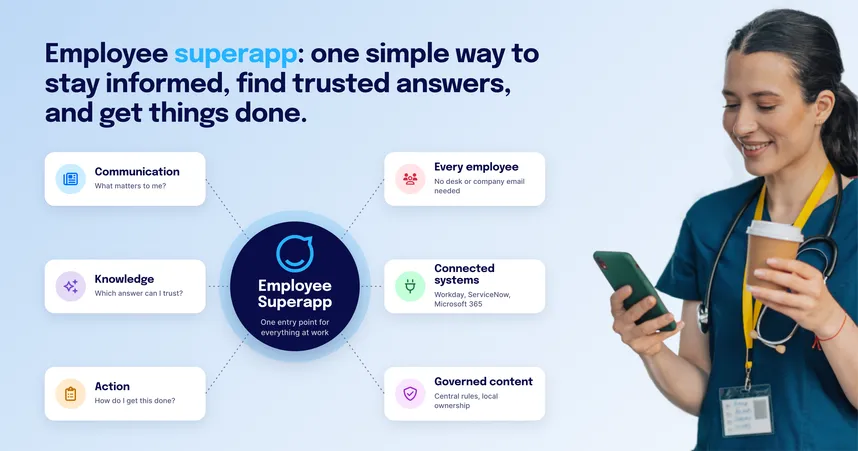
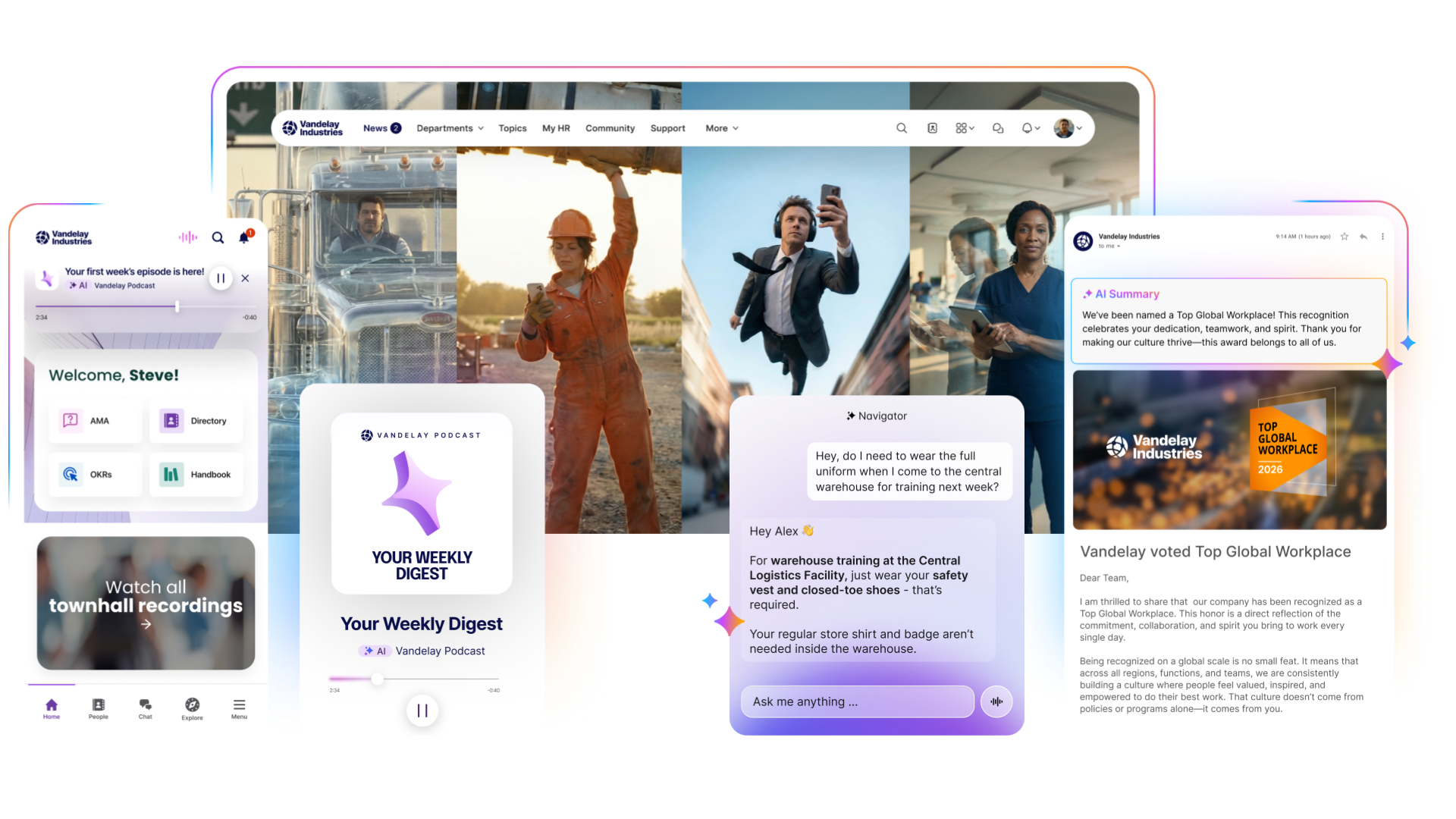
Serving frontline employees isn’t an add-on at Staffbase, it’s core to how the platform was built. Staffbase has developed a leading employee superapp that brings together what frontline and desk employees both need in one place: a fully branded app, a governed AI assistant that only answers from approved content, Staffbase On Air for personalized audio digests employees can listen to on the go, native chat, policies, payslips, and offline access, all built into one platform, with login that doesn’t require a corporate email address. Staffbase has also been recognized as a Leader in the Gartner® Magic Quadrant™ for Intranet Packaged Solutions for four consecutive years and is the only vendor in the 2026 ClearBox report to hold both a Top 5 and a Frontline & Mobile Focus Award.
Mister Car Wash offers a clear example of what this looks like in practice. Before launching Mister Connect on Staffbase, Mister Car Wash relied on a communications channel limited to managers and above, leaving more than 7,000 hourly, deskless employees across 550+ locations without a dedicated way to stay connected. Following the launch, the company reported a 93% active user rate across its frontline workforce.
A personalized experience for every employee
Staffbase delivers targeted content by role, location, business unit, and language, without requiring IT involvement for every audience change. Employees see the news, tools, and services most relevant to their work rather than a one-size-fits-all broadcast.
One platform, every channel, one place to measure it all
Staffbase Studio consolidates intranet, mobile app, email, digital signage, and SMS into a single CMS. Create once, publish everywhere, measure everything in one view. Staffbase Smart Impact measures reach, visibility, sentiment, and alignment, not just clicks.
AI that governs content quality
Staffbase’s AI Quality Layer helps make AI more reliable by ensuring it draws on accurate, up-to-date information. Autopilot flags outdated, contradictory, or unowned content before AI uses it, so employees get answers based on trusted information, not just accessible information.
Local teams keep content current
Staffbase Content Pro gives regions and business units the autonomy to manage their own content within centrally defined governance guardrails, without relying on IT for day-to-day updates.
Microsoft integration that goes both ways
Certified Microsoft Build Partner. Publishes natively to SharePoint, surfaces inside Teams as a Personal App, delivers via Outlook, connects through Viva Connections, syncs with Azure Active Directory via Entra ID, extends workflows through Power Automate, and connects with Microsoft 365 Copilot via the Staffbase Agent. Available on the Azure Marketplace, with purchases counting toward Microsoft Azure Consumption Commitments.
The numbers
Leader in the Gartner® Magic Quadrant™ for Intranet Packaged Solutions for four consecutive years (2023, 2024, 2025, 2026)
Trusted by 1,500+ enterprise customers, including Siemens, ALDI, Alaska Airlines, and Nestlé
80%+ employee reach on a typical deployment
ALDI Australia: 99% registration, 94% monthly active, 84% weekly active across 16,000+ employees
ClearBox 2026: 4.5/5 rating in Communications Management, Mobile and Frontline Support, and Employee Experience
ClearBox 2026 Choice Awards: Top 5 Score, Comms Excellence, and Frontline and Mobile Focus
Pros
One CMS for all channels: intranet, mobile superapp, email, digital signage, and SMS
Deep, bi-directional Microsoft integrations with Microsoft Build Partner certification, Azure Marketplace availability, and MACC eligibility
AI Quality Layer for enterprise-ready content governance and reliable AI answers
Spaces lets local teams publish independently so content stays current without IT
Fully branded white-label app included as standard
Cons
Not a productivity suite. Staffbase complements tools like Google Workspace and Microsoft 365 rather than replacing them for tasks like document editing, file storage, and spreadsheets.
Best suited to organizations prioritizing communications, intranet, and frontline reach as one platform. Organizations whose top priority is enterprise-wide knowledge search across a very large, unstructured content library should evaluate that specific capability closely
2. Simpplr
Simpplr is a modern intranet focused on AI-powered personalization, knowledge management, and employee services. Its product experience is particularly well suited to desk-based employees and knowledge workers. Simpplr has expanded its support for frontline employees through capabilities such as mobile delivery, SMS, digital signage via its ScreenCloud integration, and an AI assistant for shift and HR self-service.
Pros
Clean UI, fast to deploy for desk-based employees
Strong AI assistant for HR and IT self-service
Good employee listening, sentiment analysis, and recognition tools
Cons
Design flexibility may be more limited, with some users reporting that customization options, visual design, and layout flexibility are less extensive than they would like
Best suited for desk-based workforces
Branded app is a premium add-on
3. Workvivo
Workvivo is a social-first employee experience platform combining a news feed, communities, employee recognition, podcasts, live streaming, and a mobile app. Acquired by Zoom in 2023, it is particularly well-suited to organizations where culture, belonging, and peer-to-peer engagement are the primary goals.
Workvivo excels at building community, however strategic communications capabilities, governance, and editorial control are less developed than on platforms built primarily for communications teams.
Pro
Strong social, community, and recognition features
Zoom integration for organizations already on the Zoom ecosystem
2026 ClearBox Report scored Workvivo 4.5/5 for Community and Engagement
Cons
Feed-based architecture limits structured communications governance and campaign management
Chat, digital signage, and advanced analytics are paid add-ons
Organizations with complex knowledge management needs may want to evaluate search and content discovery capabilities
4. Happeo
Happeo is a purpose-built intranet platform designed specifically for organizations on Google Workspace. It integrates natively with Google Drive, Docs, Calendar, and Meet, keeping files stored in Google Drive while making them accessible directly within the intranet.
Pros
Deep Google Workspace integrations
Universal and federated search across intranet and Google tools
Users on G2 appreciate Happeo’s logical structure and customization options
Cons
Best suited to Google Workspace environments, with more limited fit for Microsoft-centric organizations.
Enterprise features may require additional add-ons
Smaller customer base and less analyst recognition than enterprise-grade alternatives
5. Blink
Blink is a mobile-first platform built specifically for frontline workforces. It combines a social feed, chat, hub pages, task management, surveys, recognition, and micro-apps into a single mobile app. Its social media-style interface and fast deployment make it well suited to frontline populations who find traditional intranet tools inaccessible or irrelevant.
Pros
Social-style mobile UX with fast deployment and high frontline adoption
Native chat, voice and video calling, recognition, and task management in one app
Transparent pricing starting from $3.75/user/month
Cons
White-label branded app and advanced analytics are paid add-ons
Primarily focused on frontline communication, with users reporting limited intranet capabilities
No native email builder, limiting broader omnichannel communication strategies
6. Unily
Unily is a feature-rich enterprise intranet built for large, complex organizations with dedicated digital workplace teams. Its configurability is its defining characteristic, with granular widget-based customization, strong Microsoft 365 integrations, and a comprehensive feature set. The trade-off is operational complexity. The platform offers extensive flexibility and configuration options, but this can come with greater learning effort and more intensive onboarding for administrators.
Pros
Recognized as a Gartner IPS Leader
Highly configurable with deep M365 integrations
Comprehensive feature set covering communities, newsletters, and analytics
Cons
Some customers report a greater learning effort, particularly for non-technical users
Branded mobile apps and advanced AI features may require additional investment
Customers have reported pricing complexity and inconsistent support experiences
7. Haiilo
Haiilo (formerly Coyo, Smarp, and Jubiwee) is a social-leaning employee experience platform with a genuine strength in employee advocacy, best for smaller, culture-driven organizations prioritizing social engagement and advocacy.
Pros
A well-developed, native employee-advocacy module with no direct equivalent among most competitors on this list
Strong built-in community and recognition features, including customizable peer-to-peer kudos
Fast, straightforward deployment well suited to mid-market organizations
Cons
Haiilo is currently classified as a Niche Player in Gartner’s Magic Quadrant™ for Intranet Packaged Solutions. That does not speak to the overall quality of the platform, but it is a distinction worth considering when comparing vendors in the category
ClearBox rates Haiilo’s digital workplace integrations at 1.5/5, noting that many external connections rely on third-party middleware
Haiilo has moved away from its more advanced survey functionality toward a simpler poll widget, which may be a consideration for organizations that rely on structured employee listening
8. Interact
Interact is a mature, feature-rich intranet platform with a strong track record in mid-market and enterprise organizations. The platform is built primarily for desk-based employees who navigate to content on a computer.
Pro
Highly flexible CMS with granular content and layout control
Good social, community, recognition, and ideation features
Strong enterprise search and knowledge discovery
Cons
Less optimized for proactive mobile-first communication with frontline employees
The app mirrors the desktop experience rather than being designed specifically for mobile
Greater flexibility can come with added complexity during setup and ongoing management
9. Microsoft SharePoint + Viva
SharePoint plus the Viva suite (Connections, Engage, Amplify) is the default, no-additional-procurement option for organizations already deep in Microsoft 365.
Pros
Already included in most enterprise Microsoft 365 agreements, with no separate vendor relationship required
Strong document management, versioning, and permissions for structured, confidential content
Native to the Teams workflow that desk-based employees already use daily
Cons
Publishing on SharePoint may require IT involvement for audience targeting, navigation, and meaningful analytics
Real comms features (Viva Connections, Engage, Amplify) require a separate paid add-on on top of the base Microsoft 365 license
Frontline employees without a Microsoft 365 license aren’t reached by Viva Connections or Viva Engage at all
Staffbase vs. LumApps — a direct comparison
Dimension | LumApps | Staffbase |
|---|---|---|
ClearBox report: Communications Management | 3.5/5 | 4.5/5 |
ClearBox Choice Awards | One badge: AI Innovator | Three badges: Top 5 Score, Comms Excellence, Frontline & Mobile Focus |
Primarily an intranet-traffic driver | Full communications channel | |
Frontline delivery model | Multi-phase Beekeeper integration (9+ months from March 2026) | One platform, available today |
Governance across regions & business units | Centralized CMS structure; targeting content by region or employee type can require additional configuration | ContentPro gives regional and business-unit teams autonomy to manage their own content within centrally defined governance guardrails, without routing every update through IT |
Ecosystem strength | Google Premier Build Partner; Microsoft Gold Partner | Certified Microsoft Build Partner; Google Cloud Partner |
Analyst recognition | Gartner® Magic Quadrant™ for Intranet Packaged Solutions Leader (4 yrs); Forrester Leader | Gartner® Magic Quadrant™ for Intranet Packaged Solutions Leader (4 yrs); Forrester Strong Performer |
Decision summary: Choose LumApps if your workforce is desk-based, you’re deeply invested in Google Workspace, and you can accommodate a phased frontline integration alongside partner-led implementation. Choose Staffbase if you need to reach desk and frontline employees with trusted communications, native chat, and a real email channel — as one platform, on one contract, today.
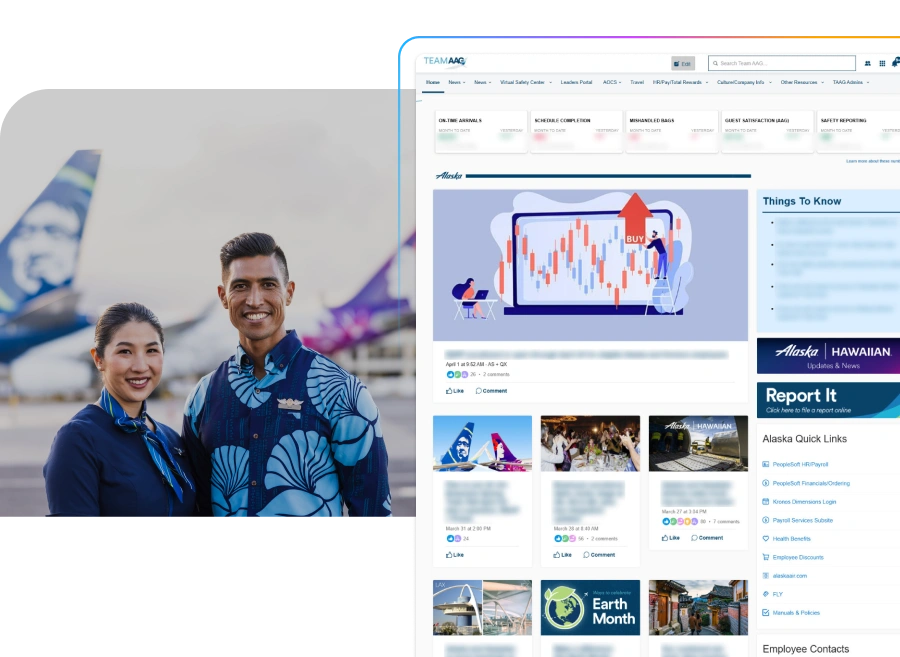 A useful real-world example is Alaska Air Group, a 30,000+ employee airline with a mix of deskless roles, including flight attendants, pilots, maintenance crews, and mobile customer service agents, alongside desk-based employees. The company needed to replace a one-size-fits-all intranet that struggled with heavy traffic and could not tailor content by role or location.
With Team AAG, Alaska Air Group brought its intranet and mobile experience together on a single platform. The result was 99.5% employee app adoption and 96% active users, with adoption reaching 85% within just two months, well ahead of its internal goal of 50% in the first year. The example shows how a unified, mobile-first experience can help organizations reach different employee groups without managing separate platforms for desk-based and frontline workers.
When this comparison doesn’t apply to you
Skip this comparison if your workforce is entirely desk-based with no frontline, deskless, or field population. The frontline-reach criteria that separate most vendors on this list — branded mobile apps, no-corporate-email login, native chat — simply won’t differentiate anything for an all-desk organization, and a Google- or Microsoft-native intranet like LumApps, Interact, or standard SharePoint may serve you well without the added evaluation effort.
Skip it also if your organization is under roughly 500 employees without a dedicated internal-communications or IT function. Every platform compared here, including Staffbase, is built for organizations with the team capacity to run a governed, multichannel communications program. A lighter-weight, lower-cost tool is the more sensible starting point until that function exists.
Ready to explore Staffbase?
See what a single platform built for every employee looks like in practice.