



What are the best SharePoint intranet alternatives in 2026?
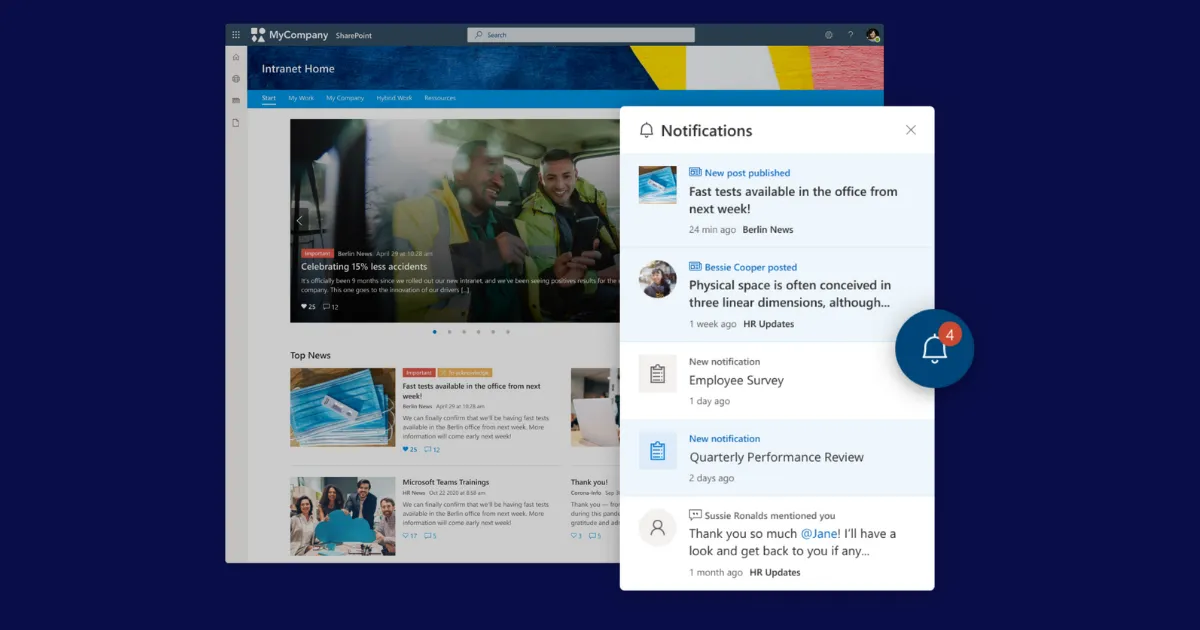

The best SharePoint alternatives aren't trying to replace SharePoint; they're solving a different problem. SharePoint is a way to build an intranet. The platforms in this article are a way to buy one. If your organization needs document management, file storage, and a place to organize internal resources, SharePoint belongs in your stack. But if you need to reach every employee—the warehouse operative, the retail associate, the nurse between shifts—SharePoint will leave a significant portion of your workforce behind. It was designed for knowledge workers at desks, and the data confirms that's exactly where the overwhelming majority of SharePoint intranet access still happens. As AI becomes part of how employees find and trust information at work, that gap matters more than ever. AI tools are only as useful as their ability to reach the employee who needs the answer, and a platform that doesn't reach everyone can't deliver on the promise of AI for everyone.
SharePoint was built for desk workers. What does it mean for everyone else?
SWOOP Analytics’ 2026 SharePoint Intranet Benchmarking Report, based on real usage data from 410,457 intranet visitors across 41 organizations worldwide, found that mobile access to SharePoint intranets was at 1.7% in 2026, with desktop accounting for 89% of all access. The data reflects a simple reality: SharePoint was designed for the desktop work environment, and that is where it is used. For employees who don't work at a desk, it was never really part of their day to begin with.
Most organizations evaluating SharePoint alternatives are really asking one of two questions.
The first: how do we reach the employees SharePoint is missing? The answer is not to move away from SharePoint. It’s to add a purpose-built communications layer alongside it. A dedicated employee experience platform handles mobile delivery, push notifications, targeting, and multi-language reach for the employees SharePoint wasn’t designed to serve.
The second: should SharePoint be our front door at all? For some organizations, SharePoint's document-first architecture may not provide the right foundation for a company-wide single source of truth, particularly when the primary goal is to deliver a strong employee experience. The answer here is to move to a purpose-built platform while keeping SharePoint in the background for documents, files, and collaboration where it excels.
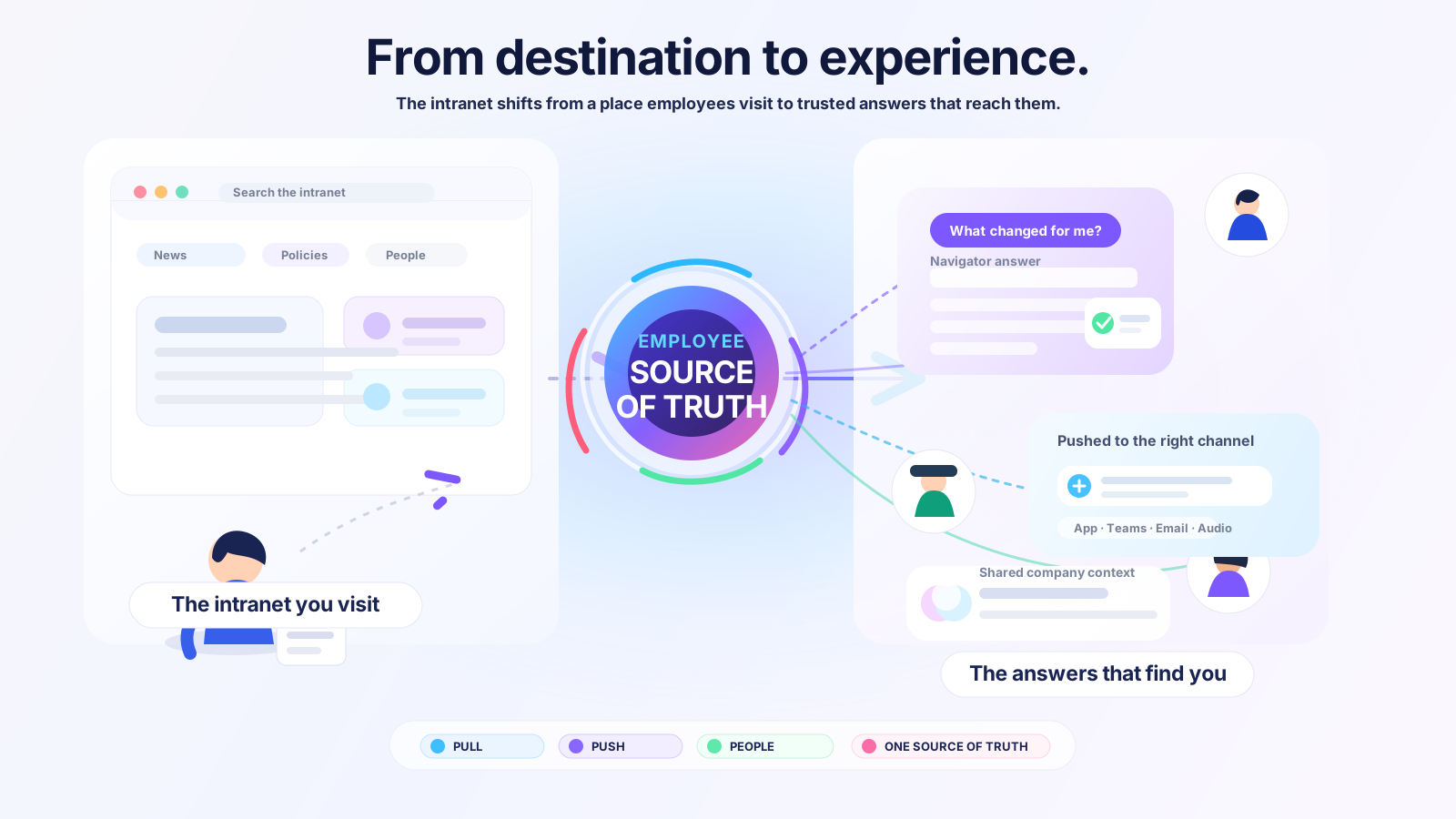
Both are valid. The strongest platforms on this list do more than publish content. They serve as a personalized front door to the entire employee experience, surfacing the tools, services, and information each employee actually needs, based on who they are and where they work. For a factory worker, that might mean shift schedules and safety updates. For a desk-based employee, team news and company announcements. For a new joiner, onboarding tasks and the policies they need on day one. And increasingly, it means AI that can answer questions accurately, but only if the platform reaches the employee asking them.
SharePoint serves this well for employees who know where to look. The gap opens for everyone else: the frontline worker without a laptop, the employee who never sees content in their own language, the local manager who can't find what's relevant to their region. When evaluating platforms, ask: will this serve every employee in your organization, or just the ones SharePoint already reaches?
This article is written by Staffbase, a Gartner Magic Quadrant Leader for Intranet Packaged Solutions for three consecutive years, trusted by more than 1,500 enterprises including Siemens, ALDI, and Alaska Airlines. Our perspective is clear, and we've tried to make the trade-offs transparent enough that you can evaluate every platform on this list, including ours.
What is Microsoft SharePoint?
SharePoint is Microsoft’s web-based platform for collaboration, content management, and document storage, and one of the most widely deployed enterprise software products in the world. With over 25 years on the market, its longevity is rooted in strengths such as document management, version control, fine-grained permissions, and deep integration across the Microsoft 365 ecosystem.
SharePoint is the right system for storing, organizing, and governing content, and for most large enterprises already on Microsoft 365, it should stay in the stack. The question this article addresses is narrower: whether SharePoint alone can serve as the employee communications layer for every employee in the organization.
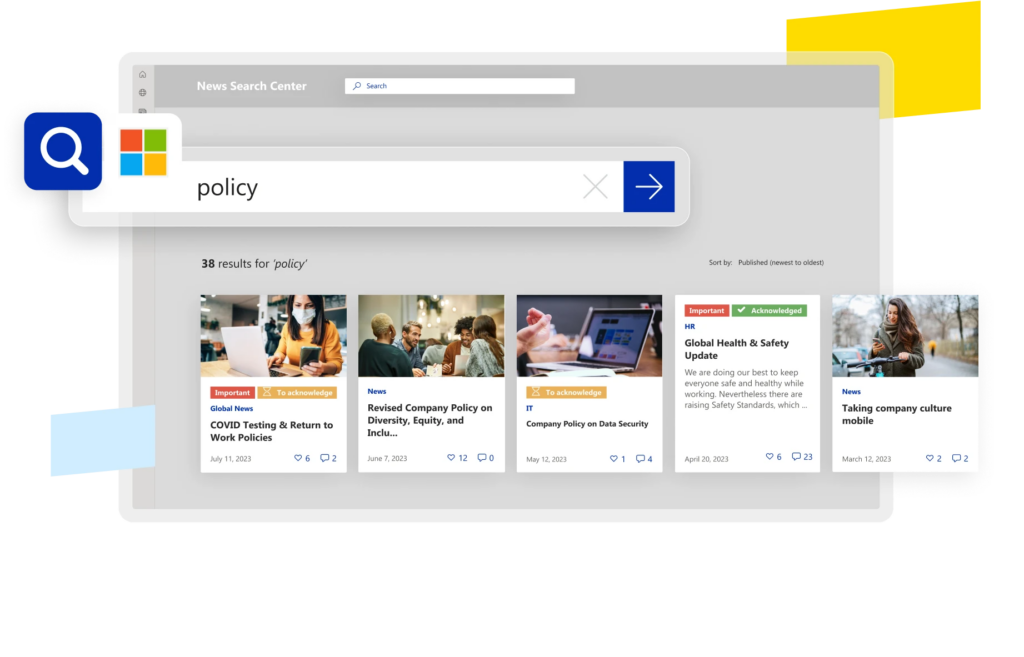
Why do organizations look for a SharePoint alternative?
The question is rarely whether to keep SharePoint. It is whether SharePoint alone can serve as the employee experience layer for the whole organization. Most organizations start evaluating alternatives when they run into one or more of the same recurring limitations:
Built for documents storage, not employee experience. SharePoint excels at storing, organizing, and governing documents. The challenge comes when organizations ask it to also deliver relevant news, run campaigns, measure outcomes, and reach every employee proactively.
A mobile experience that wasn’t the primary focus. SWOOP Analytics’ 2026 report found phone access to SharePoint intranets has fallen to just 1.7%, with desktop accounting for 89% of visits. SharePoint's mobile experience was built around productivity and document access for desk workers. For employees who don't sit at a desk, it rarely feels relevant to their daily work.
IT dependency and limited personalization. Publishing on SharePoint requires IT involvement for audience targeting, navigation, and meaningful analytics. Targeting content by role or location requires IT-managed Azure AD configuration, meaning most employees see the same content regardless of who they are or where they work.
Content that feels generic. SharePoint's complexity requires extensive onboarding and ongoing training for local teams to use it effectively. As a result, the intranet tends to become a central broadcast tool, and employees in different regions, functions, or business units rarely see content that feels directly relevant to their daily work.
Analytics that measure activity, not impact. SharePoint reports page views and time on page. It does not answer whether the message reached everyone who needed it, whether employees understood it, or whether it drove the intended action.
AI readiness. Because its focus lies on managing large volumes of documents, SharePoint environments typically accumulate outdated pages, duplicate documents, and contradictory information with no systematic way to resolve it. When AI draws from an ungoverned content estate, it produces confident answers that may be inaccurate or misleading. The solution isn't a better AI model. It is a governed content estate that keeps answers accurate, maintained by communicators who can act without raising an IT ticket every time something needs updating.
None of these are reasons to abandon SharePoint. They are reasons to add a purpose-built communications layer alongside it. SharePoint is the right home for collaboration content, project files, and working documents. It wasn't designed to serve as the single source of truth for verified company communications: the policies, updates, and information every employee needs to find, trust, and act on. That requires a different tool.
We’ve had SharePoint for years — why does the evaluation look different in 2026?
The case for moving beyond SharePoint as an employee communications platform has been building for years. Two developments make it more urgent in 2026 than it has ever been.
Frontline reach has become a strategic priority. Organizations are increasingly recognizing that leaving a significant portion of their workforce without a reliable communications touchpoint is not a technology gap. It is a business risk. Safety, compliance, culture, and productivity all depend on reaching employees who have historically been the hardest to reach. But the ambition goes beyond closing a gap. The most forward-looking organizations aren’t just asking how to reach frontline workers. They’re asking how to give every employee a rich and relevant experience: personalized information, the tools and services they need, and a genuine sense of connection to the organization they work for. Purpose-built platforms that deliver this, regardless of device or Microsoft licensing, have moved from a nice-to-have to a strategic requirement.
AI has made the content gap expensive. SharePoint environments typically accumulate outdated pages, duplicate documents, and contradictory information with no systematic way to resolve it. When AI draws from an ungoverned content estate, it produces confident answers that may be inaccurate or misleading. The solution isn't a better AI model. It is a governed content estate that keeps answers accurate, maintained by communicators who can act without raising an IT ticket every time something needs updating.
Together these two shifts define what a SharePoint alternatives evaluation should ask in 2026: not just whether the platform has a mobile app and a better editor, but whether can it reach every employee, including those no Microsoft tool currently serves, and provide the content governance foundation that makes AI answers trustworthy at scale.
What to look for in a SharePoint alternative in 2026
Not every SharePoint alternative is solving the same problem. Some extend Microsoft by adding a communications and mobile layer on top of M365. Others serve as a purpose-built replacement for SharePoint as the employee-facing front door. The criteria below apply to both paths.
Employee experience and engagement. A modern intranet should do more than distribute content. Look for platforms that support two-way communication, including pulse surveys, polls, recognition, and community features, to give employees a voice and build a sense of connection to the organization. The best platforms serve as a personalized front door to the entire employee experience, not just a notice board.
Reach across every employee. Will it reach employees without Microsoft 365 licenses, workers on personal devices, frontline staff without corporate email, and multilingual teams? The value of a communications layer lies in extending SharePoint's reach, not duplicating it.
Personalization at scale. Every employee should see content that feels relevant to who they are and where they work. Look for platforms that deliver targeted experiences by role, location, business unit, and language without requiring IT involvement for every audience change. Generic content that reaches everyone but resonates with no one drives the same disengagement as not reaching employees at all.
Communicator autonomy. Can communications and HR teams create, target, publish, and measure content without IT involvement? If the platform replaces one bottleneck with another, it hasn’t solved the problem.
Multichannel delivery from one place. Email, mobile app, intranet, digital signage, and Teams should all be manageable from a single editor with unified analytics. Platforms that require separate tools per channel recreate the fragmentation they are supposed to solve.
Content governance and freshness. Can the platform detect outdated, duplicate, or contradictory content automatically? As AI draws from the intranet to answer employee questions, an ungoverned content estate becomes a liability. Look for platforms that give communicators the tools to maintain a trustworthy, current content estate without IT dependency.
Outcome analytics. Page views tell you what got opened. Look for platforms that measure whether communications drove understanding, alignment, and behavior change — not just activity.
Microsoft 365 integration depth. Does it publish natively to SharePoint? Surface inside Teams? Sync with Azure AD? Connect with Copilot? Is it on the Azure Marketplace for MACC purchasing? Shallow integration creates two systems to maintain. Deep integration means one.
Implementation and long-term operability. A platform that takes six months to deploy and requires sustained IT involvement to evolve is more expensive over three years than one that deploys faster and lets business teams run it independently.
Analyst validation. The Gartner Magic Quadrant for Intranet Packaged Solutions is the primary benchmark for this category. Platforms that appear in it have been evaluated against consistent criteria for enterprise readiness. SharePoint and Viva do not appear in it.
The best SharePoint alternatives in 2026
1. Staffbase — Best for organizations that need to reach every employee alongside their Microsoft investment
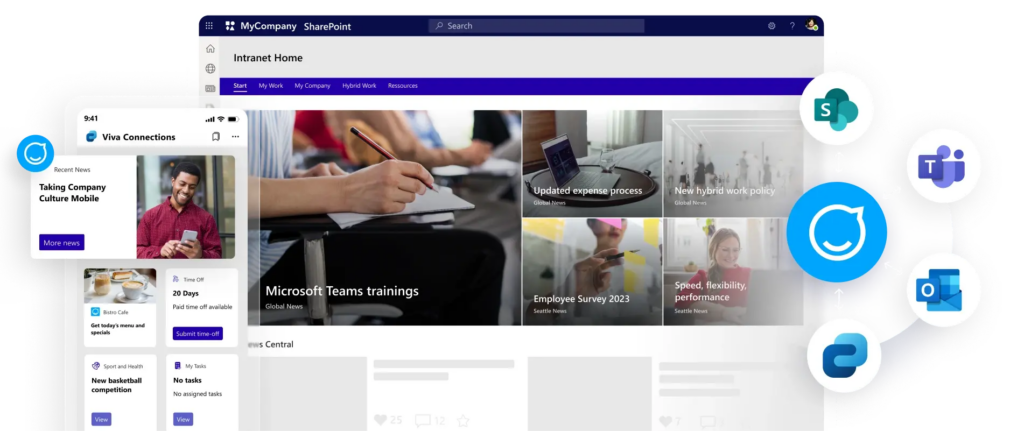 Staffbase is the employee experience platform that reaches every employee, from the factory floor to the corner office, and proves that communications drive business outcomes.
For most organizations, SharePoint stays where it belongs: documents, files, and collaboration. Staffbase is the communications layer that works alongside it, extending its reach to frontline and distributed employees, giving communications teams the autonomy to publish without IT involvement, and providing the content foundation that makes AI answers trustworthy. More than 90% of Staffbase customers also run Microsoft 365.
Reaching the employees SharePoint misses
SharePoint reaches desk workers. It does not reach the retail associate, the warehouse operative, the nurse between shifts, or the new joiner not yet set up with M365. Staffbase was built mobile-first, with a fully branded app in public app stores as standard, push notifications, offline access, and native chat, with no Microsoft license required.
Mister Car Wash previously relied on a SharePoint site limited to managers and above, leaving more than 7,000 hourly, deskless team members across 550+ locations without a reliable communications touchpoint. After launching "Mister Connect" on Staffbase, they achieved a 93% active user rate across their entire frontline workforce, preserving their close-knit corporate culture during a period of rapid expansion.
A personalized experience for every employee
Staffbase delivers targeted content by role, location, business unit, and language, without IT involvement for every audience change. Employees see news, tools, and services relevant to their daily work, not a one-size-fits-all broadcast. Surveys, polls, recognition, and community features give every employee a voice and a connection to the organization, whether they work at headquarters or on the factory floor.
One platform, every channel, one place to measure it all
Staffbase Studio consolidates intranet, mobile app, email, digital signage, and SMS into a single CMS. Create once, publish everywhere, measure everything in one view. Staffbase Smart Impact measures reach, visibility, sentiment, and alignment, not just clicks.
AI that governs content quality
Confidently wrong AI output has been named by analysts as the dominant enterprise AI risk of 2026. Staffbase’s AI Quality Layer addresses it directly. Staffbase Autopilot detects outdated and contradictory content before AI surfaces it. Navigator delivers role-specific verified answers. Staffbase On Air transforms communications into personalized audio briefings.
Local teams keep content current
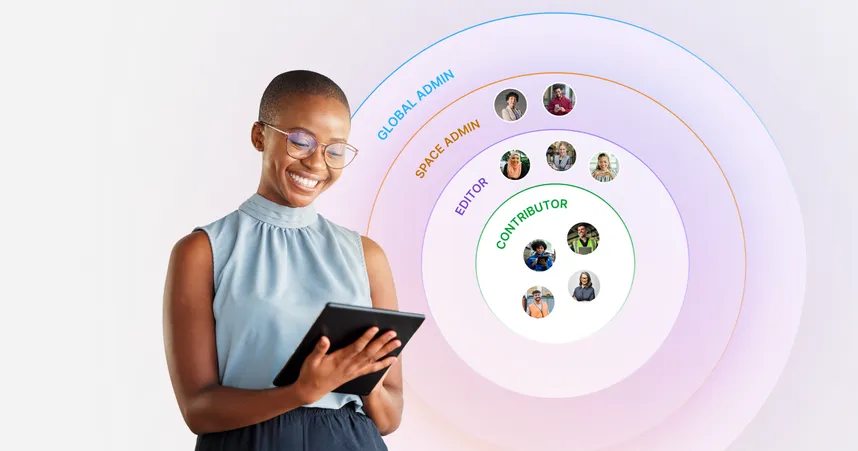
Staffbase Spaces gives regions and business units the autonomy to manage their own content within centrally defined governance guardrails—without needing IT support.
Microsoft integration that goes both ways
Certified Microsoft Build Partner. Publishes natively to SharePoint, surfaces inside Teams as a Personal App, delivers via Outlook, connects through Viva Connections, syncs with Azure Active Directory via Entra ID, extends workflows through Power Automate, and connects with Microsoft 365 Copilot via the Staffbase Agent. Available on the Azure Marketplace, with purchases counting toward Microsoft Azure Consumption Commitments.
The numbers
Gartner Leader for IPS for three consecutive years (2023, 2024, 2025)
Trusted by 1,500+ enterprise customers, including Siemens, ALDI, Alaska Airlines, and Nestlé
80%+ employee reach on a typical deployment
ALDI Australia: 99% registration, 94% monthly active, 84% weekly active across 16,000+ employees
ClearBox 2026: 4.5/5 rating in Communications Management, Mobile and Frontline Support, and Employee Experience
ClearBox 2026 Choice Awards: Top 5 Score, Comms Excellence, and Frontline and Mobile Focus
Best for: Organizations with 500+ employees looking to connect desk-based and frontline teams through a platform that complements their Microsoft 365 investment.
Pros:
Reaches every employee regardless of M365 licensing
One CMS for all channels: intranet, mobile app, email, digital signage, and SMS
Deep, bi-directional Microsoft integrations with Microsoft Build Partner certification, Azure Marketplace availability, and MACC eligibility
AI Quality Layer address the content governance problem behind unreliable AI answers
Spaces lets local teams publish independently so content stays current without IT
Fully branded white-label app included as standard
Cons:
Designed for organizations of 500+ employees
Best suited to organizations looking for a employee experience platform, and less relevant for teams whose primary need is document management
2. Simpplr — Best for desk-based organizations wanting a modern, AI-powered intranet
Simpplr is a modern intranet focused on AI-powered personalization, knowledge management, and employee services.
Its product experience is particularly well suited to desk-based employees and knowledge workers. Simpplr has expanded its support for frontline employees through capabilities such as mobile delivery, SMS, digital signage via its ScreenCloud integration, and an AI assistant for shift and HR self-service.
Best for: Mid-market to large enterprise organizations with primarily desk-based workforces where IT or HR leads the evaluation and the priority is platform consolidation around intranet, knowledge management, and employee services.
Pros:
Clean UI, fast to deploy for desk-based employees
Strong AI assistant for HR and IT self-service
Good employee listening, sentiment analysis, and recognition tools
Cons:
Design flexibility may be more limited, with some users reporting that customization options, visual design, and layout flexibility are less extensive than they would like
Best suited for desk-based workforces
Branded app is a premium add-on
3. Unily — Best for large enterprises wanting a highly configurable digital workplace platform
Unily is a feature-rich enterprise intranet built for large, complex organizations with dedicated digital workplace teams. Its configurability is its defining characteristic, with granular widget-based customization, strong Microsoft 365 integrations, and a comprehensive feature set. The trade-off is operational complexity. The platform offers extensive flexibility and configuration options, but this can come with a steeper learning curve for administrators.
Best for: Large enterprises with dedicated digital workplace or IT teams that value extensive configurability, enterprise search, and a comprehensive digital workplace platform, and have the resources to support ongoing administration and governance.
Pros:
Recognized as a Gartner IPS Leader
Highly configurable with deep M365 integrations
Comprehensive feature set covering communities, newsletters, and analytics
Cons:
Some customers report a steeper learning curve, particularly for non-technical users
Branded mobile apps and advanced AI features may require additional investment
Customers have reported pricing complexity and inconsistent support experiences.
4. Workvivo — Best for organizations prioritizing employee engagement and community
Workvivo is a social-first employee experience platform combining a news feed, communities, employee recognition, podcasts, live streaming, and a mobile app. Acquired by Zoom in 2023, it is particularly well-suited to organizations where culture, belonging, and peer-to-peer engagement are the primary goals.
Workvivo excels at building community, however strategic communications capabilities, governance, and editorial control are less developed than on platforms built primarily for communications teams.
Best for: Organizations where employee engagement, culture-building, and community are the primary goals.
Pros:
Strong social, community, and recognition features
Zoom integration for organizations already on the Zoom ecosystem
2026 ClearBox Report scored Workvivo 4.5/5 for Community and Engagement
Cons:
Feed-based architecture limits structured communications governance and campaign management
Chat, digital signage, and advanced analytics are paid add-ons
Organizations with complex knowledge management needs may want to evaluate search and content discovery capabilities
5. Firstup — Best for organizations focused on intelligent delivery and employee journeys
Firstup is an employee communications platform built around personalized delivery and journey orchestration. Its Intelligent Delivery Engine automatically optimizes which channel and what time a message reaches each employee. The platform covers mobile app, email, intranet, and desktop delivery, with strong audience segmentation and targeting.
Best for: Large enterprise organizations needing personalized delivery and employee journey orchestration.
Pros:
Mature journey orchestration with advanced decision trees and lifecycle triggers
Advanced audience segmentation and targeting
Analytics that give insight into campaign performance
Cons:
Intranet is a paid add-on at every tier, and not included in the base platform
Less structured knowledge governance compared with dedicated intranet platforms
Limited native chat capabilities, may require additional collaboration tools
6. Viva Connections + Viva Amplify — Best for organizations committed to staying entirely within Microsoft
Viva Connections brings SharePoint into Teams as a personalized dashboard, giving desk workers access to company news, tools, and resources without leaving their primary productivity environment. Viva Amplify adds a centralized publishing layer, allowing authors to create content once and distribute it to SharePoint, Teams, Outlook, and Viva Engage from a single interface.
Basic Viva Connections features are included in many M365 plans, making it a low-barrier starting point for organizations already licensed.
Best for: Organizations that are fully M365-licensed across their entire workforce, have high existing Teams adoption, and want to improve communications without adding a new vendor.
Pros:
No additional vendor relationship
Basic features included in many existing M365 plans
Familiar environment for employees already using Teams daily
Cons:
Requires M365 license, limiting access for frontline and hourly workers without eligible licenses
More advanced features require the Viva Employee Communications and Communities add-on at approximately $2 per user per month, a significant additional cost at enterprise scale
Inherits SharePoint’s IT dependency for targeting, navigation, and audience management
7. Viva Engage — Best for organizations wanting peer-to-peer communities within Microsoft 365
Viva Engage is Microsoft’s enterprise social network, the successor to Yammer, available as a standalone app or embedded within Teams. Its primary purpose is peer-to-peer communities, though it also supports leadership engagement, knowledge sharing, and campaigns. It is not a standalone intranet and is typically deployed alongside SharePoint or a third-party intranet platform.
Basic community features are included in standard M365 plans including F1 and F3. Premium features require the Viva Employee Communications and Communities add-on at approximately $2 per user per month.
Adoption is typically concentrated among desk workers, and without strong governance, communities can accumulate and fragment quickly.
Viva Engage works best as part of a broader digital workplace stack. Most organizations pair it with a dedicated intranet or communications platform.
Best for: M365 organizations wanting to add community and leadership engagement features, deployed alongside, not instead of, a structured communications platform.
Pros:
Basic features included in most M365 plans including F1 and F3
Strong leadership tools: Leadership Corner, AMA events, and Storylines
Embedded within Teams, meaning no additional login for desk workers
Cons:
Not a standalone intranet, requiring SharePoint or a third-party platform
Algorithm-driven feed can limited communicator control over reach and timing
Premium features require the Viva ECC add-on
8. Google Sites — Best for organizations on Google Workspace looking for a simple intranet
Google Sites is Google’s built-in intranet builder, available at no additional cost to Google Workspace subscribers. It allows teams to create simple internal pages, embed Google Drive content, and build basic intranet-style navigation using familiar Google tools. For organizations already on Google Workspace, it is the lowest-friction path to a basic internal information hub without adding a new vendor.
It is primarily a page builder, rather than a communications platform. There are no push notifications, no audience targeting, no campaign management, and no outcome analytics. Employees navigate to content rather than receiving it. For organizations needing to reach employees proactively, particularly those without regular desk access, Google Sites does not address that need.
Best for: Small to mid-sized organizations on Google Workspace that need a simple, free internal information hub and do not yet require proactive communications delivery or analytics.
Pros:
Free for any Google Workspace subscriber
Simple to set up without technical expertise
Deep native integration with Google Drive, Docs, Calendar, and Meet
Cons:
No push notifications, targeting, campaign management, or outcome analytics
Employees navigate to content rather than receiving it
Not suited to frontline or distributed workforces needing proactive communications
9. Confluence (Atlassian) — Best for technical or product teams that need structured knowledge management
Confluence is a widely used knowledge management and documentation platform from Atlassian, best known as the companion to Jira for engineering, product, and IT teams. It allows teams to create, organize, and collaborate on structured content: docs, wikis, project documentation, and internal knowledge bases.
As a SharePoint alternative for employee communications, the limitations are significant. There are no push notifications, no campaign management, and no outcome analytics. Adoption outside technical teams is often limited, and non-technical users frequently find the interface less user-friendly than purpose-built intranet platforms. It is best understood as a knowledge management tool that complements a communications platform rather than replaces one.
Best for: Engineering, product, and IT teams needing structured knowledge management and documentation.
Pros:
Strong structured knowledge management and documentation
Deep integration with Jira and the Atlassian product suite
Powerful search across complex spaces and page structures
Cons:
Not designed for employee communications — no push notifications, campaign management, or outcome analytics
Limited adoption outside technical teams
Users report a steep learning curve, particularly for non-technical users
10. Notion — Best for smaller organizations or teams wanting a flexible knowledge base
Notion is a flexible workspace for notes, wikis, databases, and project management. Its block-based editor and customizable page structure make it popular for building internal knowledge bases, team wikis, and onboarding documentation. Pricing is accessible, with a free tier and paid plans starting at low per-user rates.
Best for: Small to mid-sized teams wanting a flexible, affordable knowledge base.
Pros:
Highly flexible and customizable without technical expertise
Strong for knowledge bases, wikis, and team documentation
Consistently strong G2 ratings for ease of use and low learning curve
Cons:
No push notifications, audience targeting, or proactive content delivery
No campaign management, editorial workflows, or outcome analytics
Limited governance features, meaning it is not suited to regulated industries or large organizations
11. Blink — Best for frontline-first organizations that need fast mobile deployment
Blink is a mobile-first platform built specifically for frontline workforces. It combines a social feed, chat, hub pages, task management, surveys, recognition, and micro-apps into a single mobile app. Its social media-style interface and fast deployment make it well suited to frontline populations who find traditional intranet tools inaccessible or irrelevant.
Best for: Mid-market organizations with large frontline or deskless workforces.
Pros:
Social-style mobile UX with fast deployment and high frontline adoption
Native chat, voice and video calling, recognition, and task management in one app
Transparent pricing starting from $3.75/user/month
Cons:
White-label branded app and advanced analytics are paid add-ons
Primarily focused on frontline communication, with users reporting limited intranet capabilities
No native email builder, limiting broader omnichannel communication strategies.
12. Happeo — Best for Google Workspace-native organizations wanting an intranet
Happeo is a purpose-built intranet platform designed specifically for organizations on Google Workspace. It integrates natively with Google Drive, Docs, Calendar, and Meet, keeping files stored in Google Drive while making them accessible directly within the intranet.
Best for: Small to mid-sized organizations on Google Workspace wanting a purpose-built intranet with deep native Google integration.
Pros:
Visual page builder and channel structure with drag-and-drop templates
Universal and federated search across intranet and Google tools
Users on G2 appreciate Happeo’s logical structure and customization options
Cons:
Best suited to Google Workspace environments, with more limited fit for Microsoft-centric organizations.
Enterprise features may require additional add-ons.
Smaller customer base and less analyst recognition than enterprise-grade alternatives
13. Interact — Best for regulated industries needing strong governance and compliance
Interact is a mature, feature-rich intranet platform with a strong track record in mid-market and enterprise organizations. The platform is built primarily for desk-based employees who navigate to content on a computer.
Best for: Mid-market to large enterprise organizations with primarily desk-based workforces where knowledge management, enterprise search, and content governance are the priority.
Pros:
Highly flexible CMS with granular content and layout control
Good social, community, recognition, and ideation features
Strong enterprise search and knowledge discovery
Cons:
Less optimized for proactive mobile-first communication with frontline employees
The app mirrors the desktop experience rather than being designed specifically for mobile
Greater flexibility can come with added complexity during setup and ongoing management.
Which SharePoint alternative is right for your organization’s size?
The right platform depends not just on what you need, but on how many people you need to reach and how complex your communications environment is.
Under 500 employees: SharePoint may genuinely be sufficient if your workforce is primarily desk-based, fully M365-licensed, and communications needs are straightforward. If you have frontline workers, multiple locations, or a communications team that needs to move without IT, a lightweight purpose-built platform makes sense.
500–2,000 employees: This is where the SharePoint reach gap typically becomes visible and expensive. Multiple business units, some frontline workers, and growing communications needs mean IT dependency starts creating real bottlenecks. Purpose-built platforms deliver clear ROI at this scale. The key questions: do you need frontline reach? Does your comms team need to operate without IT?
2,000–10,000 employees: At enterprise scale, SharePoint’s gaps become structural. Targeting complexity, multi-language requirements, frontline populations, and the cost of IT dependency all compound. The evaluation should prioritize multichannel delivery from one platform, outcome analytics, enterprise governance, and proven deployment at comparable scale.
10,000+ employees: Platform architecture is everything. Multi-brand or multi-region structures, significant frontline populations, compliance requirements, and strategic communications functions narrow the shortlist considerably. Look for proven global deployments, deep Microsoft integration, enterprise governance across all channels, and AI capabilities in production. Gartner IPS Leader status is a useful filter. Staffbase serves organizations at this scale including DHL (600,000 employees), Siemens, and Alaska Airlines.
Conclusion: the right alternative for your SharePoint intranet depends on the question you’re actually asking
SharePoint is excellent at what it was built for: document management, file storage, and collaboration between project teams. Most organizations should keep it for exactly those jobs. The platforms in this article handle the employee-facing communications layer that SharePoint was never designed to own.
Most organizations don’t face a binary choice. SharePoint stays for documents and collaboration. A dedicated communications platform extends its capabilities by reaching every employee, giving communications teams the autonomy to publish without IT involvement, and keeping content governed well enough to trust at AI scale.
The right platform depends on which question you’re asking. If you’re extending Microsoft, prioritize integration depth, communicator autonomy, and frontline reach. If you need to go further, add intranet maturity, content governance, and proven enterprise scale. Either way, the evaluation comes down to one question: Will this platform actually reach everyone who needs to see the message, and will you know whether they understood it?