What are the best Unily alternatives for enterprises in 2026?
A practical comparison of Unily alternatives for enterprises managing governance, frontline reach, and internal communications value — including how Staffbase, a four-time Gartner® Magic Quadrant™ for Intranet Packaged Solutions Leader, delivers unified desk and frontline communications today.

The best Unily alternative depends on who your intranet needs to reach, how much flexibility your communications team needs, and how much support it requires from IT. Choose Staffbase for reaching frontline and desk-based employees through one governed platform for app, intranet, email, and digital signage, with communications teams able to publish without IT support.
Choose Interact for deep search and a configurable CMS, Simpplr for a fast, desk-first intranet with strong AI controls, LumApps for a Google-centric digital workplace, Oak Engage for a lower-cost, mobile-first intranet with strong community features, Firstup for automated, personalized employee journeys, Appspace for combining digital signage and workplace tools with an intranet, Workvivo for culture and recognition, or SharePoint with Viva if Microsoft is the priority.
What a Unily comparison often leaves out: your workforce and project goals
Most Unily comparisons start with features. Features are easy to put in a table, but they leave out the questions that decide whether a project works: who the platform has to serve, and what that workforce needs from it.
Needs differ widely. An organization where most employees work on shop floors, in stores, or on the road needs to reach employees on an app. A team whose employees spend the day looking for policies, documents, and expertise across a large content estate needs strong search and knowledge management, and for that team search deserves top weight. A two-person communications team needs a platform it can run without constant IT support. A digital workplace team with developers may want maximum configurability. Each platform in this guide was built with a different mix of these situations in mind. Staffbase is no exception, so we apply the same tests to it as to the others.
Start with the project goal instead. Who does the platform need to reach, and in which channels? Where do employees go to find answers? Who runs it after launch? What does it cost to change? Can employees trust what the AI tells them?
Why do organizations look for a Unily alternative?
Unily is a strong platform for large enterprises, but its depth and complexity aren’t always the right fit for every organization. Here are some common challenges teams encounter:
Complex implementation and long rollout times — Enterprise deployments can take months and often require dedicated IT support and custom development.
Overly dependent on Microsoft 365 — Unily is tightly coupled with tools like SharePoint, which can limit flexibility for organizations using Google Workspace or mixed environments.
High cost of customization and maintenance — G2 reviewers describe frustration with features that sit in additional modules, and with extra costs for a branded app for frontline employees and for access to AI capabilities.
Frontline support is less developed than at most other vendors — ClearBox 2026 scores Unily’s mobile and frontline support at roughly 3.75 out of 5, lower than most other ClearBox-rated platforms in this guide. Staffbase scores 4.5. Unily does offer a premium employee app as well as a lightweight version.
Smaller organizations may receive less attention — Analysts note that Unily’s focus has traditionally been larger organizations, and some smaller clients question how attentive the vendor is.
These limitations can make it difficult to scale communication, reach every employee, and adapt quickly to changing needs, especially in fast-moving or globally distributed organizations. That’s where platforms like Staffbase, with a multichannel and mobile-first approach, offer meaningful advantages.
When is Unily still the right choice?
Unily is a strong employee experience platform. The Gartner® Magic Quadrant™ for Intranet Packaged Solutions named it a Leader for the fourth consecutive year, and Forrester placed it among the Leaders in its Q2 2026 Wave. It fits best in three situations:
You run a dedicated digital workplace function — Unily’s configurability rewards organizations with the technical resources to manage it.
Knowledge discovery is the intranet’s main job — ClearBox 2026 rates Unily 4.5 out of 5 for Information Finding and Search, among the highest scores in its report, and 4.0 for knowledge and content management.
Your workforce is mostly desk-based on managed devices — Reach matters less when everyone already works in front of a browser.
When does this comparison not apply to your situation?
Skip this comparison if your organization has fewer than about 1,000 employees. Most platforms here target 1,000 employees or more. SharePoint with a lightweight comms tool is a better starting point until you have a communications professional, a content strategy, and a workforce large enough to justify the investment.
Skip it if every employee has a corporate device and email, and deep search is the main requirement. When reach isn’t the constraint, the case for a frontline-first platform weakens. Interact, or Unily itself, will likely serve you better.
Skip it if your Unily contract has years left and the platform works for your team. The case for switching then rests on reach or cost, and tests against the six criteria below before opening a procurement process.
What should you look for in a Unily alternative?
If you’re considering a switch from Unily, it’s likely because your organization needs more flexibility, faster deployment, or broader communication reach. Here’s what to prioritize when evaluating alternatives:
Criteria | The question to ask | What a good answer looks like | Where Staffbase Stands |
Reach | Can every employee get the message, including those without a work email on a phone they already own? | A branded app in the public app stores, with sign-in possible without corporate email | ClearBox 2026 scores Mobile and Frontline Support 4.5 out of 5 |
Channels | Does one editorial workflow publish to app, intranet, email, SMS, and screens, with one view of what reached whom? | One content system, shared targeting, and unified analytics | ClearBox 4.5 for Communications Management; Smart Impact measures reach, sentiment, and alignment |
Answers | When employees need a policy, a document, or an expert, how does the platform find it, and how do you know the answer is current and approved? | Strong search plus governed content, scoped by role, location, and language, with sources shown | Navigator gives governed, role-specific answers with a link to the source, and connects to third-party systems through MCP and A2A so employees can act on them |
Action | Can employees finish tasks such as absence requests, forms, acknowledgements, and chat without leaving the platform? | Native tasks and forms, plus connections to HR and IT systems | In-app tasks, forms, and chat. In Navigator, employees can also take action in connected systems, such as submitting a Workday time off request, without leaving the conversation. |
Ongoing platform management | After launch, who changes the platform: communications, IT, or a partner? | Communicators manage content and audiences within IT-set guardrails, and the vendor lists what still needs a ticket | ClearBox says administrators need limited or no technical knowledge. Platform Management scores 4 out of 5. |
Total Cost | What is in the base package, and what does each new channel, app brand, or AI feature add over three to five years? | A plain explanation of how the price is built (per user, per module, or a mix), which modules sit in the base package, and how adding a channel, an app brand, or an AI feature changes the total | Branded app, Staffbase Email, and cross-channel analytics sit in one platform without separate module fees |
Staffbase delivers on all of these priorities — and more. Learn about the Staffbase intranet, Staffbase Superapp, Staffbase Email, or see how AI for internal communication and our guide to intranet software providers can support your decision-making process.
The best Unily alternatives in 2026
Vendor | Best for | ClearBox Choice Awards 2026 | Position in 2026 Gartner® Magic Quadrant™ for Intranet Packaged Solutions |
|---|---|---|---|
Staffbase | Large organizations with a mixed desk and non-desk workforce where communications owns the platform | Top 5 score, Comms excellence, Frontline & mobile focus | Leader |
Interact | Desk-based knowledge organizations with 2,500+ employees and a dedicated intranet team | Top 5 score, Best for value, Comms excellence, Strong knowledge & search | Leader |
Simpplr | Mid-sized to large organizations with a mostly desk-based workforce that want a fast, modern intranet | Not included | Leader |
LumApps | Google-centric or multi-brand, large enterprises with technical configuration resources | Best for value | Leader |
Oak Engage | Mid-sized to large organizations with a mixed workforce that want a mobile-first, community-oriented intranet at a lower price point | Top 5 score, Best for value, Community builder | Not included in the 2026 Magic Quadrant |
Firstup | Large enterprises that prioritize automated content journeys and personalized push communication | Comms excellence, Frontline & mobile focus | Challenger |
Appspace | Organizations that want digital signage and workplace communications from one vendor | Best for value, Best for value, Best for value | Leader |
Workvivo | Culture- and recognition-led hybrid organizations, especially those standardized on Zoom | Comms excellence, Frontline & mobile focus, Community builder | Leader |
Microsoft SharePoint & Viva | Microsoft-standardized, mostly desk-based organizations with strong in-house SharePoint skills, where Microsoft 365 is the only budget | No Choice Award | Not included in the 2026 Magic Quadrant |
Source for ClearBox badges: ClearBox Consulting (clearbox.co.uk), 2026 Intranet and Employee Experience report, May 2026.
1. Staffbase
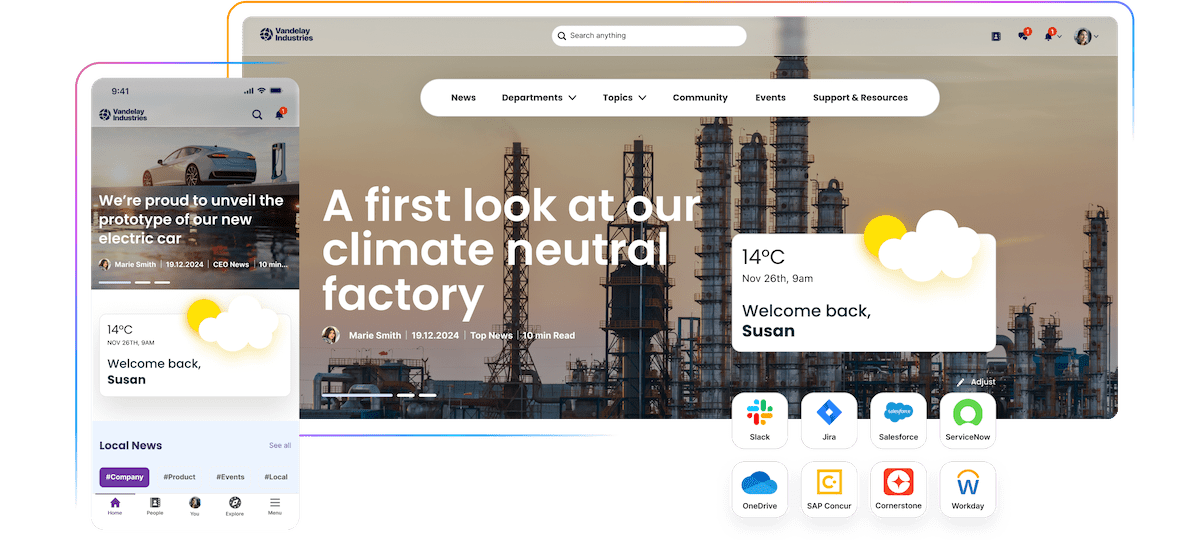 Staffbase is the first AI-native Employee Experience Platform. It gives every employee one place to stay informed, find trusted answers, and get things done. It runs on one governed content system that reaches each employee in the channel they actually use, from the Staffbase Employee Superapp to email and Microsoft 365, so an announcement can lead to an answered question and a completed task. Employees need no training. Editors publish within central guardrails.
Best for: Large organizations with a mixed desk and frontline workforce where communicators and local teams run the platform day to day inside central governance.
Pros:
ClearBox 2026 scores Staffbase 4.5 out of 5 for Mobile and Frontline Support, and a fully branded app in the public app stores comes standard, with configurable offline access and sign-in without a work email
Studio and Spaces let communicators and local teams publish and manage their own content and audiences within central governance, without developers or IT tickets for routine changes
One governed content system publishes to app, intranet, email, SMS, and screens, with shared targeting.
The AI Quality Layer grounds AI in trusted company knowledge, and Navigator answers from permission-scoped content with source references, so trust is established before the answer reaches the employee
Smart Impact measures reach, visibility, sentiment, and alignment across every channel, so communicators can show whether a message landed beyond opens and clicks
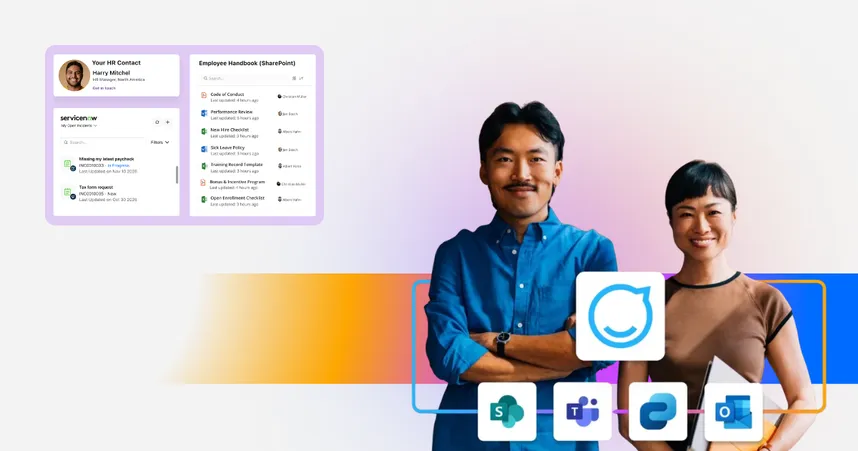
Staffbase is a certified Microsoft Build Partner. It publishes news into SharePoint through a web part and runs as a Teams app, and Microsoft 365 widgets bring Teams, Files, Calendar, Document Library, and Sites into Staffbase pages with one click
Gartner named Staffbase a Leader in the 2026 Magic Quadrant for Intranet Packaged Solutions for the fourth consecutive year
Cons:
Less suited to teams whose primary requirement is a dedicated employee advocacy or rewards program
Less suited to organizations that want their intranet embedded in the Zoom client
Less suited to small, mostly desk-based organizations with strong in-house SharePoint skills and simple communication goals
How Staffbase compares to Unily
Combines intranet, email, and mobile in a single platform — not just an intranet
Easier to implement and maintain, with lower technical complexity
Better mobile experience and frontline support
Strong editorial governance, but with less reliance on custom development
More flexibility for mixed Microsoft and Google environments
Why choose Staffbase over Unily?
Staffbase offers the same enterprise-grade reliability as Unily — but with faster implementation, stronger mobile and multichannel capabilities, and built-in tools that empower communication teams to work efficiently at scale.
What the reach test looks like at Alaska Air Group
Alaska Air Group serves 30,000+ employees: flight attendants and pilots who rarely sit at a computer, maintenance crews on mobile devices, back-office staff on desktops, and customer service agents moving through airports. Its previous intranet was a single experience that crashed under heavy traffic during urgent updates. David Henrich, Senior Manager of Communication Operations at Alaska Airlines, put the problem plainly: “one-size-fits-all does not work in our industry.”
After moving to Staffbase Intranet and the Team AAG app, with content targeted by role and location, 85% of employees had adopted the app within two months, against an internal goal of 50% by the end of the first year. Adoption reached 99.5% in year one, with 96% active users and 98% positive employee feedback at launch. Alaska replaced a one-size-fits-all intranet, not Unily, but the test is the same: does the platform reach people who never open a desktop portal? Read the full Alaska Air Group story.
What the operations test looks like at BASF Agricultural Solutions
BASF Agricultural Solutions (15,000 employees, global) replaced a patchwork of regional intranets, SharePoint solutions, and email tools with one platform built on Staffbase Intranet and Staffbase Email. The change that mattered most was organizational. Internal communications owns requirements, content, and editor enablement. IT owns security, architecture, and integration. The team calls it “Two-in-a-Box,” and both functions share responsibility for outcomes.
More than 150 editors now publish through templates, branding guidelines, and role-based permissions, supported by more than 30 individual training sessions. The team also had intranet and email analytics for the first time, which moved stakeholder discussions from opinion to usage data.
Staffbase’s ratings on review platforms: G2: 4.6 out of 5 (249 reviews). Gartner Peer Insights: 4.7 out of 5 (122 reviews). Capterra: 4.7 out of 5 (80 reviews). Ratings as of October 26, 2026.
2. Interact
Interact is an intranet platform built around AI-assisted semantic search, a flexible block-based CMS, and built-in engagement features such as recognition and rewards.
While Unily offers more design flexibility and Microsoft integration, Interact stands out for its structured workflows and content lifecycle management — making it a strong choice for organizations that need to publish at scale with full editorial control.
Best for: Desk-based knowledge organizations with a dedicated intranet team that treats search as the main requirement.
Pros:
Interact puts search at the center of the experience, which suits teams whose employees mostly come to the intranet looking for something
The page-building tools give teams with intranet skills a lot of control over how content is structured and laid out
Recognition, communities, and forums are part of the platform, so engagement features don’t need a separate tool
Cons:
G2 reviewers describe added complexity, saying features and configuration need more planning, training, and coordination across workstreams, so it’s less suited to teams that want self-service publishing without technical support
Email is a newer part of the platform, and a G2 reviewer reports early issues with it, so it’s less suited to teams where email is a primary channel
G2 reviewers report that some feature requests stay pending for long periods, which can matter to teams whose needs change quickly
Interact’s ratings on review platforms: G2: 4.5 out of 5 (72 reviews). Gartner Peer Insights: 4.5 out of 5 (80 reviews). Capterra: 4.6 out of 5 (41 reviews). Ratings as of October 26, 2026.
3. Simpplr
Simpplr is an intranet and employee experience platform positioned as a modern replacement for legacy intranets, with AI-powered search, personalization, and employee services.
Compared to Unily, Simpplr is more lightweight and less customizable — which can be a limitation for larger enterprises with complex structures or compliance requirements.
Best for: Mid-sized to large organizations with a mostly desk-based workforce that want a fast, modern intranet with strong AI controls.
Pros:
G2 reviewers praise an intuitive interface and fast adoption with minimal training
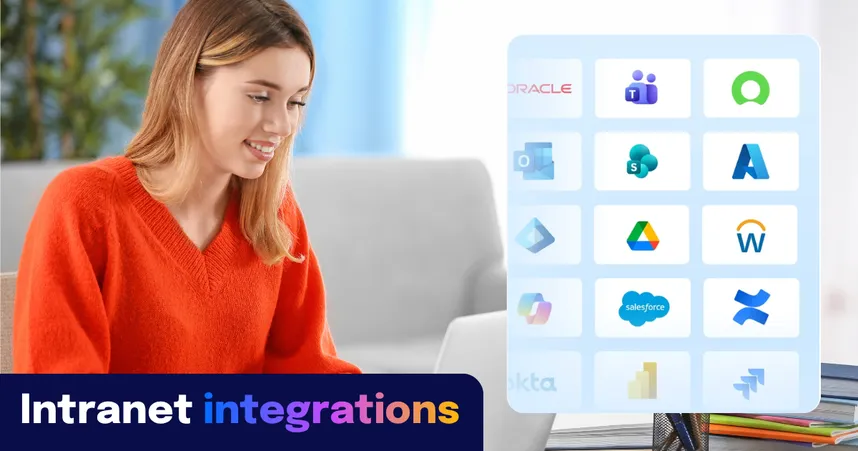
It connects to a wide range of tools, with more than 200 connectors across productivity suites, HR systems, content repositories, and single sign-on providers
Employees can ask questions in natural language and get answers from company knowledge, and can complete common HR and IT requests without raising a ticket
Cons:
Less suited to teams that want extensive control over page design and layout, since G2 reviewers describe a template-driven experience that calls for an in-house developer to go further
Less suited to organizations that need a fully branded company app for frontline employees without additional investment
Less suited to communications teams that want analytics focused on outcomes, since G2 reviewers describe the reporting as not sufficiently actionable
4. LumApps
LumApps is a digital workplace platform that combines an intranet, a marketplace of connectors and micro-apps, and AI agents, with integrations for both Google Workspace and Microsoft 365. It acquired the frontline app vendor Beekeeper in 2025 and is working toward a single product.
Best for: Google-centric or multi-suite enterprises with the technical resources to configure a modular platform.
Pros:
LumApps works with both Google Workspace and Microsoft 365, which suits organizations that are Google-centric or run both suites
A marketplace of 100+ connectors and micro-apps lets IT teams extend the platform to fit the systems they already use
Events management with RSVPs, waitlists, and calendar sync, native video hosting, and a rewards and recognition module (sold as an add-on) are available modules
Cons:
Less suited to communications teams without technical support, because advanced configuration calls for IT or partner involvement and enterprise implementations commonly take several months
Less suited to organizations that want one unified product for desk and frontline employees today, because LumApps and Beekeeper remain separate products with convergence planned in phases
Less suited to teams that treat email as a strategic channel or want campaign-level analytics across channels
LumApps’ ratings on review platforms: G2: 4.4 out of 5 (165 reviews). Gartner Peer Insights: 4.3 out of 5 (73 reviews). Capterra: 4.1 out of 5 (73 reviews). Ratings as of October 26, 2026.
6. Oak Engage
Oak Engage is a UK-based, mobile-first intranet for organizations with a mix of desk-based and frontline employees. It pushes information to people through targeted homepages and notifications and has strong social and community features.
Best for: Mid-sized to large organizations with a mixed desk and frontline workforce that want a mobile-first, community-oriented intranet at a lower price point.
Pros:
The interface feels familiar to users of social platforms, and configurable homepage applets let admins tailor layouts for different audiences
Community features include private, request-only, or open hubs, short-form employee video, and events with attendance limits and calendar integration
Targeting recognizes shift patterns, so frontline employees aren’t notified outside their working hours
Cons:
Less suited to organizations that need SMS to reach employees who don’t have the app installed or a company device, since SMS isn’t a native channel
Less suited to Microsoft-standardized enterprises that want deep Teams and two-way SharePoint integration
Less suited to communications teams that build complex pages with heavy media, because G2 reviewers describe image and layout handling as time-consuming
Oak Engage’s ratings on review platforms: G2: 4.5 out of 5 (61 reviews). Gartner Peer Insights: 4.7 out of 5 (21 reviews). Capterra: 5.0 out of 5 (1 review). Ratings as of October 26, 2026.
6. Firstup
Firstup is an employee communications platform built around automated, personalized delivery across mobile, email, and intranet. Its delivery engine chooses the channel and send time for each employee, and its journey builder automates communication around milestones such as onboarding and role changes.
It’s not a traditional intranet solution, and doesn’t offer the same level of structured content management or document hosting. But for companies that prioritize reach, segmentation, and automation, Firstup is a strong contender.
Best for: Large enterprises, especially US-based ones, that prioritize automated journeys and personalized delivery across mobile and email.
Pros:
The visual journey builder supports decision paths, audience filters, and recurring triggers, which suits lifecycle communication such as onboarding and role changes
Audience Builder pulls attributes from the HR system to create dynamic segments without IT involvement
Campaign reporting covers reach, engagement, and conversion for mobile and intranet content
Cons:
Less suited to organizations that want a fully branded company app in the app stores out of the box, because the default app carries Firstup’s name and a branded version costs extra
Less suited to teams that want real-time chat inside the platform
Less suited to global organizations that want one editorial workflow for several languages
Firstup’s ratings on review platforms: G2: 4.4 out of 5 (206 reviews). Gartner Peer Insights: 4.9 out of 5 (33 reviews). Capterra: not rated (checked 26, October 2026).
7. Appspace
Appspace is a US-based workplace experience platform that combines digital signage, an intranet, an employee app, and workplace management such as space reservation and visitor management. It started as a digital signage company and added the Employee App and Intranet from 2020. It also works inside Microsoft Teams and SharePoint.
Best for: Organizations with physical offices and hybrid teams that want digital signage, an intranet, an employee app, and workplace management in one platform.
Pros:
Signage, communications, and space reservation sit under one platform and licensing model, which one GetApp reviewer called valuable
Messages can be created once and published to signage, intranet, email, mobile, and messaging apps
Content can be shared into Teams, SharePoint, and Slack as well as onto screens, so it can reach people outside the signage network
Cons:
Less suited to organizations that want a communications-led intranet as the core of the project, since the intranet and employee app are newer additions to a signage-first platform
Less suited to teams that want a communications-only tool, because the platform also covers space reservation and visitor management, which add scope
Less suited to teams that only need simple signage, since configuring users, locations, and permissions can be more involved than in lightweight signage tools
Appspace’s ratings on review platforms: G2: 4.7 out of 5 (159 reviews). Gartner Peer Insights: 4.2 out of 5 (99 reviews). Capterra: 4.7 out of 5 (25 reviews). Ratings as of October 26, 2026.
8. Workvivo
Workvivo, part of Zoom, is a social-first employee experience platform with an activity feed, recognition, communities, and an intranet layer. It is strongest in hybrid and desk-based organizations and integrates natively with the Zoom Workplace client. Unlike Unily’s intranet-focused model, Workvivo blends communication, social interaction, and recognition into a single feed-driven experience that feels more like a social network than a traditional intranet.
It doesn’t offer the same structured content governance or deep Microsoft integration as Unily, but it’s highly effective at connecting dispersed teams and elevating employee voice.
Best for: Culture- and recognition-led organizations with hybrid, desk-based workforces, especially those standardized on Zoom.
Pros:
The social-feed experience encourages participation and connection, which suits hybrid and desk-based organizations
Workvivo is embedded in the Zoom Workplace desktop client and works with Zoom Rooms, which suits organizations that already run on Zoom
Recognition, communities, and a newsletter tool with audience targeting and scheduling are part of the platform
Cons:
Less suited to organizations where critical updates must stand out, since G2 reviewers describe notifications that feel noisy and feeds that clutter as activity grows
Less suited to teams that need employees to find older documents and static resources. G2 reviewers describe search as frustrating for anything that isn’t recent news
Less suited to Microsoft-standardized organizations that want deep Microsoft integration. Workvivo’s strongest ecosystem alignment is with Zoom
Workvivo’s ratings on review platforms: G2: 4.8 out of 5 (2,712 reviews). Gartner Peer Insights: 4.6 out of 5 (241 reviews). Capterra: 4.7 out of 5 (137 reviews). Ratings as of October 26, 2026.
9. Microsoft SharePoint and Viva
SharePoint Online and the Viva apps (Connections, Amplify, and Engage) are Microsoft’s route to an intranet inside Microsoft 365. SharePoint provides pages and document management, Viva Connections surfaces that content in Teams, and Viva Engage adds communities. Most large enterprises already license part of the stack.
Best for: Small to mid-sized, mostly desk-based organizations with strong in-house SharePoint skills and a low-complexity communications goal.
Pros:
SharePoint is a capable document management system, with versioning, permissions, and handling of confidential content, which suits organizations whose intranet is largely a document library
Microsoft 365 is already licensed in most enterprises, so there is no new vendor to approve, and Viva Connections brings intranet content into Teams for licensed desk workers who already work there daily
Viva Engage adds communities, polls, live streams, and leadership Q&A, which suits desk-based teams that want peer-to-peer exchange
Cons:
Less suited to organizations where many employees don’t hold a Microsoft 365 license, because Viva Connections and Viva Engage require one for each viewer
Less suited to communications teams that want to publish and change audiences without IT, because navigation, structure, and targeting changes typically go through IT, and audience groups depend on IT-managed groups
Less suited to organizations that want communications features included in the base license, because Viva Connections, Engage, and Amplify sit in an add-on priced per user per month
Microsoft SharePoint’s ratings on review platforms: G2: 4.8 out of 5 (8,991 reviews). Gartner Peer Insights: 4.4 out of 5 (469 reviews). Capterra: 4.4 out of 5 (5,470 reviews). Ratings as of October 26, 2026.
Microsoft Viva Engage’s ratings on review platforms: G2: 3.6 out of 5 (1,440 reviews). Capterra: 4.2 out of 5 (819 reviews). Ratings as of October 26, 2026.
How does a Unily replacement fit your Microsoft 365 and security review?
Your IT counterpart will ask two things: “Does it work with the Microsoft estate we already run?” and “Will it pass security review?”.
More than 90% of Staffbase customers also run Microsoft 365, so the usual setup keeps SharePoint for documents and puts the communications layer on top. Staffbase Studio publishes news into SharePoint through a web part, runs as a Personal App inside Teams, and uses Entra ID with System for Cross-domain Identity Management (SCIM) for sign-in and user management, so there is no parallel identity system. It is available on the Azure Marketplace, where purchases count toward an existing Microsoft Azure Consumption Commitment. Staffbase holds ISO 27001 and SOC 2 Type II certifications, and its MCP Server follows the open Model Context Protocol, so any compatible AI agent, including Microsoft Copilot, can read governed Staffbase content through one permission-scoped endpoint.
One limitation is worth stating. Surfaced Microsoft content such as SharePoint pages or Viva Engage communities still requires each viewer to hold their own Microsoft license. Staffbase’s own app and content reach everyone, but it never redistributes licensed Microsoft content to unlicensed employees.
What does switching away from Unily involve?
Plan for months on any enterprise platform. G2 data puts Unily rollouts at about five months on average, and Staffbase’s own guidance is that an organization of 40,000 employees can be live in as little as four months. Where platforms differ is after launch, in who carries the work.
Four questions shape the plan:
What stays where it is? If your documents live in your Microsoft 365 tenant, they stay there. What moves is the communications layer: news, pages, navigation, and templates.
What do you rebuild and what do you retire? A migration is a chance to remove outdated pages. BASF Agricultural Solutions used its move to consolidate decentralized platforms into one governed system.
What does the incumbent contract allow? Ask for the term, the export formats, and which content sits in Unily and which in your tenant.
Who owns the platform after launch? Write down which changes communications makes alone and which need IT, as BASF did with its Two-in-a-Box model.
Staffbase’s Launch Packages add hands-on guidance on information architecture, governance, and content strategy, built on the experience of 1,500+ enterprise customers.
Final thoughts on Unily alternatives
Unily delivers a powerful enterprise intranet experience, especially for organizations deeply embedded in the Microsoft 365 ecosystem. Its design flexibility and customization options are strong — but they often come with heavy implementation demands, higher cost of ownership, and an intranet-first architecture that may limit reach and agility.
Staffbase matches Unily’s enterprise-grade capabilities while going further — offering faster time to value, easier scaling, and true multichannel communication across intranet, email, and mobile app. With a mobile-first approach and built-in tools to support governance, analytics, and personalization, Staffbase is purpose-built for modern, distributed teams.
Looking to streamline your internal communications and reach every employee, everywhere?
Book a demo and discover how Staffbase can help your organization communicate with impact.