


Where does AI make the biggest difference in employee experience?
AI in employee experience makes the biggest difference when it delivers trusted information to all employees, including the frontline. But getting there requires more than the right tool. You need a strategy that serves the entire workforce. Discover how it’s done.

Emma Fischer in AI
The short answer
AI in employee experience covers more ground than most people realize, but it makes the biggest difference in internal communication and knowledge management. This is where most employees interact with organizational information every day. It’s also where the gap between what AI promises and what organizations actually deliver is widest, making it the area where better AI implementation would have the most impact.
In practice, successful AI for employee experience involves instantly answering questions from trusted content, delivering relevant updates before employees think to ask, and personalizing what each person sees based on their role, location, and language. Most organizations build the first capability and stop there. The ones making a real difference build all three.
The order matters more than most organizations realize. Frontline workers, shift-based teams, and employees without corporate devices won't ask a chatbot for the safety update or the policy change. They need it delivered. That's the difference between AI that improves the employee experience for everyone and AI that works for the 20% of desk-based employees who are already well-served.
What do most organizations get wrong about AI and the employee experience?
Most organizations treat AI in employee experience as an efficiency problem and stop there. Deflecting HR tickets and answering repetitive policy questions is useful, but it's also the part of the employee experience that was already working reasonably well. The two bigger mistakes are skipping awareness and skipping governance. Both are more damaging to an enterprise than a slow chatbot.
Why a chatbot can't solve the awareness problem
An AI-powered chatbot best serves employees who already know what to ask. This is problematic since an estimated 80% of the global workforce are frontline workers. They don't have the luxury to stop mid-shift and browse a desktop for information. Compounding the problem is the fact that they likely didn't even know they had to search for the information in the first place. Consider information that cannot be intuitively surfaced, like a safety protocol that was just changed, compliance updates affecting a worksite, or benefits that workers didn't know existed. This information needs to be pushed to frontline employees before they think to ask.
Why ungoverned AI makes the problem worse
The second mistake is measuring success by usage instead of trust. AI inherits both quality and accuracy from the content it's allowed to access. Ungoverned content doesn't automatically become safer or more accurate when AI reads it. In fact, it can quickly become misleading and even dangerous, because the wrong answer now sounds authoritative. HR teams and communications leaders who skip the governance step think they're implementing AI to improve the employee experience, but they're really just scaling existing content problems.
Key insight: AI didn't change what employees need. It changed who they blame when the organization fails to deliver it.
What does AI in employee experience actually mean in 2026?
AI in employee experience spans the entire employee journey. It’s a broad category encompassing recruiting and hiring, onboarding, learning and development, internal communication, knowledge management, performance, employee well-being, and offboarding. Most guides try to cover everything. This one doesn't.
Every stage matters. But internal communication and knowledge management form the layer that touches every employee, every day, regardless of role, location, or seniority. It's where a nurse gets a trusted answer between patients and where a warehouse worker receives a safety update before her shift starts. It's also where a global enterprise either maintains a coherent culture or quietly fragments into dozens of local ones.
This is where AI creates the most impact at scale. It's also where the future of work is currently being decided, which is why this guide goes deep there rather than broad everywhere.
From search to sense: how AI is changing the employee journey
For most of the last 25 years, organizations built their employee experience around search. Think navigation menus, knowledge bases, click paths, and document repositories. Employees were largely expected to know where to look, what to search for, and how to find what they needed. Gen AI digital employee experience demands are now changing that fundamental
assumption. The era of "find it yourself" is giving way to an era where the right information finds the right employee at the right moment.
This shift matters because internal AI works differently from the consumer AI tools employees likely use in their personal lives. LLMs like ChatGPT and Claude work because they have the world's knowledge built in. An internal AI assistant doesn't operate this way because company context has to be deliberately built. To create trust, it must also be governed and maintained.
According to Qualtrics' 2026 Employee Experience Trends report, 52% of employees now use AI at work with high frequency (daily or weekly), a 7-point increase from the previous year. Stats like these confirm what many in the tech space already know: adoption is there, but the infrastructure needed to support it often isn't.
The bottom line: An AI-powered employee experience solution that connects to an ungoverned content library recycles inaccuracies under the guise of authority.
What does workplace AI actually encompass?
Workplace AI is broader than most people realize when they first encounter it. At its core, AI in the workplace can process and generate multiple types of content to support employees in real time. This includes:
Text: answering policy questions, summarizing updates, drafting communications
Audio: delivering personalized briefings and podcast-styled updates that employees can consume on the go
Video and images: supporting training, onboarding, and visual knowledge sharing
Data and analytics: using machine learning to identify engagement patterns, flag content gaps, and measure what's actually landing across the employee journey
Automated workflows: handling repetitive tasks so employees and HR teams can focus on higher-value work
Understanding the full range matters because most organizations only deploy one of these capabilities (usually a chatbot) and call it an AI strategy.
How is AI creating real value in employee experience today?
The organizations making lasting progress with AI in employee experience aren't doing so with more tools. Instead, they’re rethinking how information reaches employees in the first place. This becomes especially crucial if you look at the current state of the workplace.
Global employee engagement fell to 20% in 2025, its lowest level since 2020, costing the world economy an estimated $10 trillion in lost productivity, according to Gallup's State of the Global Workplace 2026 report. At the same time, 59% of the global workforce is quietly quitting, according to Deloitte. AI can solve these issues and create tangible value across three layers. Each one solves a different problem, so skipping any one of them leaves a significant gap.
Layer | What it does | Who it serves | Key outcome |
|---|---|---|---|
AI that answers | Responds to employee questions instantly from governed content | Desk workers, HR teams, new hires | Reduced search time, fewer HR tickets |
AI that delivers | Pushes relevant information before employees think to ask | Frontline workers, shift-based teams | Higher awareness, fewer missed updates |
AI that connects | Personalizes what each employee sees based on role, location, and language | All employees, especially distributed and multilingual workforces | Increased relevance, stronger engagement |
From search results to verified responses (AI that answers)
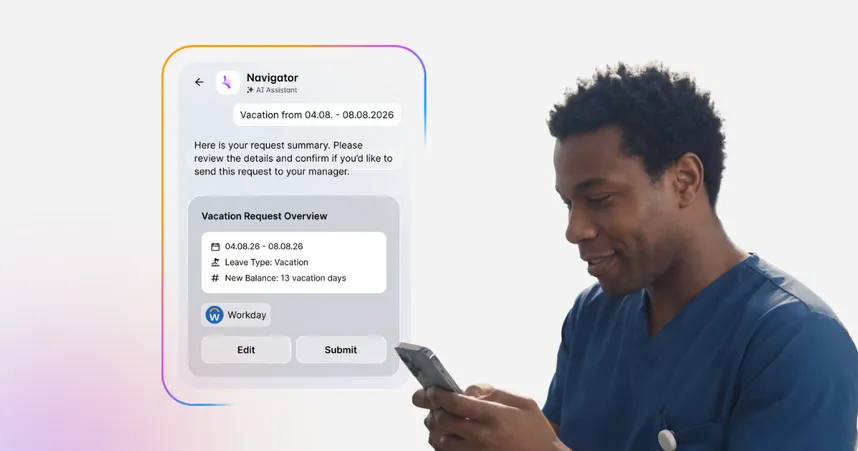
A nurse is between patients. She has thirty seconds and one question: what is the updated hand hygiene protocol? She doesn't have time to sort through last year's handbook PDF or scroll through intranet search results. She needs one answer, right now, in the language of someone who knows her role. She asks her company chatbot, and five seconds later, it surfaces an actionable answer with a cited source. This is AI that answers.
For HR shared services teams, this layer means deflecting a significant share of repetitive policy questions — think parental leave, expense approvals, and onboarding steps — through a governed AI assistant that pulls from a single, authoritative source. Not only do employees receive faster answers, but HR teams get time back for higher-value work.
This layer only works when the content underneath it is curated. There must be one authoritative version per topic, with a designated owner and review cycle. Without that foundation, AI that answers becomes AI that confuses, and employees quickly learn not to trust it.
Benefits of AI that answers:
Reduces the time employees spend searching for information
Deflects repetitive HR and IT requests without adding headcount
Improves answer accuracy by grounding AI in governed, owned content
Reaching employees before they know they need it (AI that delivers)
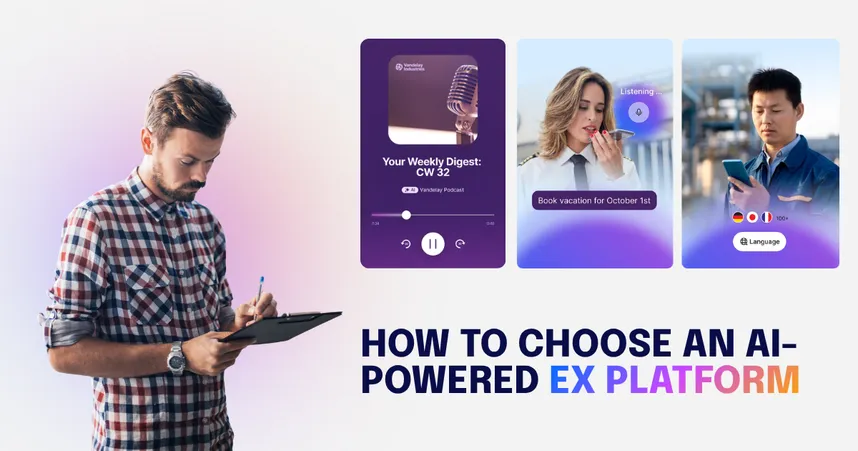
A warehouse worker starts her shift. Before she clocks in, she's already heard the key updates from the morning briefing. No, she didn’t have time to sit at a desk and catch last evening’s town hall livestream. Instead, it was delivered as a two-minute audio summary that was personalized to her site and her role. She didn't have to search for what’s current, and she could access it on a device she already used.
This is the pull vs. push distinction that most AI-in-EX deployments entirely miss. Pull requires the employee to initiate. Push reaches them first. Employees don’t typically wake up thinking, "I should ask the company chatbot whether there's been a compliance update today." Yet, it’s still necessary for employees to know when critical changes occur.
AI-powered push delivery reaches employees on the devices and channels they already use. And thanks to features like smart notifications, personalized audio briefings, and role-based content feeds, information arrives at the moments that matter. Branded push notifications can deliver significantly higher reach than standard communications, making this one of the highest-leverage capabilities in an AI-driven employee experience strategy.
Benefits of AI that delivers:
Reaches frontline and shift-based workers who don't regularly visit a desktop or intranet
Ensures time-sensitive updates like safety, compliance, and operational changes actually land
Reduces dependence on employees remembering to check for new information
Personalization without fragmentation (AI that connects)
A retail manager in Hamburg opens her intranet homepage and sees updates from her district, news relevant to her role, and a message from her regional director — all in German and all without anyone manually curating her feed. A new hire in Manhattan sees onboarding content in English that’s tailored to his start date and department. Neither experience required a content team to build it from scratch.
AI-powered personalization in employee experience means surfacing locally relevant content, delivering communications in an employee's preferred language, and adapting what each person sees based on who they are and where they work. For multilingual enterprises, AI translation means a single piece of content can reach an entire global workforce without creating separate versions for every language.
But there’s something to keep in mind. Although personalization increases relevance, it risks fragmenting shared experience if it runs without governance. The goal is relevance within alignment, not relevance instead of it.
Benefits of AI that connects:
Increases content relevance without multiplying the content team's workload
Supports multilingual workforces without maintaining separate content per language
Strengthens local connection while preserving shared organizational narrative
What aspects of the employee experience can AI improve?
AI employee experience automation isn't limited to one team or use case, because its impact far exceeds merely reducing manual tasks. Here's where organizations are seeing the most consistent impact today.
Area | What AI does | Outcome |
|---|---|---|
Onboarding | Answers new hire questions in natural language, surfaces role-specific content from day one | Faster time to productivity, fewer repeat questions to HR |
Internal communication | Generates, translates, and personalizes content across channels and languages | Higher reach, stronger relevance for distributed and multilingual workforces |
Knowledge management | Surfaces the right information from governed sources, flags outdated or conflicting content | Employees get trusted answers; content teams spend less time on maintenance |
Employee feedback | Analyzes sentiment across surveys and interactions in real time, identifies disengagement earlier | HR teams can act on signals before they become retention problems |
Automation of repetitive tasks | Handles routine requests like policy questions, IT tickets, and scheduling without human intervention | Reduced workload for HR and IT teams; faster resolution for employees |
Performance tracking | Aggregates data across systems to give managers a clearer picture of team health and output | More informed conversations and less time spent manually pulling reports |
Content creation | Drafts communications, summaries, and updates from a prompt or document | Communicators spend less time on production and more on strategy |
Audio and video delivery | Converts written updates into personalized audio briefings for employees on the go | Reaches frontline and shift-based workers in formats they actually consume |
Predictive analytics | Identifies patterns in engagement, attrition risk, and content performance before they surface in annual surveys | Earlier intervention, more targeted action |
Operational efficiency | Connects employees to HR systems, IT tools, and internal knowledge from a single interface | Fewer logins, less friction, faster resolution across the employee journey |
Analytics is where the compounding value shows up. Organizations that use AI to improve employee experience analytics move from measuring outputs (open rates, clicks, survey scores) to measuring outcomes (whether employees understood the message, whether behavior changed, whether trust improved).
What has to be true for AI to work in employee experience?
There's a significant gap between where leaders think their organizations are and where employees actually experience them in their day-to-day work environment. According to People Element's 2026 Employee Engagement Report, 76% of executives say their employees are excited about AI. Only 31% of employees say the same.
That gap doesn't close by adding more features. It closes by getting three things right: governance, human-centeredness, and reach. Together, they create the conditions that make any AI tool work.
Governance first, always
AI inherits accuracy, tone, relevance, and trust from the content layer beneath it. The governance model needs to give global teams standards while allowing local teams autonomy. Without that, AI inherits inconsistency rather than clarity.
Human-centered by design
Employees are not uniformly comfortable with AI across every use case. Qualtrics research shows a clear spectrum of comfort:
AI use case | Employee comfort level |
|---|---|
AI help with writing | 61% comfortable |
AI personal assistant | 51% comfortable |
AI for internal workplace queries | 46% comfortable |
AI involvement in performance appraisals | 37% comfortable |
AI involvement in job interviews | 29% comfortable |
The pattern is consistent: employees are most comfortable with AI that supports their work and least comfortable with AI that evaluates or gates their opportunities. A human-centered AI employee experience strategy respects that spectrum. It deploys AI where employees welcome it, maintains human oversight where they don't, and communicates clearly about both.
For this to be successful, empowerment, recognition, and consideration need to be viewed as design requirements and not just soft concepts. Research consistently links all three to job satisfaction, retention, and the kind of discretionary effort that shows up in business results.
AI that personalizes recognition based on real contribution makes employees feel seen. But it can go one step further. AI that adapts to individual needs like role, language, location, and learning style empowers employees to act on information rather than search for it. Furthermore, it treats them as people rather than endpoints.
Solving for the hardest employee first (Reach)
The most important design question for any AI-in-EX deployment isn't "what can this do?" It's "who does this actually reach?" Unfortunately, most chatbot-first implementations reach the employees who were already well-served. That's why any AI-powered employee experience strategy has to be designed for frontline workers from the start.
If communication only reaches desk-based workers, it stops there. But communication that reaches the frontline also reaches the desk, because the constraints that make AI work for a nurse between patients or a warehouse worker between shifts make it work for everyone.
How AI changes employee experience differently for frontline and desk workers
Desk workers and frontline workers have fundamentally different relationships with organizational information. Designing for the frontline first doesn't erase that difference. It means the platform is capable enough to serve both.
Desk workers | Frontline workers | |
|---|---|---|
Primary challenge | Information overload, too many channels | Information scarcity, too few touchpoints |
How they access information | Desktop, email, intranet, collaboration tools | Mobile, shared devices, verbal briefings |
What AI can do | Summarize, prioritize, and answer questions on demand | Deliver proactively, translate, and surface role-specific updates |
What good looks like | Fewer context switches, faster answers, less time in search | Relevant updates before the shift starts, answers in their language, no login friction |
Key takeaway: Design AI tools for the frontline first, because if AI works for a warehouse worker on a shared device between shifts, it works for everyone.
What good looks like in practice
ALDI Australia operates across 580+ locations with more than 16,000 employees, the majority of whom are frontline workers who never sit at a desk. Store managers were drowning in administrative tasks. Critical updates weren't reaching the right people consistently. Employees had no reliable way to access HR self-services, training, or company news without going through a single point of contact.
After deploying a mobile-first employee experience platform through Staffbase, ALDI Australia achieved a 99% registration rate across its entire workforce, including warehouse crews, drivers, cashiers, and head office staff. Monthly active usage sits at 94%. The platform now serves as a single destination for payroll, rostering, benefits, feedback, and training, with measurable gains in increased productivity and a significant reduction in administrative workload for store managers.
"Shaping the narrative with our employees and driving productivity through shared purpose has been at the heart of why we moved to an app," said Adrian Christie, Director of Communications at ALDI Australia. "The benefits you get from the HR systems that can be plugged into it lead to cost efficiencies and a better employee experience."
Can AI effectively personalize employee experiences?
AI can (and should) be used to personalize the employee experience, but it needs the right constraints. Personalization works when it's built on accurate employee data, governed content, and a clear distinction between what should be personalized and what should be consistent.
Most employees don't feel like organizational communications were written for them. AI-powered personalization can bridge the gap by surfacing locally relevant content, adapting language and format, and timing delivery for when each employee is most likely to engage, without fragmenting the shared experience that alignment depends on.
A practical starting point for any organization is to define what must stay consistent across every employee (strategic narrative, safety updates, culture signals) and what can be personalized (format, language, local relevance, timing). AI handles the personalization layer. Humans own the consistency layer. That division is what makes it work for everyone.
Why do most AI-in-EX initiatives underperform?
Most AI-in-EX initiatives underperform because organizations focus on deploying the technology before building the architecture that makes it trustworthy. Almost all companies are investing in AI, yet according to McKinsey, only 1% believe they've reached maturity. The gap between investment and outcome is an architectural problem.
Think of AI as a new kind of user of your intranet. Like any user, it needs clarity to do its job. The difference between AI and a human user is that a human will notice when something seems off. AI won't. It will read a contradictory page and synthesize a confident answer from it anyway.
The core distinction most organizations miss is that although search tolerates ambiguity, AI does not. A search bar returns ten results and lets the employee decide. An AI assistant returns one answer and sounds certain. That shift in interface is also a shift in responsibility. Most failures follow one of three predictable patterns.
1. The AI sounds confident. (The answer is wrong.)
Most organizations plug a chatbot into SharePoint or a legacy intranet and point it at whatever content already exists. The AI reads all of it and produces answers that sound authoritative, regardless of whether or not there are conflicting versions of the same policy. The first time this happens with a safety procedure or a benefits question, trust collapses. A confident wrong answer is harder to recover from than a bad search result because employees don't know to second-guess it.
2. The chatbot works. (Just not for most of your workforce.)
A chatbot that answers questions is useful, but it’s not an AI employee experience strategy. High chatbot usage among desk workers can look like a win, while frontline employees, shift-based teams, and multilingual workforces remain entirely untouched. AI employee experience automation only creates value if it reaches the people who need it most.
3. Hyper-personalization without governance
This is the failure mode almost nobody talks about and the one most likely to emerge as AI deployments mature. Personalization without governance quietly erodes the shared experience that holds an organization together. If every employee sees a different version of the company, strategic narratives stop landing, and culture signals stop traveling. As AI agents for employee experience begin taking autonomous action across workflows, getting this foundation right becomes even more urgent.
How should you evaluate AI-powered employee experience platforms?
Most AI-powered employee experience platforms make similar claims about trusted answers, personalized delivery, and frontline readiness. The difference between a platform that delivers and one that doesn't is something that rarely shows up in a demo. It shows up three months after deployment, when adoption stalls or the first confident wrong answer reaches an employee who needed to trust it. The following questions cut through the marketing claims.
Question to ask your vendor | What good looks like | Red flag |
|---|---|---|
How does AI access your content? | AI pulls only from curated, governed sources with clear ownership and review cycles. Admins control which content the AI can access. | The system indexes everything it can find (SharePoint, legacy intranets, uploaded PDFs) with no content governance layer underneath. |
Can AI reach employees proactively? | Multi-channel push delivery; notifications, audio briefings, personalized feeds that reach employees before they think to ask. | Chatbot-only. Employees have to initiate every interaction. No proactive delivery capability. |
Is the platform genuinely frontline-ready? | Mobile-first experience, works on personal devices, no corporate email required, supports voice input and auto-translation across languages. | Desktop-first with a mobile wrapper. Requires a corporate login. No offline capability. |
What does the governance model look like? | Global standards with local autonomy. Central teams control brand, tone, and permissions. Local teams manage their own spaces without breaking global settings. | All-or-nothing. Either IT controls everything or local teams have no guardrails. No middle ground. |
Can Comms manage AI without IT dependency? | Communicators can configure AI settings, update knowledge sources, review conversation logs, and adjust tone without raising an IT ticket for every change. | Every AI configuration change requires IT involvement. Comms has no direct admin access to what the AI says or how it behaves. |
How is employee data handled? | Data is encrypted, anonymized in conversation logs, and never used to train external AI models. Clear data residency options for regulated markets. | Vague data handling policy. No explicit statement on whether conversation data is used for model training. No regional hosting options. |
The partnership that makes it work
Choosing the right platform is only half the decision. The other half is organizational.
AI in employee experience succeeds when internal communications owns what AI says and how it's framed, while IT owns how AI accesses data and where it's deployed. Both responsibilities matter, but they are genuinely different and should therefore be divided.
If communications works alone, the result is well-written content with no governance infrastructure underneath it. If IT works alone, the result is a technically sound deployment with no editorial judgment about what employees actually need to hear.
The organizations getting this right bring both functions into the evaluation process from the start, treating it as a shared decision. IC defines the content standards and communication goals. IT defines the data architecture and security requirements. Neither can substitute for the other, and the platform has to serve both.
Word of warning: Before signing anything, make sure both teams have been in the room.
When AI is not the answer
AI-powered employee experience solutions can do a lot, but they can't do everything. Knowing the difference is what separates a successful deployment from an expensive misstep.
AI works well when ... | AI is not the right answer when ... |
|---|---|
Information is consistent, governed, and owned | Content is outdated, contradictory, or unowned |
The goal is reach and consistency at scale | The situation requires human judgment, empathy, or nuance (a redundancy conversation, a mental health concern, a complex grievance) |
Employees need fast answers to known questions | The question hasn't been asked before, and no authoritative source exists yet |
Personalization can be governed within clear boundaries | There is no governance model |
IT and Communications are aligned on ownership | Either function is working alone, leading to ungoverned content or uninspired implementation |
The workforce has reliable mobile or device access | Large portions of the workforce have no device access at all; AI delivery requires a channel to travel through |
Keeping it human and knowing AI's limits
The employees most skeptical of AI at work aren't wrong to be cautious. Privacy, bias, transparency, and accuracy are legitimate concerns, but they should be treated as design requirements to meet rather than obstacles to manage.
Getting that right is the organization's job. Employees don't owe AI their trust. Organizations build it by being transparent about how data is used, keeping humans in decisions that affect people's livelihoods, and deploying AI in ways that genuinely support employees rather than surveil them.
The organizations getting AI in employee experience right are ultimately the ones that deploy it in the right places — and keep people in the decisions that require human judgment, organizational context, and trust that no model can inherit on its own.
AI improves the employee experience when it handles what it does well and stays out of what it doesn't. That line between the two is not a technical decision. It's a human one.
Staffbase Employee AI is built on the principles of governed content, proactive delivery, and human oversight at every layer. See how it works for your organization.

Validity note: This reflects the Staffbase perspective based on enterprise customer experience and industry research available as of April 2026.
Frequently asked questions (FAQs)
Still have questions? These FAQs answer the most common questions organizations ask when exploring AI in employee experience, covering everything from governance and implementation to personalization and frontline readiness. They are designed to help IC, HR, and IT leaders understand how AI-powered employee experience works in practice and what to consider before deploying it.