The frontline information gap: why more technology hasn’t made work easier
A commissioned study of frontline workers and managers shows how many channels they use, how often information fails them, what it costs, and what they want instead.

Marina Petro in Employee Experience
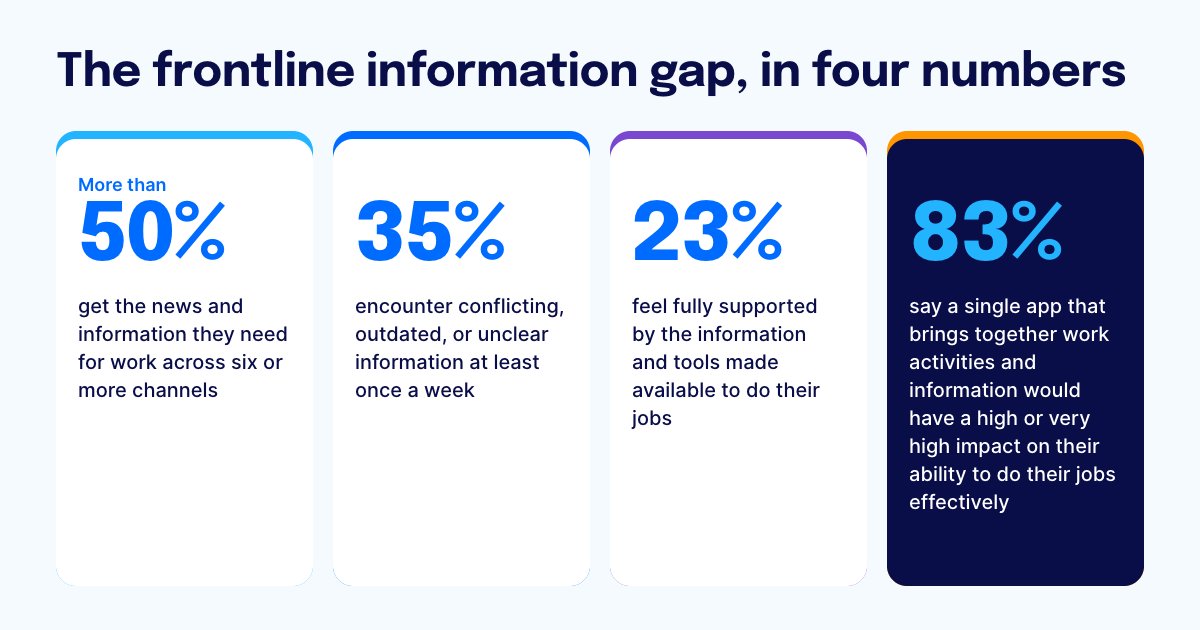
The frontline information gap is the distance between the information frontline employees need to do their job and what they can find, trust, and act on. More technology hasn’t closed it, because every added channel or tool widens access without deciding which source is right. In a commissioned study conducted by Forrester Consulting on behalf of Staffbase in October 2026, just 23% of frontline workers and managers feel fully supported by their information and tools. More than half get the news and information they need across six or more channels, and 35% encounter conflicting, outdated, or unclear information at least once a week. Employees end up deciding for themselves which source to believe.
Companies can close the frontline information gap by giving every frontline employee one trusted source of information. That means consolidating the tools that belong together, connecting the systems that should stay where they are, and grounding AI in one governed source of company knowledge.
 Key findings from the Forrester study
Frontline information comes from many channels: More than half of respondents get the news and information they need to do their job across six or more channels, and 27% say the information across those channels is moderately to very inconsistent.
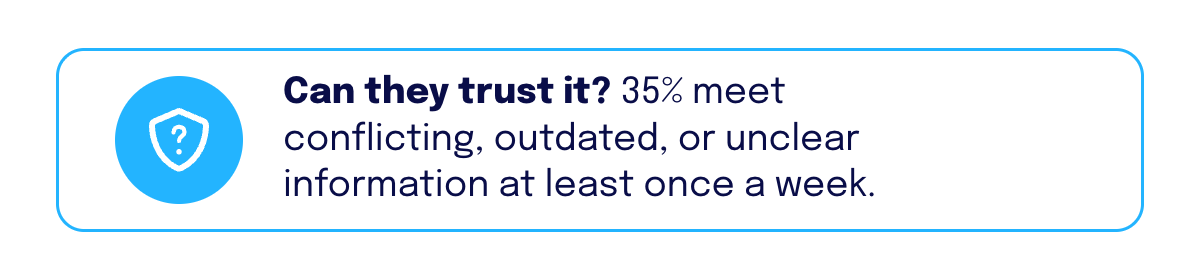
The information often can’t be trusted: 35% encounter conflicting, outdated, or unclear information at least once a week, and another 36% a couple of times a month. No respondent said never. One in five are at best moderately confident they know which source is accurate or approved.
Respondents say it hurts the business: 48% report lower productivity or operational efficiency, 44% a higher risk of errors, quality issues, or missed deadlines, and 43% slower decision-making.
Employees fill the gap themselves: 43% ask a coworker or manager for clarification, and 37% take longer to complete tasks.
AI adds another layer: 80% say their organization has provided an internal AI tool. Use is spread across tools, apps, and voice assistants instead of one source of truth, and the study warns of shadow IT and shadow AI risks.
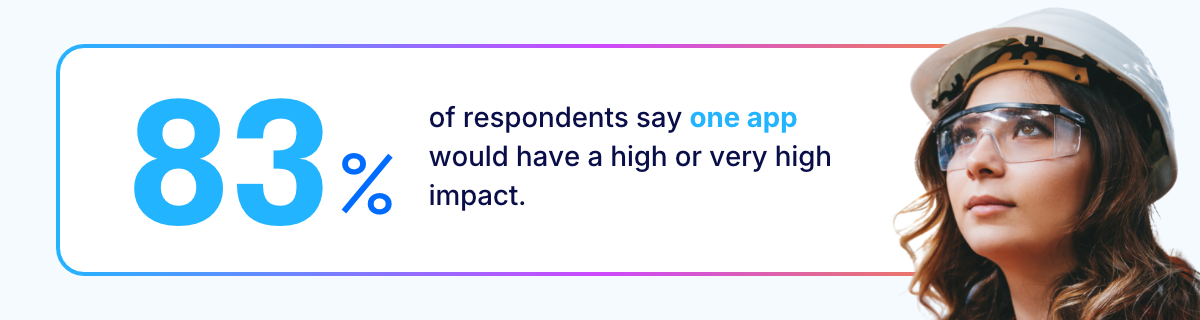
Employees want one place: 83% say a single app that brings together work activities and information would have a high or very high impact on their ability to do their jobs effectively.
The study’s conclusion is to consolidate: Understand the distinct needs of frontline workers, consolidate tools into a single trusted app, and deliver AI with governance and guardrails.

Why adding another channel widens the frontline information gap
 Adding another channel widens the frontline information gap, because it gives employees more places to look and more versions of a message to compare. A message can change as it moves from one channel to the next. Employees also have to work out where to find what they need and which tool holds the right answer.
Most companies respond to a frontline communication problem by adding something: an app, a screen, a text-message service, an AI assistant. Each addition makes sense on its own, yet the study shows where that fragmentation leads. More than half of respondents already use six or more channels, and 35% still encounter conflicting, outdated, or unclear information every week.
Nothing in a new channel tells an employee which source is current or correct, so the employee decides, shift after shift. The study shows that expanding access does not necessarily create a coherent information experience. When two channels disagree, someone has to decide which one is right, and today that someone is the employee.
What does unreliable frontline information cost the business?
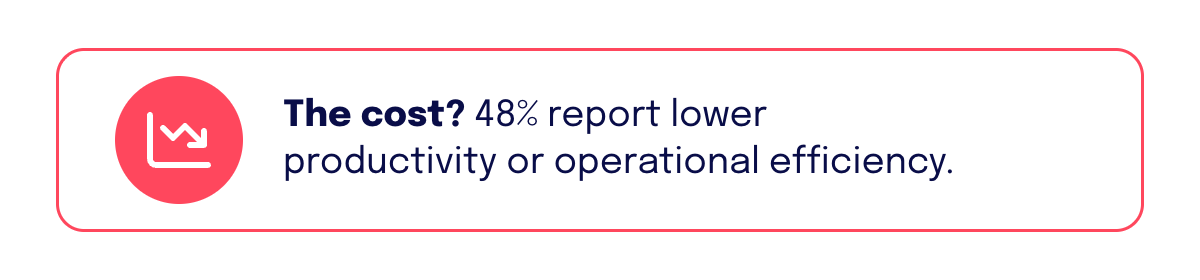 According to the Forrester study, unreliable frontline information leads to lower productivity, more errors, slower decisions, and added safety and compliance risk. 48% of respondents report lower productivity or operational efficiency, and 44% a higher risk of errors, quality issues, or missed deadlines. The study doesn’t put a dollar figure on these effects, so this section reports what respondents say happens.
When asked, “When you don’t have the information you need to do your job, how does it affect your team, workplace, or people you serve?”, respondents selected:
Effect of missing information | Share of respondents |
|---|---|
Lower productivity or operational efficiency | 48% |
Higher risk of errors, quality issues, or missed deadlines | 44% |
Slower decision-making | 43% |
Increased dependence on others for information | 43% |
Increased rework, work done twice, or wasted time | 41% |
Reduced customer satisfaction or customer experience | 40% |
Increased health, safety, or operational risk | 35% |
Increased compliance, regulatory, or audit risk | 34% |
Reduced employee retention | 20% |
Lost revenue | 19% |
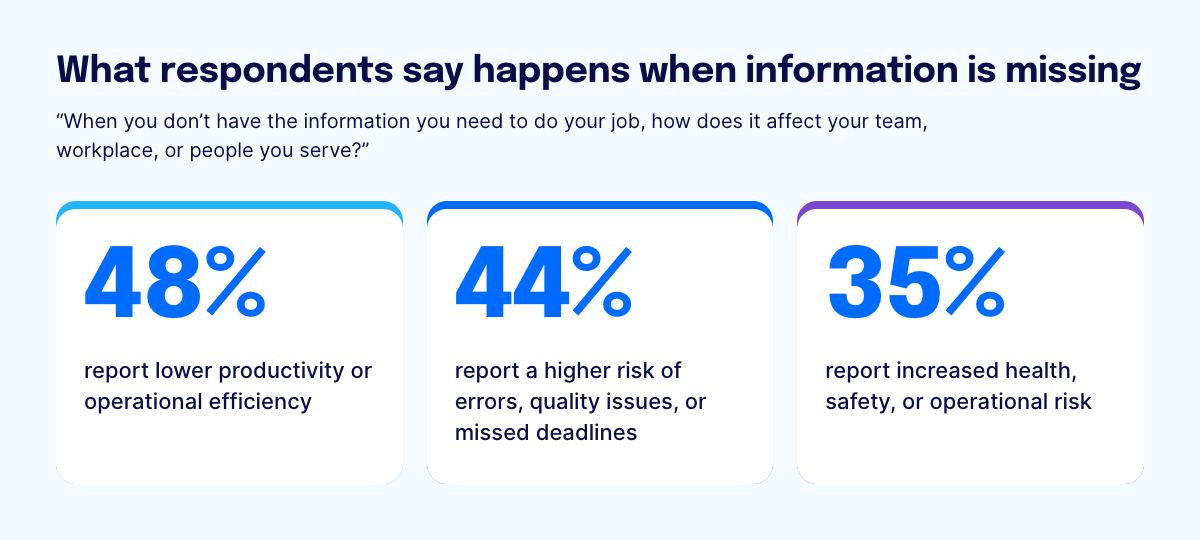 These effects show up in operations, customer experience, and risk. The study links them to a simple finding: just 23% of respondents feel fully supported by the information and tools made available to do their jobs. It adds that employees without the right information feel less confident in their work, and it describes the result as operational inefficiency and execution risk for the business.
Behind each of the ten effects above sits the same story, because in every case the information went out and the right action never followed. That is why a message should only count as delivered when the employee has understood it, trusted it, and been able to act on it. Until then, it has only been sent, and the business pays for the difference in slower work, more errors, and more risk. The business also loses the return on the tools it bought to speed these processes up, because employees can’t rely on what those tools tell them.
Why do frontline employees still lack reliable information?
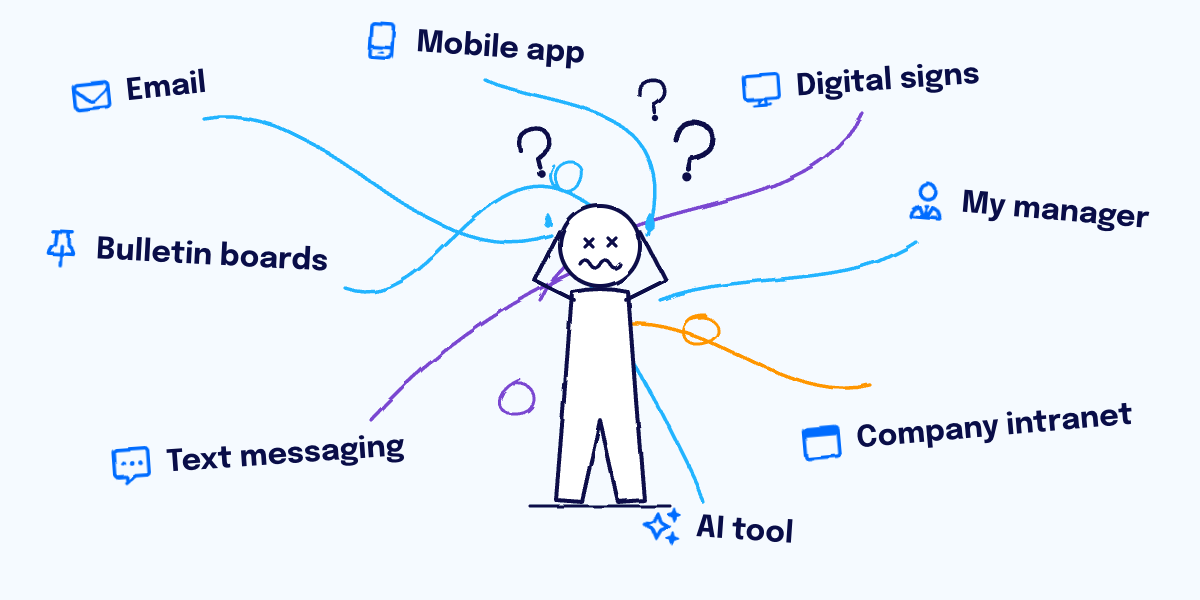
 Frontline employees still lack reliable information because their communication channels were chosen with headquarters in mind and extended to the frontline later, and the result is a mix of channels that nobody coordinated. In the study, more than half of respondents use six or more channels, and 27% say the information across them is moderately to very inconsistent.
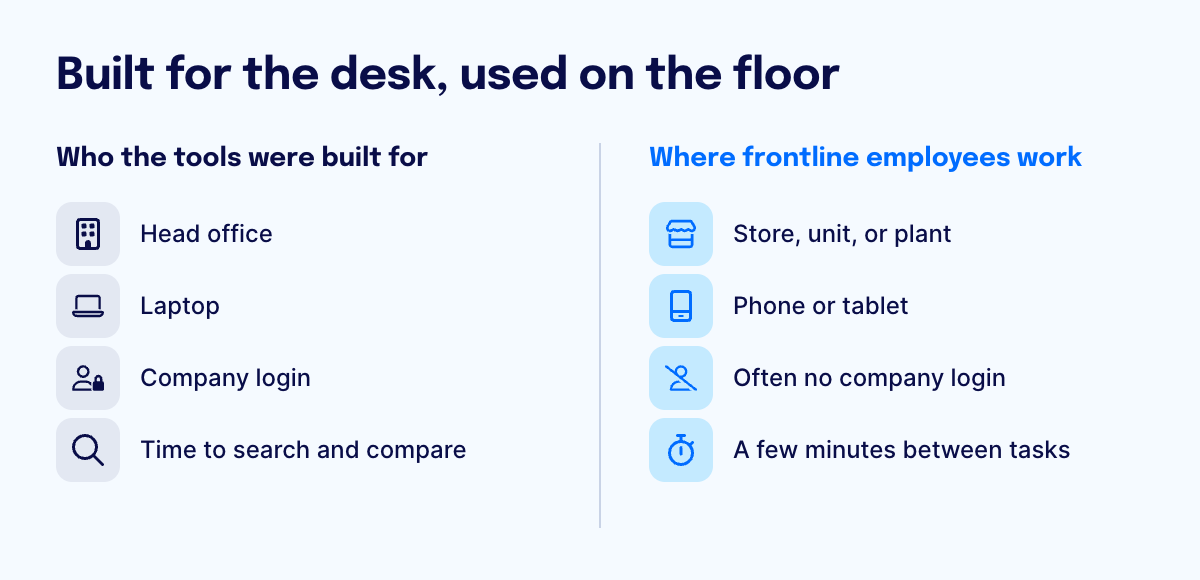 Most organizations choose their communication tools for the head office first, such as email, the intranet, and a collaboration suite. When frontline teams need to be reached, another channel is added, then another. The study makes the same point from the technology side. Most investment in new technology, it notes, has been designed with knowledge workers in mind, without addressing how information is delivered, governed, and experienced by frontline workers. It describes fragmented communication as the norm for frontline workers in retail, healthcare, hospitality, and manufacturing, who typically don’t spend their day at a computer and work across stores, facilities, and offsite locations. Being away from a desk also removes the quickest way to resolve a conflict. A desk employee who spots two versions of a policy can open another window, search the intranet, or message a colleague and settle it within moments, whereas a frontline employee with a few minutes between tasks has no quick way to cross-check, so the conflict goes unresolved or gets settled by a guess.
In this study, a channel is any route through which respondents receive the news and information they need to do their job, including a person. When asked, “How does your company provide the news and information that you need to do your job?”, respondents selected:
Channel | Share of respondents |
|---|---|
85% | |
Mobile app | 76% |
Digital signs (for example, performance dashboards or recognition boards) | 71% |
My manager | 63% |
Company intranet | 63% |
AI tool (for example, a chatbot) | 60% |
Text messaging | 42% |
Bulletin boards | 40% |
The reliability data shows how far the problem goes. When asked how often they encounter conflicting, outdated, or unclear information when trying to do their work, 14% said once a week, 20% a few times a week. Another 36% said a couple of times a month, and 29% said rarely. None said never. One in five respondents are at best moderately confident that they know which source is accurate or approved.
 The study links this to rigid architectures, overlapping platforms, and disconnected systems that make it hard to adapt the digital workplace to the business. It adds that when employees lack clarity, support, and rationale, resistance grows on the front line and across leadership tiers.
In our experience, companies have spent years coordinating the tools desk employees use and far less effort on the tools frontline employees use. Many tools that nobody coordinates add up to fragmentation, however good each one is on its own. On a shift, employees often don’t know which channel to check first, and with six or more to choose from, even an employee who can use all of them can’t tell where the right answer is.
What do frontline employees do when information fails?
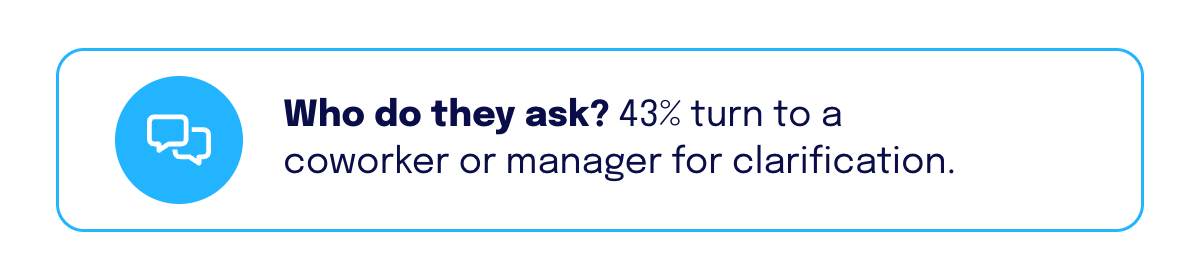 When frontline information fails, employees interrupt a coworker or manager to ask, spend extra time searching and double-checking across channels, and sometimes turn to tools the company hasn’t approved. In the study, 43% ask a coworker or manager for clarification, and 37% take longer to complete tasks.
Asking someone pulls a second person away from their own work. Taking longer means looking in several channels, comparing versions, and sometimes doing the work twice: 41% of respondents report increased rework or wasted time. The study describes employees compensating for information gaps by adding time and human effort to everyday work, and it says this erodes trust and unity and damages morale and confidence.
When asked how information gaps most commonly affect their ability to perform their work, respondents selected:
Effect on the employee | Share of respondents |
|---|---|
I need to ask coworkers or managers for clarification | 43% |
I take longer to complete tasks | 37% |
I experience frustration, confusion, or uncertainty | 33% |
I have difficulty prioritizing or coordinating my work effectively | 31% |
I feel less confident in my decisions and work | 25% |
I underperform or do not work at my full potential | 21% |
I am less able to provide high-quality customer service | 21% |
I make more errors or mistakes | 19% |
I miss training, learning, or upskilling opportunities | 17% |
I feel disconnected from organizational news, decisions, or changes | 17% |
When no single source is reliable, the employee becomes the integration layer, the human link between systems that don’t talk to each other. They check the email, the app, the sign by the break room, and the shift manager, compare what each one says, and decide which to trust. That work doesn’t appear in any dashboard, but it takes time on every shift and carries risk at every step. With 35% of respondents hitting conflicting, outdated, or unclear information at least weekly, this is routine. Employees misread updates, trust versions that have since changed, or apply a policy written for another site. Sometimes the answer never turns up at all, and they have to guess.
When approved channels don’t give a quick answer, employees reach for whatever is already in their pocket, such as a team chat on a personal messaging app, a free AI chatbot, or a search engine. Each is fast and familiar, and the company has no control over what is said, what gets shared, or whether the answer matches its own policy. Workarounds also waste what the company has already invested. It bought its approved tools to speed work up, and when employees go around them, the business pays for the tools and still absorbs the delays. The study doesn’t measure how often employees do this, but the study flags the risk and recommends consolidating on one trusted source, so employees have no reason to look elsewhere.
Where does AI fit for the frontline?
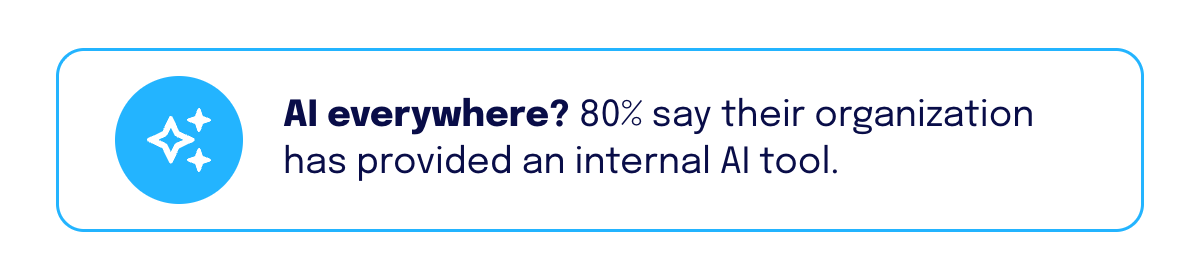 AI helps frontline employees close the information gap only when every AI tool answers from the same trusted, up-to-date source. The study shows how many kinds of AI organizations now provide: 80% of respondents say their organization has provided an internal AI tool, 65% an AI-powered mobile app, 61% a voice assistant, 59% an automated customer service tool, and 51% predictive analytics tools. Those shares add up to well over 100%, so most organizations have rolled out more than one. If the tools employees ask each draw on their own content, the same question can return a different answer from each, and AI becomes one more place to check and one more answer to compare. Even so, 35% of respondents still encounter conflicting, outdated, or unclear information at least weekly.
When asked, “What AI tools, if any, has your organization provided to help you do your daily job?”, respondents selected:
AI tool provided | Share of respondents |
|---|---|
Internal AI tool (for example, an AI knowledge assistant or learning coach) | 80% |
AI-powered company mobile app | 65% |
Voice assistance | 61% |
Automated customer service tool | 59% |
Predictive analytics tools | 51% |
My company hasn’t provided an AI tool for me | 3% |
The study finds a gap between what organizations provide, what employees use most, and what they prefer. It describes the challenge as deciding how channels, AI experiences, and information sources work together. Employees want AI to help: 47% rank AI answers about work, policies, and procedures, with visual step-by-step instructions where needed, among their top three wanted capabilities.
An employee in the middle of a shift can’t stop to verify an AI answer, so the answer has to be trustworthy before it appears. That is why we treat AI for the frontline as a governance question first. Staffbase Navigator answers only from content the company has approved. Admins choose which spaces, pages, and news channels it can draw on, and they can set a freshness window so outdated material, such as a superseded email, never reaches an answer. Every answer links back to its source. Many questions also end in a task, like requesting time off or raising a ticket, so Navigator connects to systems such as Workday and ServiceNow through open standards (MCP and A2A) and acts as the signed-in employee, within their permissions. The employee asks once, gets one answer, and gets the task done without opening a second app. An intranet AI assistant creates impact only under certain conditions, and Staffbase’s approach to AI Quality and Governance covers how answers stay accurate.
What is shadow AI, and why does it matter for frontline employees?
Shadow AI is the use of AI tools that employees choose for themselves, without the organization’s approval or oversight, and it matters because it creates cybersecurity, privacy, and governance risks. The study says it grows from the same fragmentation described above: when approved tools don’t meet a need, employees fill the gap with their own.
The study recommends an intentional roadmap for where AI belongs in the frontline employee experience, what information it draws from, and how employees can use it safely and effectively. Its advice to technology, operations, and communication leaders is not to wait until employees bring their own AI to work, but to deliver trusted AI to the frontline with governance and guardrails grounded in company context.
IT’s job in closing this gap is to widen reach without widening risk. Every extra channel and every unapproved AI tool adds to what IT has to secure, and the employees hardest to reach often have no company login at all. We think IT shouldn’t have to choose between reach and control. Staffbase puts a separate, secure app layer between employees and internal systems, so content is published once and delivered to desk-based and frontline employees alike, without giving them access to the file structures behind it. AI follows the same logic: IT governs the inputs, because trust has to come before the answer. Admins decide what Navigator (Staffbase's AI assistant) can search, and every answer links to the approved source, so employees can check it. Navigator connects to the document and knowledge systems a company already uses instead of replacing them, so content stays where the teams that own it already work. Those owners decide what stays current, and that keeps AI answers accurate.
What do frontline employees want from a unified experience?
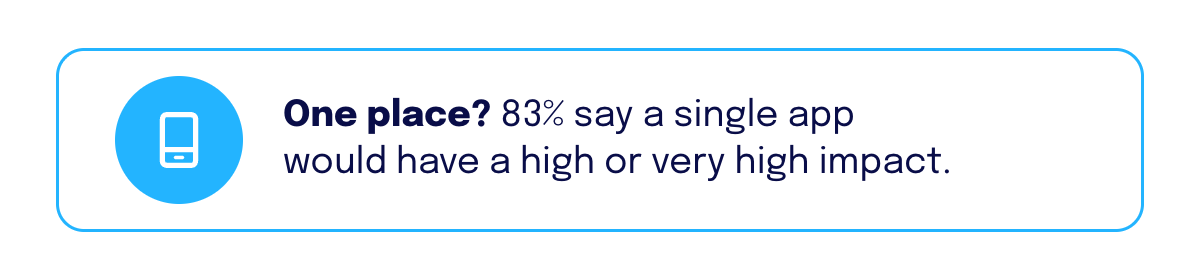 Frontline employees want one place that gives them the right answer and shows them what to do next. In the study, 83% expect a single app that brings together work activities and information to have a high or very high impact on their ability to do their jobs effectively.
When asked, “If an app like this existed, which features would be most helpful to you?”, respondents ranked their top three. The totals across ranks one to three:
Feature | Share ranking in top three |
|---|---|
AI answers to questions about work, policies, and procedures, with visual step-by-step instructions | 47% |
One place to see tasks, required actions, and what to do next | 46% |
Easy access to training, learning, and job-related information | 35% |
Fast access to job-specific knowledge and resources | 34% |
Real-time communication with coworkers and managers | 32% |
Personalized updates, reminders, and recommendations based on role or location | 32% |
Easy management of schedule, shift updates, and time off | 26% |
Getting information by voice command instead of typing | 24% |
Access to HR services such as pay, benefits, paid time off, forms, and employee support | 23% |
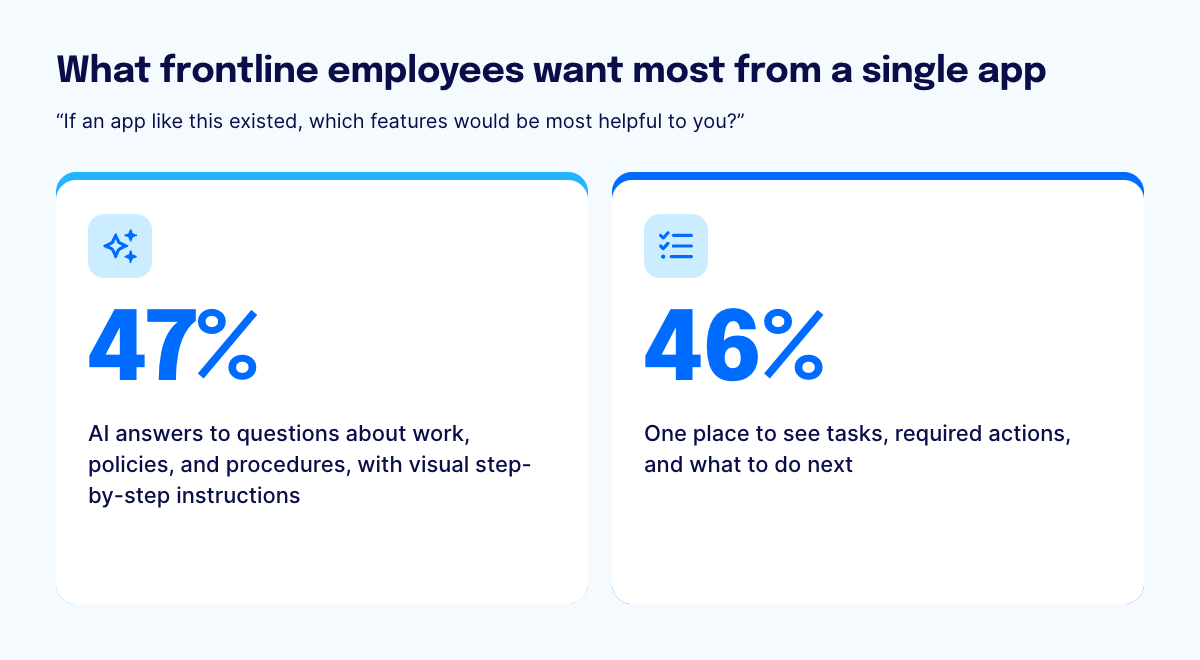 The top two requests show that employees want answers and the means to act on them in the same place. 47% rank AI answers about work, policies, and procedures in their top three, and 46% rank one place to see tasks, required actions, and what to do next. An app that only answered questions would send employees to other tools to finish the work, and that is how fragmentation creeps back in.
The study says the next era must go beyond access, helping employees move from reliable information to execution. Respondents expect a single app to make them more confident in their role, better informed, and better able to serve customers, and 85% say they would be likely to stay at an organization that gave them one.
 The study favors consolidating where it makes sense and connecting everything else. Frontline workers have needs most desk workers don’t share, and no single platform meets all of them, so it recommends an integrated ecosystem of frontline technologies. Companies consolidate what belongs together and connect what remains, so information and experiences flow across applications.
Why does the frontline information gap matter to Comms, IT, HR, and Operations?
 The frontline information gap lands on four functions at once, which is why closing it takes shared ownership. Internal Communications owns the message, IT owns the systems and the risk, HR owns the employee experience, and Operations owns the result on the floor. In most enterprises, Communications champions a project like this, HR co-owns it, and IT has to trust it.
Function | What the study shows | Why it matters to them |
|---|---|---|
27% say information is moderately to very inconsistent across channels | A message that was sent has not necessarily been understood or trusted. | |
Just 23% feel fully supported by the information and tools made available to do their jobs | The systems in place aren’t working for the people who use them, and fragmentation across those systems is an infrastructure problem. | |
17% miss training, learning, or upskilling opportunities, and 17% feel disconnected from news and decisions | Experience and development suffer when information doesn’t reach people. | |
48% report lower productivity, 44% more error risk, 35% health, safety, or operational risk, and 34% compliance risk | Information gaps become execution risk. |
A fix that one function owns alone tends to stall, because the other three still carry part of the problem. The recommendations below are written for all four.
How can companies close the frontline information gap?
 Companies can close the frontline information gap by giving frontline employees one connected, governed place to get news, answers, and tasks, instead of adding another channel. The Forrester study recommends that technology, operations, and communication leaders understand the distinct needs of frontline workers, consolidate tools into a single trusted app, and deliver AI with governance and guardrails grounded in company context.
The study is specific about what that means. It calls for a coordinated experience layer that aligns communication, information, and workflows across systems and channels. Mobile apps should reach employees during their working hours, even without a company email address. Consolidation means one trusted voice of the company, one trusted source for HR, and one trusted source for tasks. Frontline employees are often the first people a customer meets, and the study adds that up-to-date information helps them serve customers with more confidence.
Six ways to close the frontline information gap
 Most companies already have the information their frontline employees need. What they lack is one trusted way to reach it. If you own the frontline employee experience in Communications, HR, IT, or Operations, this is where I would start.
Design for the hardest-to-reach employee first
Start with the employee who has no desk, no company email address, and a few minutes between tasks. If an experience works for that person, it will work for everyone else. The study validates this since 83% of respondents expect a single app that brings together work activities and information to have a high or very high impact on how well they do their jobs.
Consolidate what belongs together, and connect the rest
Employees won’t download separate apps for news, HR, and safety, and an app that only carries news gets ignored. Put the everyday essentials in one place, and connect your HR, scheduling, and learning systems to it instead of rebuilding them. The study reaches the same conclusion, which is to consolidate what makes sense and connect what remains.
Choose one approved source and decide who keeps it current
When two channels disagree, employees shouldn’t have to guess which one is right, and neither should your AI. Keep approved content in one governed place, let every channel and every AI answer draw from it, and tell people that this is where the truth lives. Since 35% of respondents run into conflicting, outdated, or unclear information at least weekly, someone needs to own that content and decide what stays. A source of truth needs a named owner who reviews it regularly, because content nobody reviews goes stale.
Give people answers, not search results
Frontline employees don’t have time to work through a list of links to PDFs, which is why 47% rank AI answers about work, policies, and procedures among their top three wanted features. Those answers only earn trust if they come from verified company content and link back to the source, so an employee can check one in seconds.
Turn every message into a confirmed task
A message that has been read still has to become action. Put the form, the checklist, or the acknowledgment next to the message, so Operations can see that the instruction was confirmed. Then measure how many employees found what they needed, not only how many received the update.
Treat workarounds as feedback
Employees turn to a personal messaging app or a free AI chatbot when the approved tools are too slow or too hard to reach when they need an answer. Company information then sits in tools nobody governs, which makes the workaround a security and compliance risk as well as a gap in the experience. Find out where those moments happen, then close them with trusted answers on the devices employees already carry. The study advises against waiting until employees bring their own AI to work, and the same logic applies to messaging apps.
What does this look like in practice?
In one connected experience, an update is published once, in one place, and it replaces the earlier version instead of sitting beside it. Employees see only the current instruction, ask the assistant questions and get answers from approved content with a link to the source, and confirm they have read it in the same app. Operations can see that the instruction landed, so nobody has to guess which version is right.
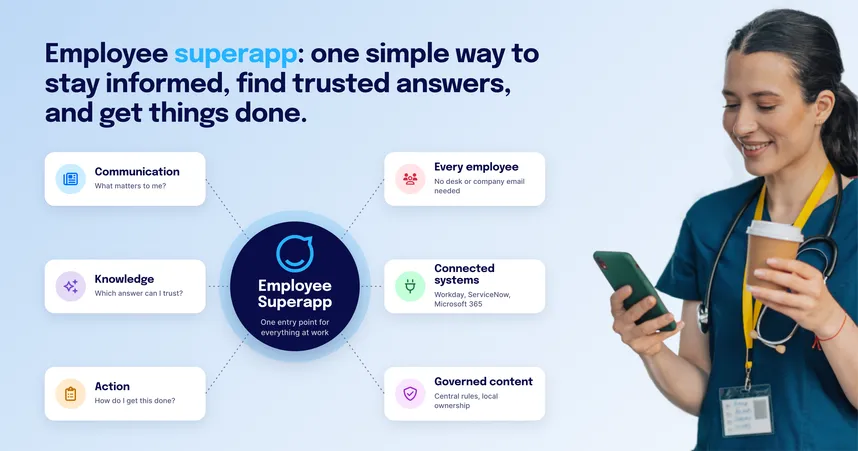
The Staffbase Employee Superapp makes that possible. It gives every employee one app for company news, trusted answers, and tasks, including employees who have no company email address. It connects to the systems a company already runs, such as Microsoft 365, so employees get what those systems hold without logging in to each one. Our guide to reaching employees without email access explains how.
The following examples show what happens when companies stop adding channels and give employees one connected place to get the information they need. Each of these customers replaced scattered tools, channels, and paper processes for workforces ranging in size from a plant with 2,800 employees to an airline with more than 30,000.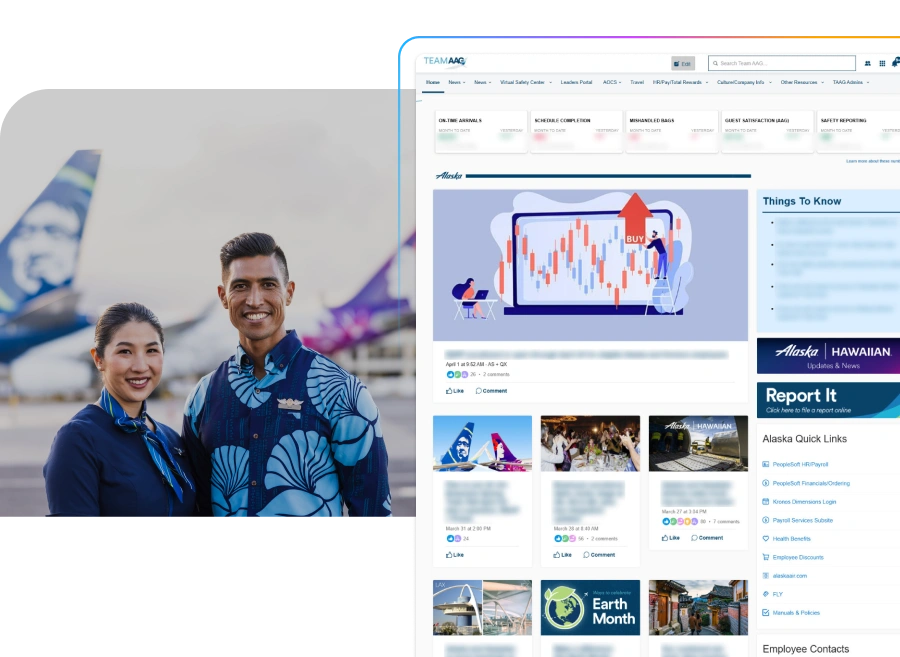 At Alaska Air Group, tools and information lived on different systems, and a one-size-fits-all intranet often crashed under heavy traffic when urgent updates mattered most. The 30,000+ workforce includes flight attendants and pilots who seldom work at a computer, maintenance crews, back-office staff, and customer service agents who move through airports. Alaska launched Team AAG, an intranet and mobile app that puts the tools and information employees need in one place and shows each person content for their role and location.
We had this existing one-size-fits-all intranet, but one-size-fits-all does not work in our industry. Employees need the right information at the right time and to connect in the way that’s right for them.
David Henrich, Senior Manager of Communication Operations at Alaska Airlines
The app reached 99.5% adoption, double the first-year goal, and 96% are active users. Read the Alaska Air Group story.
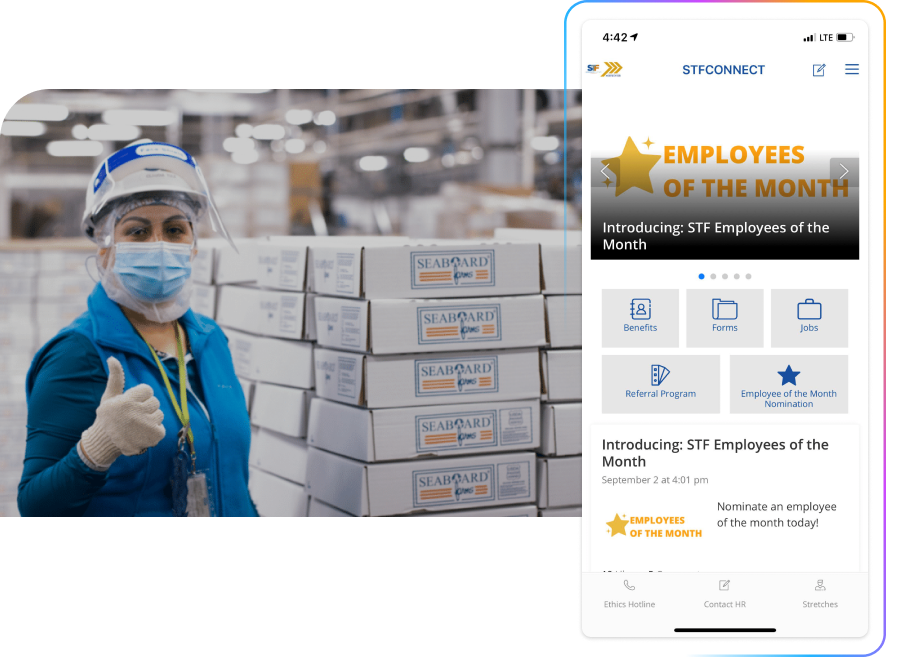 At Seaboard Triumph Foods, a 24-hour pork processing plant in Iowa where 80% of the 2,800+ employees work away from a desk, employees used to acknowledge procedure changes on paper at morning safety huddles. Now the communications team sees who has acknowledged a new procedure in the app and sends a push notification only to those who haven’t. Safety guidance, such as stretches for employees on the factory floor, now sits in the same app.
With safety information about stretching in the pockets of employees, we’ve seen less employees coming to health services with muscle strains.
Erin Cantrell, Senior Communication Specialist
Read the Seaboard Triumph Foods story.
 SIG, a global packaging company with around 9,500 employees, relied on an intranet that only worked from an office workstation. Printed materials, notice boards, local messenger groups, and email ran alongside it, and content rarely reached everyone at the same time or with the same quality. SIG replaced all of it with one mobile app, launched worldwide on a single day, and shut the old intranet down at launch so there would be one single source of truth. The app connects to SIG’s HR and IT systems, so user accounts, security notifications, and onboarding run automatically, and local teams publish within global guardrails. Read the SIG story.
Ready to close the frontline information gap?
Read the full study
See all of the data behind this article in The Frontline Experience In 2027: Closing The Information Gap, a Forrester Opportunity Snapshot commissioned by Staffbase, October 2026. It is available in English.
See Staffbase in action
Find out how one connected app can replace the channels your employees check today, and how it works with the systems you already use.
Have questions?
Review our FAQ for answers on the research, how to run it with your own frontline, and how Staffbase fits alongside the systems you already use.
When do these findings not apply to your situation?
Read these figures as a benchmark, not as your market’s numbers. The study covers only US frontline workers and managers, and channels, devices, and workplace rules differ by region. Check the pattern (many channels, no clear source) against your own frontline before you use the numbers.
For desk-based employees who use managed devices and Microsoft 365 every day, the access barriers this study describes matter less, and a standard intranet with a mobile app will likely serve them well. Consolidation can still make sense if information is scattered across tools and employees struggle to know where to look or which source to trust.
The advice also matters less if one site and one shift cover your whole workforce and a manager can speak to everyone directly. The channel count in this study doesn’t describe your situation.
This article reflects a commissioned study conducted by Forrester Consulting on behalf of Staffbase, October 2026, based on a survey of 189 US frontline workers and managers fielded in August 2026. It assumes a US enterprise context, and the findings describe respondents’ reported experiences and expectations.