


Which intranet software is best for your organization in 2026?
The best intranet platform in 2026 is the one that reliably answers employee questions and reaches the entire workforce by default. This guide evaluates 10 enterprise platforms on adoption architecture, governance enforcement, and AI accountability.

Key insights
In 2026, the best intranet is the one that reliably answers employee questions — not the one with the longest feature list. The difference comes down to three architectural jobs: a trusted front door, proactive delivery, and local relevance that scales inside global governance.
AI answer quality is a governance outcome. If ownership, lifecycle controls, and content risk detection are not enforced structurally, AI will amplify confusion instead of clarity.
Adoption is architecture, not culture. Whole-workforce reach depends on operational utility and proactive delivery, especially for employees without desks or corporate email.
Reach protects truth. Branded, governed push channels increase news reach by up to 2.6x, proving proactive delivery is infrastructure and not noise.
The short answer: Which enterprise intranet platform should you choose?
The best enterprise intranet platform in 2026 is the one built for whole-workforce adoption and governed AI answers, not the one with the most features. Choose a platform that enforces content ownership, lifecycle controls, and source hierarchy so AI can only generate answers from approved, current information — and that can reach every employee by default, including frontline workers without corporate email. Platforms that merely layer AI on top of unmanaged content will eventually produce confident but unreliable answers at scale.
How to spot “native governance” vs. bolt-on AI
To tell whether a platform has native governance or bolt-on AI, ask one demo question: What is your AI allowed to read? If the answer includes unmanaged folders, legacy PDFs, drafts, or content without a named owner, the platform will eventually return confident answers from conflicting or outdated sources.
Enterprise-ready platforms treat governance as a system rule, not a best practice. That means:
Required ownership: every source has a named owner
Enforced lifecycle: reviews and expiry are automatic
Traceable answers: every response links back to an approved source
Use this as your benchmark in every evaluation. Ask: Can they prove AI accountability through enforced governance — or are they layering AI over storage and hoping administrators keep it clean? Teams that choose governed architecture avoid the trust tax that comes after the first wrong answer, because the system prevents AI from turning messy files into official guidance.
Is there a structural difference between platforms built for the whole workforce and those built for desk workers first?
Yes: desk-first platforms assume employees already live inside corporate systems, while whole-workforce platforms assume many employees don’t. That single assumption determines adoption, reach during critical moments, and whether AI reflects the full organization or only the digitally connected slice.
That difference determines whether whole-workforce adoption is realistic and not just aspirational. It also determines whether AI answers reflect the entire organization — or only the digitally connected portion of it.
What happens when you deploy a desk-first intranet to a distributed workforce?
Desk-first platforms carry their assumptions into every layer of the experience. The navigation assumes browsing. Authentication assumes a corporate email address. Push is often optional, not governed by infrastructure. Mobile is often a compressed desktop experience, not a product designed for employees between tasks on a personal device.
For frontline and distributed teams, it produces predictable outcomes: low adoption, inconsistent engagement, and reliance on unofficial channels. The issue is not culture. It is architecture. If a platform can’t enroll, notify, and serve frontline workers by default, it will never become the company’s source of truth — and AI will amplify that gap.
Why do most intranet deployments fail to achieve adoption?
Most intranets miss adoption because they optimize for the email directory, not for day-to-day work. Launch metrics can look strong, but sustained usage depends on operational utility: employees return when the platform helps them do their job, not just read news.
Early success can look convincing (registrations, a polished homepage, a launch-week spike), but those signals mostly reflect employees who were already digitally connected. The real test comes months later: does the platform stay useful across roles, shifts, and environments? When a forklift operator checks a shift schedule or a nurse verifies a sanitization protocol, the intranet becomes part of real work — and that’s what builds habit. Without embedded utility, even “advanced” capabilities like AI remain peripheral.
AI changes the way employees interact with information. Search tolerated ambiguity — employees could scan several results and decide what seemed right. AI removes that step. Employees expect one clear answer and assume it’s usable. If the underlying system is inconsistent or ungoverned, AI accelerates that inconsistency at scale. If the system is structured and intentional, AI reinforces alignment across roles, locations, and channels. In 2026, AI effectiveness is directly tied to participation: if a large portion of your workforce rarely opens the platform, your intelligence layer operates with a significant blind spot.
How does AI change your intranet requirements in 2026?
AI turns your intranet from a search experience into an answer system — and that raises the cost of inconsistency. Instead of returning ten documents, AI returns one recommended answer, so ownership, lifecycle controls, and source hierarchy become architectural requirements, not best practices.
This shift changes your intranet requirements in four practical ways:
Content must have accountable ownership.
Lifecycle controls must be automated.
Source hierarchy must prevent mandate conflicts.
Adoption must be broad enough to avoid intelligence blind spots.
Which intranet platform is right for which type of organization?
The “right” intranet platform depends on workforce structure and governance risk, not demo polish. This guide evaluates platforms on four structural criteria that determine long-term success:
Adoption architecture: Can the platform achieve sustained adoption across the entire workforce — including employees without desks, corporate email, or consistent digital access?
Governance and AI reliability: Does the content model enforce ownership, lifecycle controls, and source hierarchy so AI answers remain auditable and safe at scale?
Scalability under complexity: Can the platform scale across regions, languages, and business units without creating parallel systems of policies and guidance
Operational independence: Can communications teams manage publishing, targeting, and analytics daily without constant IT dependency?
Some platforms are engineered for complex, distributed enterprises. Others are optimized for predominantly desk-based organizations. A few excel at delivery but are not designed to function as a durable system of record.
The top 10 intranet software platforms of 2026 evaluated
The right choice depends on workforce structure and governance requirements — not on which interface feels the most polished in a controlled demonstration. The breakdown below helps match platform architecture to operational reality.
1. Staffbase
Description
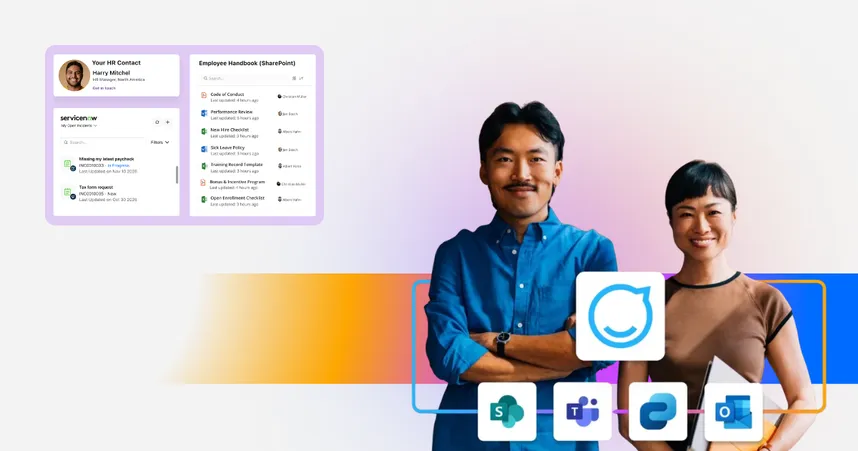
Staffbase is not only an enterprise intranet software. It’s engineered for large-scale, regulated organizations with complex workforce structures reaching every employee in the channel they actually use, from one governed content system: employee app, intranet, email, Microsoft 365 (Teams, SharePoint, Outlook), digital signage, and SMS.
Simple for every employee. Powerful for the enterprise.
The software was built as a mobile-first frontline solution. But, in 2026, Staffbase has also been named a Leader in the Gartner® Magic Quadrant™ for Intranet Packaged Solutions for the fourth consecutive year. It also received three ClearBox Choice Awards — Top 5 Score, Comms Excellence, Frontline & Mobile Focus — no other top-5 scorer combines that overall strength with a strong frontline experience.
Key features
Creator AI: Makes it easier to create the content, apps, and agents employees need in daily work (see Content Pro and Companion)
AI Quality and Governance: Grounds AI in trusted company knowledge and governs how it behaves (learn more about AI at Staffbase)
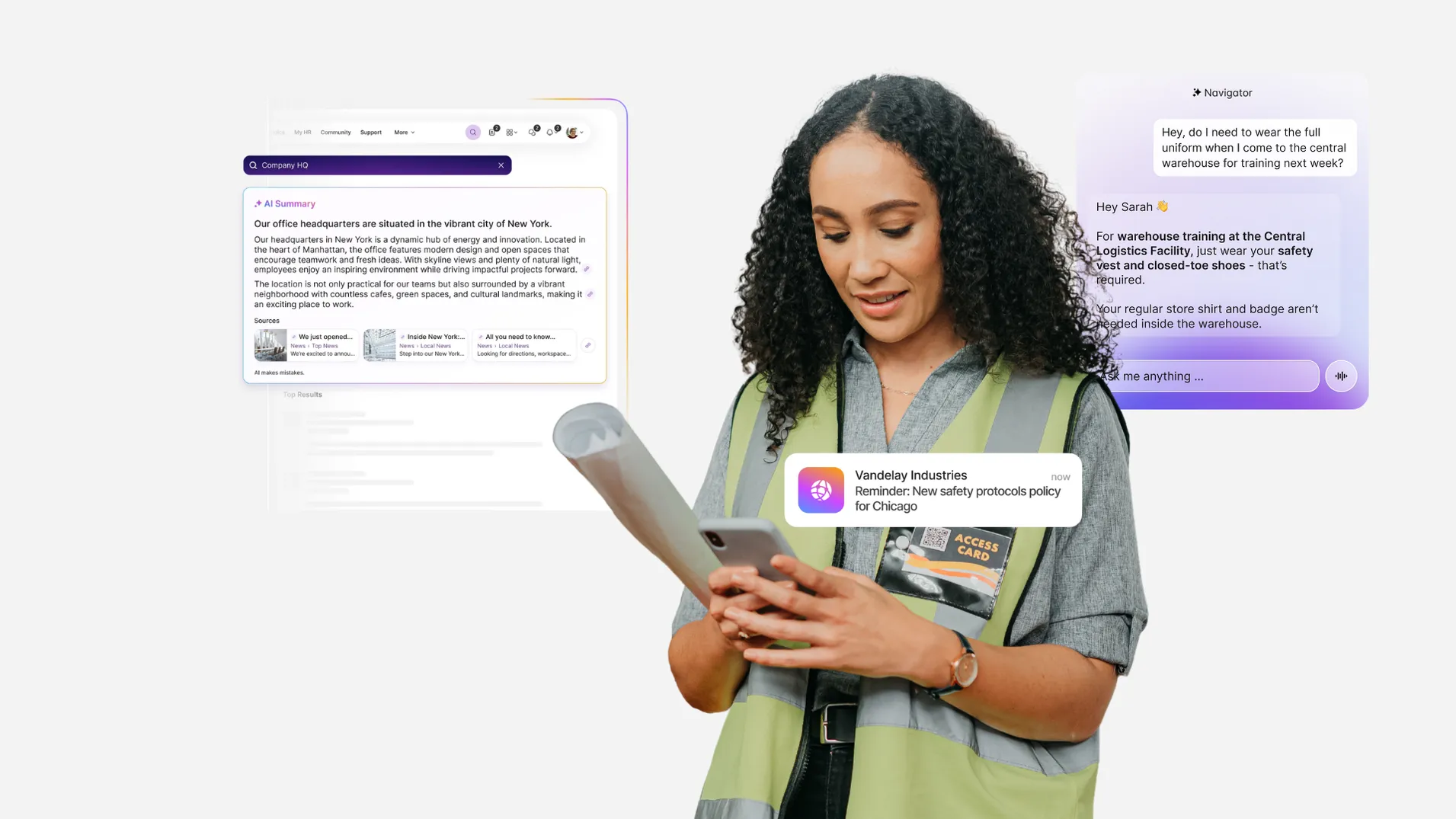
Employee AI: Tailors the experience to each employee with tools like Navigator, an AI assistant that allows employees to ask questions by voice or text in 100+ languages and execute tasks in connected systems such as Workday, ServiceNow, and Atlassian
Frontline Employee Superapp: A fully branded, native mobile experience that reaches non-desk workers without corporate email
Smart Impact: Advanced analytics dashboards that track reach, engagement, and sentiment across all channels to prove intranet ROI
Enterprise governance & security: ISO 27001 certified, GDPR compliant, and featuring “Copy and Translate” workflows for 100+ languages
Pros
Combines enterprise needs with strong frontline adoption
Campaign-centric actionable analytics
Built-in AI quality and governance layer
Cons
Structured UI constraints
Desktop-centric admin
What users think about Staffbase
G2- It has a user-friendly interface and offers the possibility of having a mobile app, which is very convenient. We also have it implemented in Teams, which makes it even easier for our employees to access. After getting to know the platform, which was relatively easy with all of the learning material provided by Staffbase, the setup was pretty easy and intuitive. It is easy to personalize, and the studio is also very user-friendly. I found my way around quite fast, which makes it easy to create pages and content to share. The team is also amazing; they were always checking in with us and providing answers to our questions very fast. (Jan 7, 2026)
Gartner Peer Insights: "Staffbase has delivered a solid overall experience, particularly in terms of employee engagement and communication efficiency, which creates great collaboration. It helps ensure we feel informed and connected as it enables timely information sharing." (Feb 4, 2026)
Capterra: “Staffbase's software fulfills almost all requirements from a user perspective as well as the administrator's perspective that can be placed on a modern internal/external communication solution for companies.” (April 9, 2020)
2. Unily
Description
Unily is a comprehensive intranet platform built for large, complex organizations. Known for its deep Microsoft 365 integration and high degree of customization, it’s well-suited to enterprises that need advanced governance, knowledge sharing, and flexible design options to support communication at scale. Brief, neutral description of the competitor.
Key features
Custom design flexibility
Robust governance
Multilingual support
Pros and cons
Pros
Seamless Microsoft 365 integrations
Advanced personalization and design flexibility
Polished user experience
2-3 highlights
Cons
Less intuitive for frontline teams or mobile-heavy use cases
More complex implementation and setup. It can be overwhelming for small teams or limited IT support
What users like about Unily
G2: “Unily was a friendly solution, with prepared engineers and with a supportive Customer Success manager, they are used to manage the ambiguities and better deliver the needs with efficiency.” (Sept 5, 2025)
What users dislike about Unily
G2: Some areas where Unily could improve include making search results more accurate, enhancing the mobile experience, and providing better integration with other tools.” (Dec 15, 2025)
G2: “How technical the back end is - as a Marketeer, I find it somewhat overwhelming.” (Nov 20, 2025)
3. Simpplr
Description
Simpplr is a modern intranet and employee experience platform known for its clean design, ease of use, and AI-powered personalization.
Key features
Company newsfeed
Clean, intuitive UXModern UX
AI automatically tracks employee sentiment
Pros and cons
Pros
AI‑powered insights.
Fast to deploy and simple to manage
Cons
Lacks advanced editorial workflows for structured, large-scale communications.
Limited multichannel features compared to Staffbase.
What users like about Simpplr
G2: “We love that Simpplr makes it incredibly easy for us to create, organize, and share content across our credit union. The platform is intuitive for both administrators and end users, which has helped us achieve an outstanding 97% adoption rate.” (Nov 10, 2025)
What users dislike about Simpplr
G2: “I find Simpplr's limited customization options to be a drawback, as it makes the experience feel static and less dynamic. The overall design could be improved to allow for more flexibility. I would appreciate more design features, variations in homepage designs, and a broader range of user experiences.” (Nov 19, 2025)
4. LumApps
Description
LumApps is a cloud-based employee intranet and digital workplace solution designed to enhance internal communication, collaboration, and engagement within organizations.
Key features
Native Google Workspace and Microsoft 365 integration
Multilingual support for global rollouts
OOTB and native integrations
Pros and cons
Pros
Highly customizable platform
Seamlessly integrates with productivity tools such as Google Workspace and M365.
Google Workspace friendly.
Cons
Complex setup due to vast customization options.
Steeper learning curve for content authors.
What users like about LumApps
G2: “Integration with other systems, like Google, but also the possibility to create personalized widgets” (July 9. 2025)
What users dislike about LumApps
G2: “It can feel a bit slow or clunky at times, especially when loading large pages or switching between sections. The customization options, while powerful, can also be a bit tricky to set up if you’re not familiar with the platform. Sometimes I feel like it takes a few extra clicks to get to what I need.” (Nov 3, 2025)
5. Workvivo
Description
Workvivo is an Enterprise Social Network that was acquired by Zoom in 2023. Instead of functioning as a traditional intranet, Workvivo takes a social media-inspired approach, allowing employees to share updates, recognize peers, and stay connected across teams.
Key features
Familiar social-style interface
Multimedia content formats like podcasts and videos
Integrations with Zoom and Microsoft Teams
Pros and cons
Pros
Great for fostering community, recognition, and culture
Intuitive, consumer-style design that drives adoption
Cons
Governance is weaker than Staffbase.
Advanced analytics modules must be purchased as an add-on-
Chat must be purchased as an add-on
What users like about Workvivo
G2: “The interface is incredibly intuitive because it mimics the 'social media' experience we are already used to (like IG, LinkedIn, or FB)” (Feb 3, 2026)
What users dislike about Workvivo
G2: “While the social feed is great, the search functionality can sometimes be frustrating when trying to locate older, specific documents or static resources that aren't news. Additionally, the notifications can get overwhelming if not managed strictly, making it easy to miss critical operational updates amidst the social noise.” (Feb 3, 2026)
6. Interact Software
Description
Interact is an enterprise intranet with a strong focus on governance, personalization, and compliance, enabling targeted communications and driving employee engagement through tailored experiences and collaboration tools.
Key features
Personalization and targeting
Built‑in compliance features: approvals, version control, and content lifecycle management
People directory and org charts
Pros and cons
Pros
Compliance and governance features for regulated industries
Built-in campaign planning.-
Advanced personalization and targeting tools
Cons
Steeper learning curve for admins and authors
Weaker mobile experience
What users like about Interact Software
G2: “It allows us to have one place where we can house all of our news and information for staff at work.” (Oct 14, 2025)
What users dislike about Interact Software
G2: “I am slightly disappointed with how Interact handles feature requests. There are several simple feature requests that have been pending for a long time in the Interact community.” (Oct 16, 2025)
7. Firstup
Description
Formerly SocialChorus, Firstup is a workplace communications platform that delivers personalized, automated messaging across multiple channels. While it is categorized as an intranet solution by some analysts, it focuses less on content hubs and navigation and more on targeted delivery.
Key features
Multichannel campaign delivery
Personalized content feeds
Analytics dashboards
Pros and cons
Pros
Scales well for large, complex organizations
Intelligent delivery system for notifications
Audience segmentation
Cons
Not ideal for structured internal knowledge sharing
No traditional intranet or long-form content features
Limited social and community features
What users like about Firstup
G2: I like that Firstup unifies our internal communications into one intelligent platform thus making employee communications easy.” (Feb 5, 2026)
What users dislike about Firstup
G2: “While Firstup is a powerful platform, one area I find challenging is the limited flexibility in customizing certain design elements and layouts. It can sometimes feel restrictive when trying to create more dynamic or visually engaging content. Additionally, the learning curve for some of the analytics features can be steep, especially for newer users who aren’t as data-savvy. More intuitive dashboards or guided insights would be a great improvement.” (Sept 5, 2025)
8. Haiilo
Description
An employee communications platform that blends internal news with social networking features. Designed for community and culture, with strong roots in employee advocacy.
Key features
Social feeds and collaboration tools (likes, comments, shares)
Employee social sharing is built in
Multichannel reach (email, Slack, SharePoint, signage)
Pros and cons
Pros
Social engagement features
Employee advocacy capabilities-
Simple, yet intuitive interface
Cons
Lack of advanced communication and analytics features may limit its suitability for organizations with complex intranet needs
Governance features are less mature than other vendors
What users like about Haiilo
G2: “Haillo's frontend is reminiscent of Studi-VZ or Facebook, making it easier for a target audience familiar with these sites to use.” (Oct 29, 2025)
What users dislike about Haiilo
G2: “Few opportunities to make communication creative. I would wish for a better way to integrate media (videos, audios, etc.).” (Jan 20, 2026)
9. MangoApps
Description
MangoApps is a versatile platform that combines intranet, communication, knowledge management, and project tools.
Key features
Central intranet hub with knowledge sharing
Task and project management functionality
Surveys, polls, and feedback tools
Pros and cons
Pros
AI content governance
Cost‑effective at smaller scales.-
Strong work and task management capabilities
Cons
Feature overload — can feel crowded.
Limited analytics and reporting capabilities compared to other intranet vendors
Limited experience in some industry sectors and regional support capabilities may be a concern for global businesses
What users like about MangoApps
G2: “The instant messaging system is generally easy to manage and has some fun aspects.” (June 6, 2024)
What users dislike about MangoApps
G2: “I would suggest being able to develop a contact list and have different groups for people I need to chat with regularly so I don't have to search for them.” (June 6, 2024)
10. Akumina
Description
Akumina offers a modern intranet and employee experience platform that creates a personalized digital workplace by integrating tools like Microsoft 365 and SharePoint to centralize content, improve internal communications, and enhance employee collaboration across devices.
Key features
Microsoft integrations
AI-powered search
Pros and cons
Pros
Although complex, Akumina’s team provides custom training for the platform
There are lots of options to create personalized content and experiences based on individual employee profiles.
Cons
Weaker analytics features than other intranet vendors
Dependence on Microsoft 365 may limit compatibility for businesses not invested in the Microsoft ecosystem.
What users think about Akumina
No recent reviews on G2.
What does whole-workforce adoption actually look like in practice?
Whole-workforce adoption is proven when the intranet works without corporate email, across languages, and under operational pressure. In practice, it requires three architectural strengths: a trusted front door, proactive delivery, and local relevance that scales inside global governance. The deployments below illustrate what that looks like in practice.
1) Reaching employees without corporate email (Transdev ANZ)
Architectural job: Proactive delivery
The challenge: Most employees did not have corporate email addresses. Critical safety updates reached supervisors — but not the frontline workers performing the work.
What changed the outcome: A mobile-first enrollment model removed email as the identity anchor. Push delivery ensured updates reached drivers directly, not indirectly.
The result: Transdev Australia confirmed reach — not just send volume — achieving 85% engagement and 89% employee satisfaction.
Why this matters: Low engagement is often blamed on culture. In distributed environments, it is usually an access issue. When reach becomes infrastructure instead of assumption, adoption follows.
2) Preventing fragmentation during rapid growth (YAGEO Group)
Architectural job: Governed proximity
The challenge: YAGEO Group expanded to 40,000 employees across 100+ locations through acquisition. Each business unit brought its own tools, norms, and languages. The organization chart showed one company; the communication structure showed many.
What changed the outcome: A single platform enabled centralized governance with distributed publishing rights. Local teams could publish in their own language within defined boundaries.
The result: YAGEO unified communication within four months, reducing parallel systems and reinforcing a shared identity.
Why this matters: In M&A environments, fragmentation is the real risk. Adoption holds when the platform prevents multiple “sources of truth” from emerging.
3) Remaining reliable during operational pressure (Alaska Air Group)
Architectural job: Trusted front door
The challenge: Alaska Airlines' previous intranet failed under high traffic. In aviation, peak demand coincides with disruption — weather events, operational changes, safety updates.
What changed the outcome: A structured rollout built trust early. Distributed publishing empowered local leaders while maintaining central oversight.
The result: 99.5% adoption in year one. The internal goal of 50% adoption was exceeded within two months.
Why this matters: The true test of adoption is not steady-state usage. It is performance during disruption. A trusted front door must remain reliable when demand spikes — not collapse under it.
Takeaway: Whole-workforce adoption isn’t a launch metric. It’s the result of architecture that holds in the hardest conditions: enrollment without email, governed local publishing, and reliable performance under pressure. With that lens, here’s how the major platforms tend to fit different enterprise needs.
Best intranet software for different organizational needs: which platform fits which use case?
There isn’t one “best intranet” in 2026 — there’s the best fit for your operating model. The match comes down to what you’re optimizing for: enterprise scalability, frontline reach, multilingual governance, compliance controls, analytics depth, crisis delivery, or simplicity for desk-based teams.
Here’s how the major platforms tend to align with the most common enterprise needs.
Which platform handles enterprise scalability best?
What matters most: Scaling governance and publishing across regions without creating parallel systems of policies and guidance.
Staffbase: Whole-workforce adoption combined with governed local autonomy at a global scale
Unily: Deep configuration flexibility for desk-heavy enterprises with strong IT support
LumApps: Google Workspace alignment with strong global communication capabilities
Which platform achieves the broadest whole-workforce adoption?
What matters most: Designing for the most constrained employee first — not extending downward from a desk-based core.
Staffbase: Non-desk-first architecture that scales upward to the full organization
Blink: Frontline operational adoption with lighter intranet depth
Firstup: Massive delivery reach (best paired with a separate knowledge hub)
Which platform is strongest for global and multilingual organizations?
What matters most: Maintaining global consistency while enabling local publishing autonomy without duplicating content.
Staffbase: Governed global framework with distributed local publishing
LumApps: Multilingual employee experience with strong design flexibility
Unily: Complex multi-site structures with many publishing stakeholders
Which platform handles security and compliance requirements best?
What matters most: Enforced publishing controls, traceable ownership, and AI answer accountability.
Staffbase: Enterprise security posture with AI answer traceability
Unily: Structured governance models for regulated environments
Interact: Strong compliance tooling with a leaner admin footprint
Which platform works best for manufacturing organizations?
What matters most: Shift-based relevance, frontline reach, and unambiguous safety communication.
Staffbase: Plant-to-HQ communication with governed safety delivery
Blink: Shift-level operational workflows combined with communication
Haiilo: Engagement-focused environments where knowledge depth is secondary
Which platform provides the best analytics and measurement?
What matters most: Proving reach, identifying drop-off, and connecting delivery to engagement across channels.
Staffbase: Unified analytics across intranet, app, and email
Unily: Benchmarking adoption and engagement against peers
Interact: Governance-layer insights tied to publishing controls
Which platform is best for crisis communications?
What matters most: Speed, segmentation, and confirmation of reach under pressure.
Staffbase: Multichannel urgent delivery with verified segment reach
Firstup: Automated omnichannel re-targeting at massive scale
MangoApps: Mobile-first group-based distribution environments
Which platform makes the most sense for smaller, desk-based organizations?
What matters most: Simplicity, speed of deployment, and low governance overhead.
Simpplr: Fast time-to-value with clean admin ownership
SharePoint (well-governed): Sufficient for smaller, Microsoft-centric environments
What should you look for in an intranet platform when your organization is growing or acquiring companies?
Growth is the fastest way to break an intranet that relies on informal governance. As publishing stakeholders and policy volume expand, the platforms that hold up are the ones with enforced accountability, global alignment without duplication, whole-workforce inclusion, and clarity under AI pressure.
Platforms that function with 2,000 employees can begin to fragment at 20,000 if governance and accessibility are not structurally enforced. The platforms that hold under pressure share four characteristics:
Governance and accountability at scale. As publishing rights expand, so does the risk of conflicting guidance. Cascading permission models, approval workflows, and traceable content ownership prevent regional or departmental updates from contradicting global mandates.
Global alignment without duplication. A single strategic update should localize across markets without spawning parallel “truth systems.” Structured translation workflows and role-based targeting maintain consistency while preserving local relevance.
Whole-workforce inclusion. If expansion adds employees who fall outside the original access model — whether due to device type, IT infrastructure, or role — the intranet must still reach them. Accessibility must scale with workforce complexity.
Signal clarity under AI pressure. As communication volume grows, so does noise. Platforms built on governed content environments become more reliable as they scale. Platforms built on content accumulation degrade, and that degradation directly affects AI answer quality.
Growth doesn’t require more features. It requires structural resilience.
When this comparison doesn’t apply
This comparison is for enterprises with distributed workforces and real communication risk — not small, single-site, desk-only teams. If you’re under ~300 employees, fully desk-based, and operating inside Microsoft 365 daily, a well-governed SharePoint or Teams/Slack setup may be sufficient. At that scale, informal communication resolves questions faster than structured publishing systems, and the governance overhead of a full enterprise intranet may not yet justify the investment.
The case for a dedicated platform becomes clear when communication risk becomes real:
A compliance update wasn’t confirmed delivered
A crisis message missed frontline employees
Managers received guidance that operational staff never saw
AI surfaced conflicting policies
At that point, the intranet stops being a content hub and becomes operational insurance.
Final perspective: the three questions that actually determine the right intranet software platform
If you only remember three evaluation questions, make them these: adoption architecture, AI reliability, and operational independence. Feature checklists won’t predict success in 2026 — these three variables determine whether the intranet becomes a trusted operating system or another content layer employees ignore.
Adoption architecture: Was the platform designed for your most constrained employee first — or extended outward from a desk-based core? This difference won’t be obvious in a demo. It will appear six months after launch in segmented adoption data.
AI reliability: When employees rely on the system for policy, safety, or compliance answers, can the organization stand behind the output? Without governed content ownership and lifecycle control, the honest answer is no.
Operational independence: Can your communications team run the platform daily — publishing, targeting, analyzing — without IT bottlenecks? Platforms that require IT for routine operations slow decision-making and dilute accountability.
The right balance across these three variables matters more than any feature highlighted in a controlled demonstration. In 2026, intranet decisions are no longer about features. They are about operational risk tolerance.
See how a governed, whole-workforce intranet architecture works in practice. Explore how Staffbase unifies intranet, app, email, and AI into one system built for enterprise scale.

Related answers:
What are the key features of an AI intranet for enterprise organizations in 2026?
When does an intranet with an AI assistant drive real impact for your organization?
Validity Note: This guide reflects Staffbase’s POV on enterprise intranet architecture as of March 2026, supported by independent review data and real deployment patterns. Because vendor capabilities change fast, treat this as an architectural decision framework and verify specific requirements (including Microsoft 365 licensing considerations) in live demos.
How this 2026 guide was evaluated
This comparison is designed to help enterprise leaders move beyond "feature checking" to evaluate long-term operational resilience. The platforms in this guide were assessed based on their performance in complex, large-scale environments where the hardest 80% (frontline and distributed workers) determine success.
Ratings are based on the Staffbase Point of View (POV) regarding enterprise architecture as of February 2026, supplemented by independent user feedback from platforms like G2 and Gartner Peer Insights. Our evaluation criteria focus on Adoption Architecture (the ability to reach the whole workforce), Governance Depth (AI answer reliability), and Operational Independence (the ability for Comms teams to work without IT bottlenecks). Because software capabilities evolve rapidly, we recommend verifying specific technical requirements and Microsoft 365 licensing compliance directly with each vendor during a live demonstration.
Frequently asked questions (FAQs)
As AI becomes the primary way employees search for information, these FAQs clarify what intranets and collaboration AI tools can — and cannot — be trusted to do in 2026.